Description
Model: FOXBORO FBMSVH (Part No: P0922VT) · Brand: Foxboro (Schneider Electric) · Series: I/A Series Distributed Control System (DCS) · Core Function: Vertical mounting housing/baseplate for Fieldbus Modules (FBM) · Condition: Brand New Surplus (Original New), non-refurbished · Type: 4-Slot Vertical Baseplate (Housing) · Key Specs: Supports up to 4 FBMs Fieldbus Isolation Redundant Power Input
- Manufacturer: Foxboro (Schneider Electric)
- Part Number: FBMSVH / P0922VT
- Slot Capacity: 4 Fieldbus Module (FBM) slots
- Orientation: Vertical mounting
- Communication Interface: Fieldbus (redundant cables)
- Power Input: Dual 24 V DC (Redundant)
- Isolation: Galvanic isolation between fieldbus and logic
- Material: High-grade industrial polymer/metal assembly
- Operating Temp: -20°C to +70°C (-4°F to 158°F)
- Humidity: 5% to 95% (Non-condensing)
- Dimensions: Approx. 10.5″ H x 4.5″ W x 8.0″ D
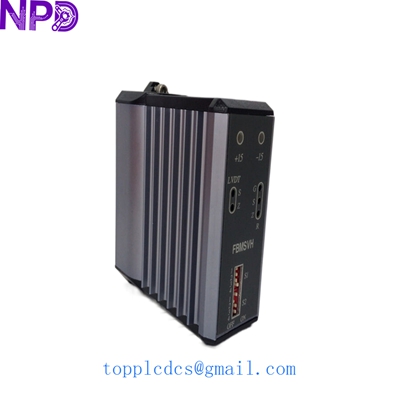
FOXBORO FBMSVH
Installation & Configuration Guide
Phase 1: Pre-Installation (Preparation)
⚠️ Safety First:
- Notify the DCS operator before touching the I/O rack; disturbing an active fieldbus can trigger system-wide alarms.
- Confirm you have the correct Fieldbus cables (Twinaxial or Fiber, depending on your architecture).
- Check the power supply voltage. The FBMSVH requires clean 24 V DC. Use a Fluke 115 to verify there is no excessive ripple voltage on the DC line.
Tools Required:
- Standard flat-head and Phillips screwdrivers.
- Torque wrench (for DIN rail or panel mounting screws).
- Cable markers for identifying fieldbus and power lines.
Phase 2: Mounting the Housing
- Spacing: Ensure there is at least 2 inches of clearance above and below the housing for proper airflow. These housings can get warm when fully loaded with 4 modules.
- Mounting: Secure the FBMSVH to the vertical DIN rail or cabinet backplate. Ensure it is level; a tilted baseplate can put mechanical stress on the module connectors.
- Earthing: Connect the ground lug to the cabinet’s common ground bus using at least 14 AWG wire. Proper grounding is the only way to prevent signal noise on the DCS.
Phase 3: Wiring and Power
- Power A & B: Connect the redundant 24 V DC power feeds to the terminal block. In my experience, skipping the redundant power is a major risk—if one PSU fails, the whole housing goes dark.
- Fieldbus Cables: Connect the primary and secondary Fieldbus cables. Use the “click” sound of the connector to ensure it is locked.
- Terminator: If this is the last housing on the Fieldbus segment, you must install a 75-ohm terminator. Without it, signal reflection will cause intermittent “Module Missing” errors.
Phase 4: Module Insertion & Verification
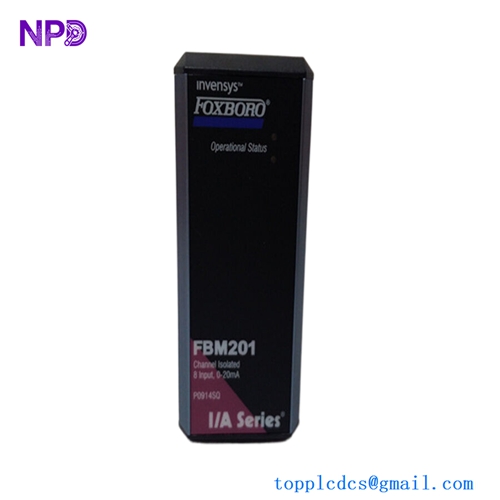
- Seating: Slide your Fieldbus Modules (e.g., FBM201, FBM217) into the slots. Press firmly until the module’s locking ears engage the FBMSVH frame.
- Addressing: The address of each FBM is usually determined by its position in the housing. Check your I/A Series configuration software (Integrated Control Software) to ensure the slot mapping is correct.
- Status Check: Once powered, the status LEDs on the modules should blink green, indicating they have successfully “joined” the Fieldbus through the baseplate.
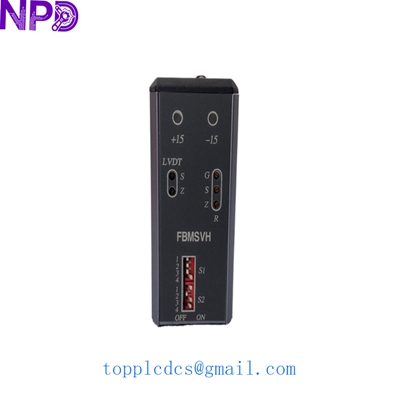
FOXBORO FBMSVH
Customer Cases & Industry Applications
Case 1: Chemical Plant Expansion
A specialty chemical plant in Germany needed to add 8 new temperature points to an existing I/A Series rack. The local vendor suggested a total hardware migration because the FBMSVH was “out of production.” We provided two New Surplus vertical housings from our stock. The plant was able to expand their I/O capacity during a 12-hour scheduled maintenance window, avoiding a $150,000 system overhaul.
Case 2: Emergency Replacement in Oil & Gas
An offshore platform in the South China Sea experienced a power surge that fried the backplane of a vertical baseplate, taking 4 critical flow meters offline. They couldn’t wait 10 weeks for a factory order. We shipped a factory-sealed FBMSVH via helicopter-courier. The technician replaced the housing in under an hour, restoring the flow data and preventing a mandatory platform shutdown.
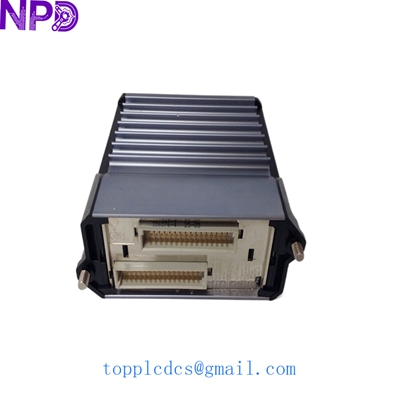
FOXBORO FBMSVH
Frequently Asked Questions (FAQ)
Q: What is the difference between FBMSVH and FBMSVH-P? A: The “P” suffix usually refers to a specific packaging or revision for newer Schneider Electric branding. Mechanically and electrically, the FBMSVH (P0922VT) is the standard vertical 4-slot housing and is typically interchangeable across most I/A Series versions.
Q: Does this housing include the Fieldbus Modules? A: No. The FBMSVH is the physical baseplate/housing only. FBM modules (like the FBM201) must be purchased separately.
Q: Can I mix different types of FBMs in one housing? A: Yes. One of the strengths of the Foxboro I/A Series is that you can mix Analog, Digital, and Pulse modules in the same FBMSVH baseplate, provided your software configuration supports the slot arrangement.
Q: Is “New Surplus” as reliable as “Factory New”? A: To be honest, for obsolete parts, New Surplus is often more reliable than “Refurbished” parts. Since these units have zero run-time hours on the internal bus connectors, they don’t have the mechanical wear or oxidation found on used equipment.
Related Inventory Models
- FOXBORO FBM201 (P0914XQ)
- FOXBORO FBM217 (P0914TR)
- FOXBORO FCP270 (P0917CP)
- ABB PM866
- GE IS215UCVEH2AE
- Bently Nevada 3500/15
- Honeywell MC-TAMT03
- Siemens 6ES7315-2AH14-0AB0
For live pricing and global shipping estimates, please visit newplcdcs www.newplcdcs.com.