
Description
- Model: FCP280
- Part Number: RH924YA
- Brand: Foxboro (by Schneider Electric)
- Series: I/A Series / EcoStruxure Foxboro DCS
- Core Function: High-Performance Field Control Processor
- Product Type: Central Control Module
- Key Specs: 2 Gbps Fiber Optic Comms | RISC Processor | Tightly Coupled Redundancy
- Processor Type: High-speed RISC architecture for deterministic control.
- Redundancy: Supports fault-tolerant (1-for-1) redundancy with < 10 ms switchover time.
- Communication:
- Internal: 2 Gbps fiber optic for high-speed module-to-module data exchange.
- Network: Dual 100 Mbps Ethernet for Mesh network connectivity.
- Capacity: Supports up to 128 Field Bus Modules (FBMs).
- Input Voltage: 24 V DC (nominal).
- Memory: High-density ECC RAM and non-volatile Flash for database storage.
- Operating Temperature: 0°C to +60°C (32°F to +140°F).
- Certification: Class 1, Division 2 (Zone 2) for hazardous environments.
- Software Requirement: I/A Series v8.x or EcoStruxure Foxboro DCS v6.x and higher.
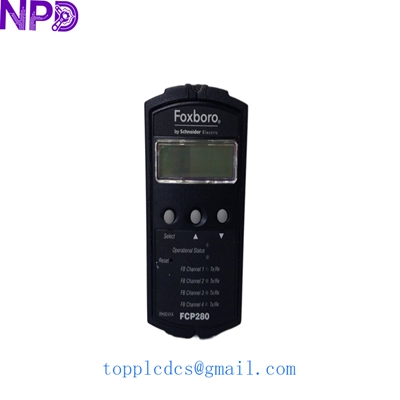
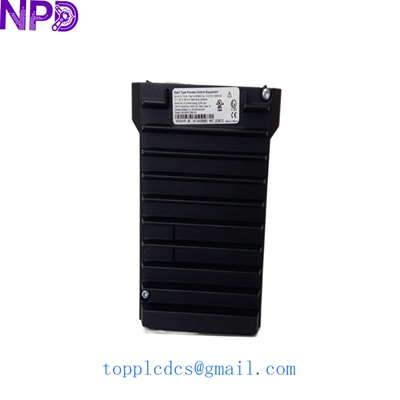
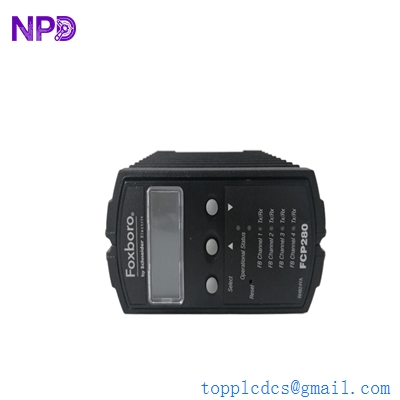
FOXBORO FCP280 RH924YA
Installation & Configuration Guide
Stage 1: Pre-Installation
⚠️ Safety Checklist:
- System Backup: Always perform a full “Save All” of the current control database from the FoxView or Control Core Services workstation.
- Redundancy Check: If replacing one half of a redundant pair, ensure the partner module is “Primary” and “Healthy.”
- ESD Precautions: The FCP280 is an extremely high-value, sensitive electronic component. A grounded wrist strap is mandatory.
Required Tools:
- Foxboro ICC (Integrated Control Configurator) or Foxboro Control Software (FCS).
- Fiber optic cleaning kit (for RH924YA connectors).
- Small flat-head screwdriver for terminal connections.
Stage 2: Physical Installation
Steps:
- Rack Placement: Slide the FCP280 into the designated slot in the FCM (Field Communication Module) baseplate or relevant mounting assembly.
- Fiber Connection: Remove the protective caps from the fiber optic ports.
- Pro Tip: Clean the fiber tips before insertion. Dust on a 2 Gbps link can cause intermittent data dropouts.
- Seating: Ensure the module is fully seated and the locking levers are engaged.
Stage 3: Configuration & Software Setup
Steps:
- Letterpress ID: Set the “Letterpress” or Hardware ID (e.g., FCP01). This must match the identifier defined in your system configuration.
- Firmware Matching: Use the system management tools to verify that the firmware revision of the new RH924YA matches the rest of the system.
- Initialization: Connect via the maintenance port if necessary to set the initial IP address or system parameters.
Stage 4: Testing & Commissioning
Validation:
- LED Status:
- Green (READY): Steady on.
- Amber (FLT): Should be off.
- Green (PRI): On if this is the primary controller.
- Data Flow: Verify that all associated FBMs are “Online” and updating in the Control Core Services monitor.
- Failover Test: If redundant, perform a manual switchover to ensure the new module takes over the load without bumping the process.
FOXBORO FCP280 RH924YA
Customer Cases & Industry Applications
Case 1: LNG Terminal Communication Upgrade
Situation: An LNG terminal was running on older FCP270 processors. They were experiencing latency issues due to increased I/O demands and complex control logic.
Task: Upgrade to the FCP280 RH924YA to take advantage of the 2 Gbps fiber optic backbone without requiring a total system overhaul.
Action: We supplied a pair of New Surplus FCP280 units. By migrating to the RH924YA, the client tripled their internal data throughput.
Result: Control response times were reduced by 40%, and the system stability improved significantly during high-demand loading cycles.
Case 2: Chemical Plant Emergency Breakdown
Situation: A chemical reactor’s primary control processor failed during a power surge. The plant’s spare was found to be defective, leaving the reactor idle.
Task: Source a replacement RH924YA immediately to avoid a $300,000/day loss.
Action: We received the order at 4:00 PM and shipped the unit via “Next Flight Out.” It arrived at the customer’s site the following morning.
Result: The reactor was restarted within 18 hours of the failure. The customer noted that our New Surplus unit was factory-sealed and performed flawlessly upon installation.
FOXBORO FCP280 RH924YA
Frequently Asked Questions (FAQ)
Q: Can the FCP280 (RH924YA) coexist with older FCP270s? A: Yes, in a Foxboro Mesh network architecture, FCP280 and FCP270 modules can coexist on the same network, though they cannot be mixed within the same redundant pair.
Q: Do I need new software to use the RH924YA? A: The FCP280 requires I/A Series version 8.8 or later, or EcoStruxure Foxboro DCS. If you are running an older version (e.g., v7.x), you will likely need a software patch or upgrade.
Q: What is the difference between RH924YA and other FCP280 variants? A: RH924YA is the standard part number for the module itself. Variations usually refer to bundle packages (including baseplates or specific licenses).
Q: Is “New Surplus” safe for critical DCS applications? A: Absolutely. Our New Surplus units are original Foxboro/Schneider Electric parts that have never been used. They offer the same reliability as a factory-direct unit but are available for immediate shipment—critical for avoiding long OEM lead times.
Featured Inventory List (Current Stock)
- ABB PM866A Controller
- Bently Nevada 3500/22M
- TRICONEX 3721 Analog Input
- GE IS215UCVEH2AE Processor
- Honeywell CC-PAIH01
- Siemens 6ES7 417-4XT07-0AB0
- Allen-Bradley 1756-L75
- Schneider 140CPU65150
For more details on these parts, visit our catalog at newplcdcs.