Description
🔹 Product Overview
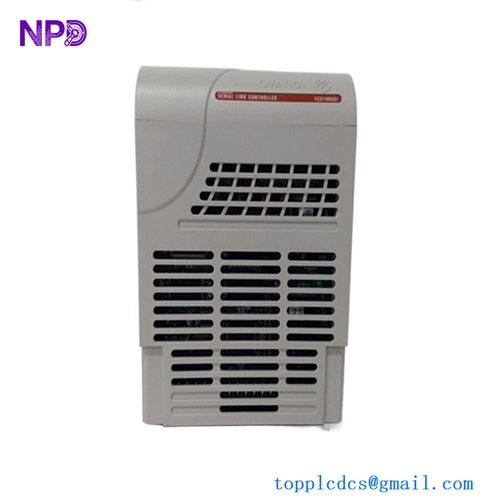
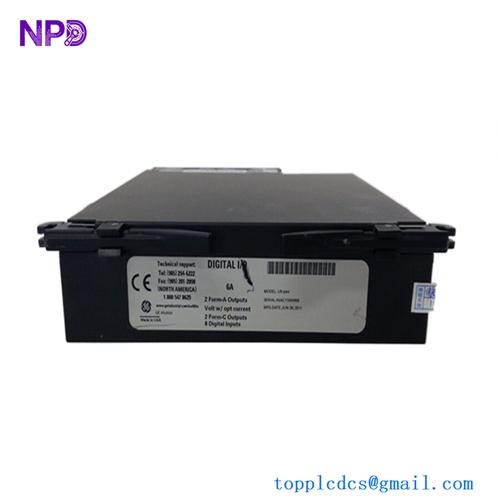
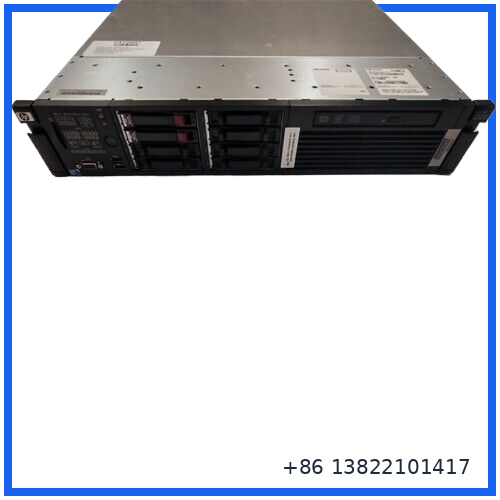
The FOXBORO H90 H90C9AA0117S is an industrial computer workstation/server designed for Foxboro process control and DCS environments. It provides the computing platform required for supervisory, operator, engineering, data-management, and other system-level functions within an industrial automation architecture.
Unlike a conventional PLC I/O module, the H90 is a computer-based system component. It is intended to run or support industrial automation software and provide an interface between the Foxboro control environment and higher-level applications such as operator workstations, engineering tools, historian functions, and process information systems.
The exact hardware configuration of an H90 workstation can vary according to the configuration code and system generation. CPU, RAM, storage, graphics, network interfaces, operating system, and installed Foxboro software should therefore be confirmed from the physical unit or system documentation before replacement.
🔹 Main Features
🖥️ Foxboro H90 industrial computer platform
🖥️ Model / configuration: H90C9AA0117S
🖥️ Industrial DCS workstation/server application
🖥️ Designed for Foxboro process-control environments
🖥️ Suitable for operator, engineering, supervisory, and system-management functions
🖥️ Supports industrial data processing and visualization
🖥️ Network connectivity for DCS system integration
🖥️ Suitable for legacy Foxboro automation installations
🖥️ Rack/server-class computer architecture
🖥️ Useful as a maintenance spare for critical DCS workstations
🔹 Technical Specifications
| Parameter | Specification |
|---|---|
| Brand | FOXBORO |
| Model | H90 |
| Configuration / MPN | H90C9AA0117S |
| Product Type | Industrial Computer Workstation / Server |
| Application | Foxboro DCS / Process Control |
| System Role | Workstation, Server or Application Platform |
| Computing Platform | Server-class industrial computer |
| Processor | Configuration dependent |
| Memory | Configuration dependent |
| Storage | HDD / SSD configuration dependent |
| Operating System | System/configuration dependent |
| Network Interfaces | Configuration dependent |
| Display Interface | Configuration dependent |
| USB | Configuration dependent |
| Serial Interfaces | Configuration dependent |
| Mounting | Rack / cabinet installation depending on configuration |
| Software | Foxboro DCS software configuration dependent |
| Redundancy | System configuration dependent |
| Cooling | Internal computer cooling system |
| Operating Temperature | Verify from the specific hardware configuration |
| Part Number | H90C9AA0117S |
| Country of Origin | United States reported in the associated listing |
⚠️ The H90 platform was supplied in multiple hardware configurations. Published third-party descriptions disagree on the exact processor generation, RAM capacity, storage configuration, operating system, and port arrangement for H90C9AA0117S. These values should not be treated as universal specifications for every unit carrying this configuration number.
🔹 System Function
The H90 workstation acts as a computer platform within an industrial control environment.
A typical architecture can be represented as:
Field Devices → Controllers → DCS Network → H90 Workstation/Server → Operator / Engineering / Data Applications
Depending on the installed Foxboro configuration, the workstation may provide functions such as:
- Process visualization
- Operator interface
- Alarm monitoring
- Engineering and configuration
- Historical data access
- System administration
- Process information management
- DCS application hosting
- Communication with other industrial computers
The exact software role is determined by the Foxboro system configuration rather than by the H90 hardware alone.
🔹 Typical Applications
The H90C9AA0117S is suitable for industrial automation environments where a computer workstation or server is required as part of a Foxboro DCS installation.
Typical applications include:
🏭 Oil & Gas
🏭 Petrochemical Plants
🏭 Chemical Processing
🏭 Power Generation
🏭 Water & Wastewater
🏭 Pharmaceutical Production
🏭 Pulp & Paper
🏭 Continuous Process Manufacturing
🏭 Central Control Rooms
🏭 Engineering and Maintenance Stations
🔹 Installation & Replacement Guide
Before replacing an H90 workstation:
- Shut down the workstation using the approved system procedure.
- Record the complete H90 configuration number.
- Photograph the rear-panel connections and installed expansion cards.
- Record the existing hardware configuration.
- Identify the installed storage devices.
- Check the operating system and Foxboro software version.
- Back up required system configuration and application data.
- Disconnect power and network cables.
- Remove the original workstation according to the cabinet/rack procedure.
- Install the replacement H90 securely.
- Reconnect network, display, USB, serial, and other interfaces.
- Restore power and allow the computer to complete its startup sequence.
- Check operating-system status.
- Verify Foxboro software services and DCS communication.
- Confirm operator displays, alarms, historical functions, and network connectivity.
- Return the system to normal operation only after functional verification.
🔹 Important Compatibility Checks
For this type of industrial computer, physical compatibility alone is not enough.
Before ordering a replacement, verify:
Hardware
- H90 model
- H90C9AA0117S configuration
- CPU configuration
- RAM
- Storage devices
- Network cards
- Graphics hardware
- Expansion cards
Software
- Operating system
- Foxboro software version
- Application software
- Driver versions
- Network configuration
- User accounts and permissions
System
- DCS generation
- Control-network configuration
- Workstation role
- Server dependencies
- Historian configuration
- Engineering tools
This is especially important for legacy DCS installations where an apparently identical computer may contain different software or hardware revisions.
🔹 Inspection Before Installation
Before putting a replacement workstation into service, inspect:
🔍 Chassis condition
🔍 Power supply
🔍 Cooling fans
🔍 Air vents
🔍 Hard drives / SSDs
🔍 RAM modules
🔍 Network interface cards
🔍 Display connectors
🔍 USB and serial ports
🔍 Internal expansion cards
🔍 Rack mounting hardware
🔍 Product identification label
🔍 H90 configuration number
Also check for dust accumulation, corrosion, damaged connectors, loose cards, and signs of overheating.
🔹 Troubleshooting
⚠️ Workstation Does Not Power On
Check the incoming power source, power cable, power supply, internal connections, and system status indicators.
⚠️ Operating System Does Not Start
Check the storage device, boot configuration, memory, and installed operating-system environment.
⚠️ DCS Network Communication Failure
Check network cables, network adapters, switch ports, IP configuration, and Foxboro system network settings.
⚠️ Operator Application Does Not Start
Verify that the required Foxboro software services, drivers, licenses, and configuration files are available.
⚠️ Display Problem
Check the graphics adapter, display cable, monitor, resolution configuration, and associated drivers.
⚠️ Intermittent Shutdown
Inspect cooling fans, cabinet temperature, power supply stability, and internal dust accumulation.
🔹 Maintenance Recommendations
🧰 Keep a verified spare workstation for critical control-room systems.
🧰 Back up the operating system and application configuration where permitted.
🧰 Record the complete hardware configuration.
🧰 Maintain copies of required Foxboro software and configuration information.
🧰 Keep adequate cabinet ventilation.
🧰 Clean dust from cooling paths during scheduled maintenance.
🧰 Monitor hard-drive or SSD health.
🧰 Check network connections periodically.
🧰 Keep spare equipment in a dry, ESD-safe environment.
🧰 Record hardware and software revisions before making a replacement.
For older DCS installations, maintaining the same hardware and software configuration is often more practical than attempting an unverified modern computer substitution.
🔹 Frequently Asked Questions
Q: What is FOXBORO H90 H90C9AA0117S?
A: It is an H90 industrial computer workstation/server configuration used in Foxboro automation and process-control environments.
Q: Is H90C9AA0117S a PLC module?
A: No. It is a computer-based workstation/server rather than a conventional PLC I/O or controller module.
Q: What is the main purpose of the H90?
A: It provides computing resources for system-level industrial automation functions such as operator visualization, engineering, process information, data management, and other Foxboro DCS applications.
Q: Does every H90C9AA0117S have the same CPU and RAM?
A: The H90 platform has multiple hardware configurations. CPU, memory, storage, network cards, and software should be verified on the specific unit.
Q: Can I replace it with an ordinary industrial PC?
A: Not without checking the complete system requirements. The operating system, Foxboro software, drivers, network interfaces, storage, and hardware configuration all need to be compatible.
Q: What information should be checked before purchase?
A: Confirm the complete H90C9AA0117S configuration number and, preferably, photographs of the nameplate, rear panel, internal hardware, storage devices, and expansion cards.
Q: Is it suitable as a DCS spare part?
A: Yes. A correctly configured H90 workstation can be valuable as a replacement or backup for a legacy Foxboro DCS computer system.
🔹 Related FOXBORO Models
- H90 H90C9AA0117S – Industrial Computer Workstation / Server
- H92 H92A049E0700 – Foxboro Server Platform
- FCP270 – Foxboro Field Control Processor
- FCP280 – Foxboro Field Control Processor
- FBM201 – Analog Input Module
- FBM201e P0924TR – Analog Input Module
- FBM201d P0922YK – Analog Input Module
- FBM224 – Fieldbus / I/O Module
- FBM231 – Fieldbus / I/O Module
- FDC280 – Field Device Controller
🔹 Product Summary
The FOXBORO H90 H90C9AA0117S | Industrial Computer Workstation Server is a computer-based platform intended for Foxboro DCS and industrial process-control environments.
It can serve as an operator, engineering, supervisory, or application-level computing platform depending on the system configuration. Because H90 hardware was supplied in different configurations, the complete H90C9AA0117S identification and actual installed hardware should be matched before replacement.
Brand: FOXBORO
Model: H90
Configuration: H90C9AA0117S
Product Type: Industrial Computer Workstation / Server
Application: Foxboro DCS & Process Control
System Role: Operator / Engineering / Application Platform
Replacement Note: Verify complete hardware and software configuration before installation