Description
- Model: Foxboro IPM2 (Part No. P0904HA)
- Brand: Foxboro by Schneider Electric
- Series: I/A Series (Intelligent Power)
- Core Function: Intelligent Power Module for DIN Rail FBM subsystems
- Condition: Brand New Surplus (Original New), Non-refurbished
- Type: Power Supply / Management Module
- Key Specs: 24 V DC Input Provides Power to FBMs and Field Devices
- Input Voltage: 24 V DC (Accepts redundant A and B feeds)
- Output Voltage: Distributed via the baseplate to Fieldbus Modules (FBMs)
- Module Type: Intelligent Power Module (IPM2)
- Status Monitoring: Integrated monitoring of input voltage levels and module health
- Isolation: Galvanic isolation between input power and control logic
- Mounting: Standard DIN Rail via the modular baseplate
- Redundancy Support: Fully compatible with redundant power configurations
- Operating Temperature: -20 °C to +70 °C
- Humidity: 5% to 95% (Non-condensing)
- Certification: CE, UL, CSA, Class 1 Division 2 (Hazardous Locations)
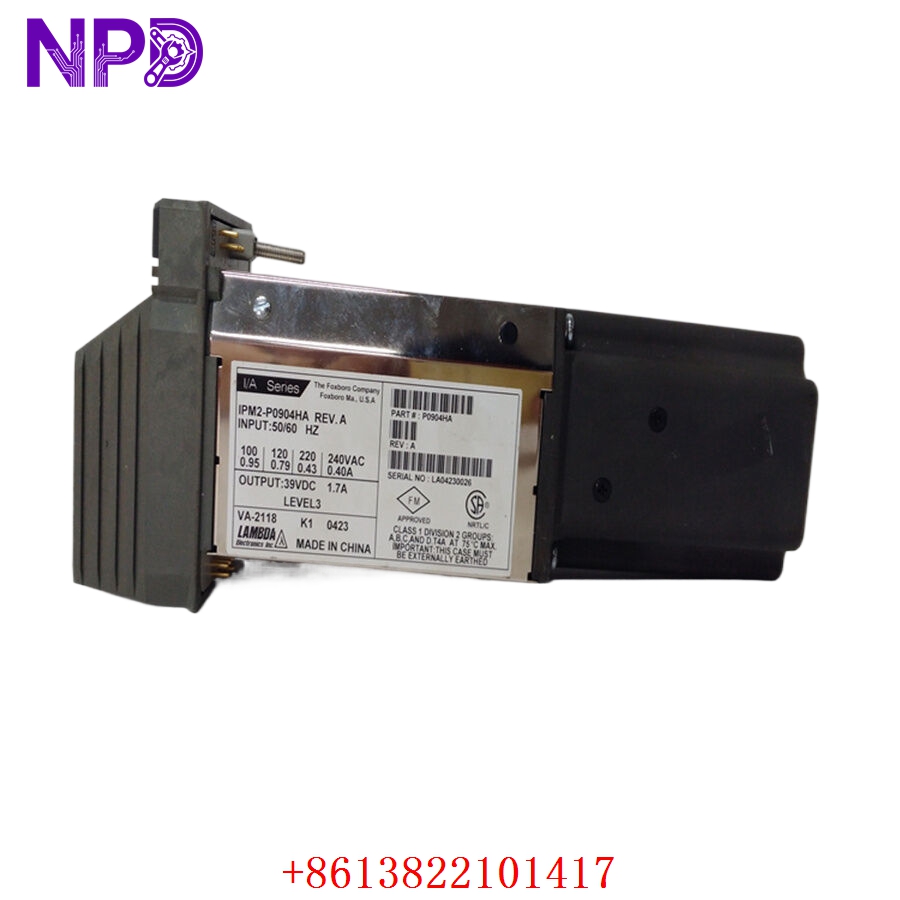
FOXBORO IPM2-P0904HA
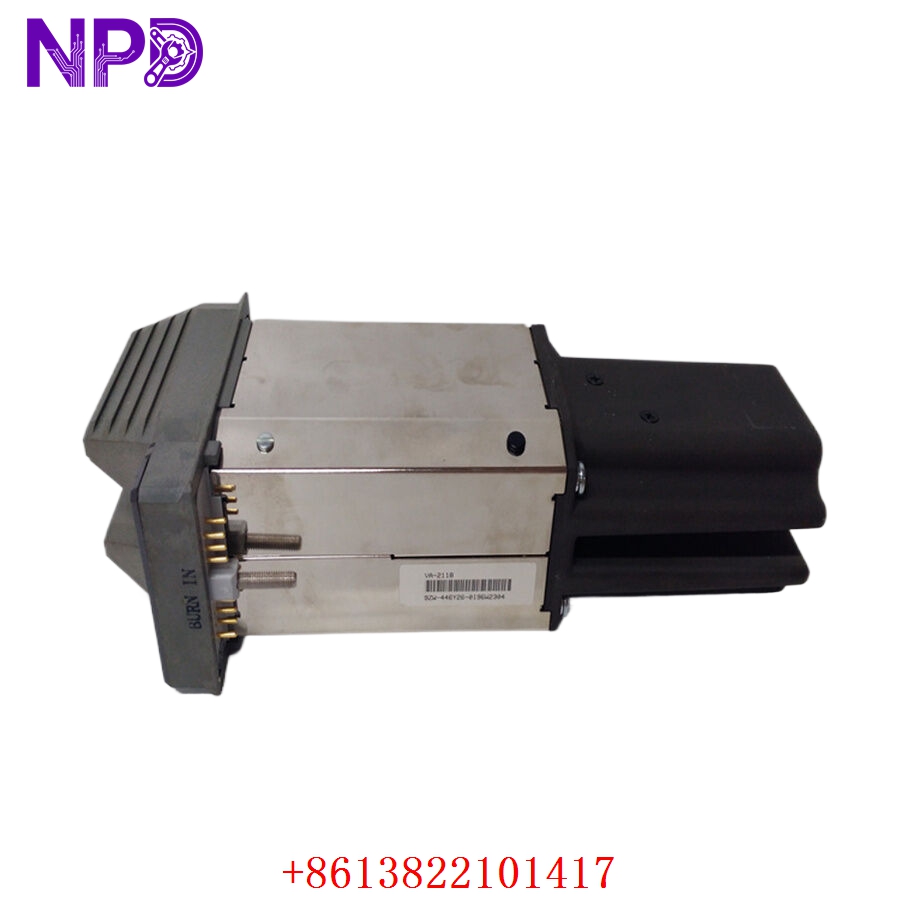
FOXBORO IPM2-P0904HA
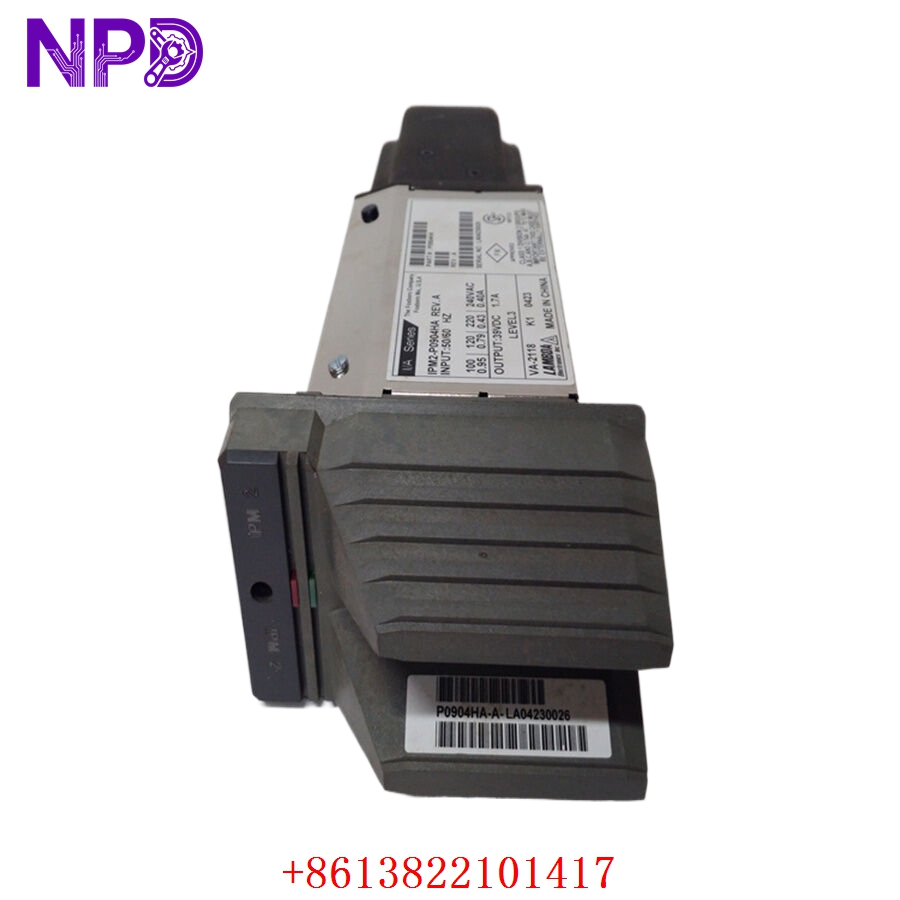
FOXBORO IPM2-P0904HA
Installation & Configuration Guide
Phase 1: Preparation (10 Minutes)
⚠️ Safety First:
- Although Foxboro systems support power redundancy, never assume a single feed is enough to keep the system stable during a high-vibration swap. Notify operations before proceeding.
- Confirm that the incoming 24 V DC supply is within the ±10% tolerance range.
- Verify the baseplate power cabling is secure and free of fraying.
Tools & Protection:
- ESD wrist strap (Essential for protecting the intelligent monitoring circuitry).
- A digital multimeter to verify the input voltage at the baseplate terminals.
Phase 2: Removal (5 Minutes)
- Unlocking: Locate the plastic latches at the top and bottom of the IPM2-P0904HA.
- Withdrawal: Pull the latches outward to disengage the module from the baseplate connector.
- Observation: Check the baseplate pins. In my experience, power modules can sometimes show minor carbon buildup on the baseplate if the previous unit was arcing due to loose mounting. Clean with electronic contact cleaner if necessary.
Phase 3: Installation (15 Minutes)
- Alignment: Align the P0904HA with the guides on the baseplate.
- Seating: Press the module firmly into the slot. You should hear a distinct “click” as the latches snap into place.
- Redundancy Check: If you are installing this as a redundant pair, ensure the partner module is showing a healthy status before and after the insertion.
Phase 4: Power-On & Testing (20 Minutes)
- LED Check:
- READY (Green): Should be solid green once the internal diagnostics pass.
- FAIL (Red): Should stay OFF. If it flashes, the module detects an input voltage out of range or an internal fault.
- System Manager: Open the Foxboro I/A Series System Manager (or FoxView). Locate the power module in the hardware tree and verify it is “Operational.”
- Voltage Verification: If possible, check the system diagnostic display for the specific voltage being reported by the IPM2. It should accurately reflect your bus voltage.
Customer Cases & Industry Applications
Case 1: Resolving Nuisance Alarms in a Pulp Mill
Situation: A pulp and paper mill in Canada was plagued by intermittent “Power Supply Degraded” alarms. The system was running, but the uncertainty was driving the operators crazy. Task: The maintenance lead suspected the aging IPM2 was failing to report voltage levels correctly to the control station. Action: We supplied a New Surplus P0914HA. Because we keep these in stock, it arrived on-site before their scheduled Tuesday maintenance window. Result: Replacing the module stopped the nuisance alarms immediately. The old module was tested and found to have a drifting voltage-sensing circuit—a common issue with units that have been in 24/7 service for over a decade.
Case 2: Strategic Backup for a Natural Gas Terminal
Situation: A LNG terminal was moving from “just-in-time” spare parts to a “Strategic Critical” inventory model. Task: They identified the P0904HA as a single point of failure if both redundant modules were to fail due to a site-wide surge. Action: The customer purchased a bundle of 4 units to keep on-site in their climate-controlled warehouse. Result: They saved significantly on shipping and bulk pricing, and more importantly, they reduced their potential downtime risk from days to minutes.
Frequently Asked Questions (FAQ)
Q: Is the IPM2 P0904HA hot-swappable? A: Yes, the Foxboro I/A Series DIN rail modules are designed for hot-swapping. If you have a redundant power setup, removing one IPM2 will not shut down the FBMs. However, I always recommend checking that the “Partner” module is healthy before pulling the old unit.
Q: What’s the difference between IPM and IPM2? A: The IPM2 is the second generation of Foxboro’s Intelligent Power Module. It features improved diagnostic capabilities and better heat dissipation than the original series. The P0904HA is the most common version of this second-generation module.
Q: Can I use this with any FBM baseplate? A: It is designed for the 200 Series DIN Rail baseplates. Ensure your baseplate has the specific slots designated for Power Modules (usually at the far end of the baseplate chain).
Q: Does this module regulate the voltage? A: Not exactly. The IPM2 manages and monitors the power distribution. It relies on your external 24 V DC power supplies to provide regulated power. It acts as the “intelligent” gatekeeper and reporter for that power.
Q: How do I verify if the unit you send is truly “New”? A: Our P0904HA units come in the original manufacturer’s packaging when available. You can inspect the connector pins—they will be bright, shiny, and free of the characteristic “scoring” or “scratching” marks found on used or refurbished modules. We also provide a full test report from our QC lab.