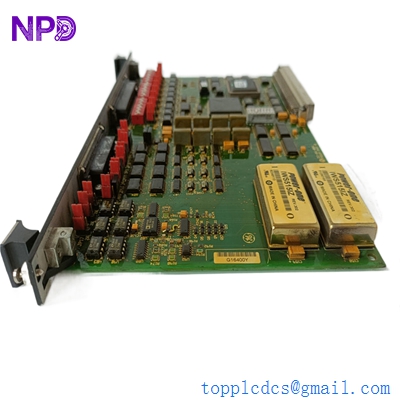
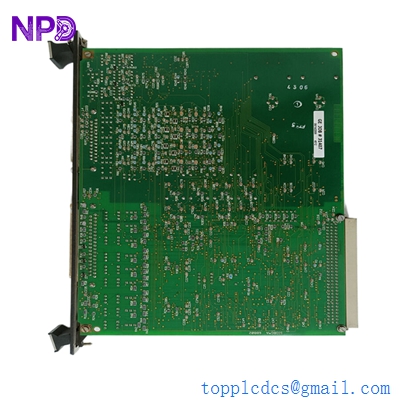

Description
- Model: DS200SIOBH1ACA
- Brand: General Electric (GE)
- Series: Speedtronic Mark V (Mark 5) Control System
- Core Function: Signal Input/Output (SIOB) interface for turbine control
- Product Type: I/O Terminal Board
- Key Specs: Compatible with LM series gas turbines | Multiple I/O channels | High-density connector layout
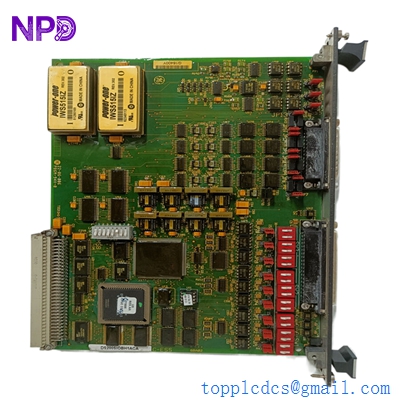
GE DS200SIOBH1ACA
Key Technical Specifications
- Module ID: DS200SIOBH1ACA (Revision H1ACA)
- System Architecture: Speedtronic Mark V TMR (Triple Modular Redundancy) or Simplex
- Power Requirements: Standard +5 V, +15 V, and -15 V DC rails from power distribution
- I/O Capacity: High-density analog and digital signal conditioning
- Connector Type: Ribbon cable headers for direct connection to RST/C cores
- Compatibility: Dedicated to GE LM2500, LM5000, and LM6000 turbine controllers
- Mounting Type: Stand-off mounting within the Mark V cabinet
- Operating Temp: 0 °C to +60 °C (Controlled cabinet environment)
- Form Factor: Large format PCB with integrated terminal blocks
- Firmware/Revision: Revision H1 with A, C, and A functional variations
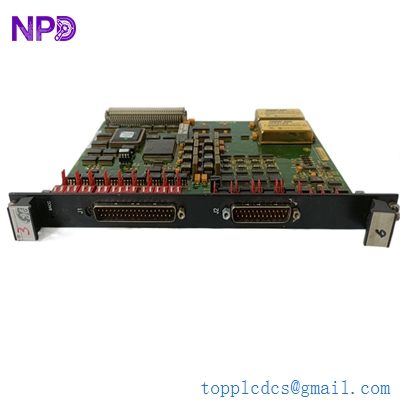
GE DS200SIOBH1ACA
Installation & Configuration Guide
Phase 1: Preparation (Pre-Installation)
⚠️ Safety First:
- Confirm the turbine is in a “Safe” or “Stop” state before proceeding.
- The Mark V system is highly sensitive. Do not attempt replacement while the cabinet power is live.
- Ground yourself. Use a static-dissipative wrist strap connected to the cabinet frame.
Required Tools:
- Nut driver or 1/4″ socket set for stand-offs.
- Small flat-head screwdriver for terminal wiring.
- Digital Multi-meter (Fluke 87V or equivalent) to verify power rails.
- Camera for visual documentation.
Phase 2: Removal of Faulty Module
- Labeling: This board features numerous ribbon cables. Use a marker to label every cable (J1, J2, JE, etc.) before disconnection. Honestly, take 3 or 4 clear photos from different angles—you will thank yourself later during reassembly.
- Disconnecting: Gently unlatch the ribbon cable headers. These connectors can become brittle after 20 years in a warm cabinet; avoid excessive force.
- Hardware: Unscrew the board from the nylon or metal stand-offs. Keep the screws in a magnetic tray; they are notoriously easy to lose in the bottom of a rack.
Phase 3: New Module Installation
- Revision Check: Compare the hardware jumpers on the new DS200SIOBH1ACA with your old board. GE often utilized jumpers (JP1, JP2, etc.) to configure signal levels or termination. Match them exactly to the original settings.
- Mounting: Align the board on the stand-offs and hand-tighten the screws first to prevent cross-threading.
- Cabling: Reconnect the ribbon cables. Ensure they are seated fully and the locking tabs click into place. A loose connection here is the primary cause of “Board Missing” alarms on the Operator Interface.
Phase 4: Commissioning & Testing
- Voltage Check: Power up the core and immediately verify the LEDs. You should see “Health” indicators or heartbeat signals depending on your specific Mark V configuration.
- Diagnostic Scan: Use the ControlST or the legacy I/O or HMI stations to run a diagnostic on the R, S, or T core. Check for “Voter Disagreement” or “I/O Forced” alarms.
- Loop Check: If this board handles critical sensors (such as T5 or PT2), perform a manual loop check to ensure signals are reaching the processor correctly.

GE DS200SIOBH1ACA
Customer Cases & Industry Applications
Case 1: Emergency Shutdown Recovery at an IPP
Situation: An Independent Power Producer (IPP) in Southeast Asia utilized GE LM6000 turbines for peak power generation. Due to long-term operation in a high-humidity environment, the DS200SIOBH1ACA interface board suffered from electronic migration, causing intermittent “I/O Failure” alarms and forced trips during startup.
Task: Every day of downtime cost the plant approximately $12,000 in power purchase penalties. The original manufacturer quoted a 14-week lead time as the part is in “Legacy Support.” The plant needed an immediate solution.
Action: The client contacted our inventory team. We provided the DS200SIOBH1ACA from stock, including a detailed functional test report. We shipped the unit via FedEx Priority, reaching the site in 4 days.
Result: The turbine successfully ignited on the first attempt after replacement. The client noted: “To be honest, we were worried about receiving a refurbished part, but the original serial numbers and sealed anti-static packaging gave us full confidence.” This saved the plant over $150,000 in total downtime losses.
Case 2: Strategic Lifecycle Extension for Petrochemical Plant
Situation: A self-contained power plant for a large petrochemical facility in Southern China continued to run on a GE Mark V TMR system installed in the 90s. While stable, the aging electronics in their spare parts inventory were beginning to show signs of failure.
Task: Since a full system migration to Mark VIe required millions in capital and a two-month shutdown, management opted for a “replace-on-fail” strategy. They needed to secure high-quality, non-refurbished spares to extend the system life for another 5–10 years.
Action: We formulated a “Strategic Stocking List” including two DS200SIOBH1ACA units. These boards were New Surplus, ensuring they had never been subjected to the thermal stress of decades of operation—crucial for high-reliability chemical environments.
Result: In early 2024, a lightning strike damaged an I/O path. The plant replaced the board in 2 hours using their inventory. The procurement lead remarked: “New surplus costs more than used parts, but the peace of mind is worth it when the alternative is an unscheduled total plant blackout.”
Frequently Asked Questions (FAQ)
Q: Is this DS200SIOBH1ACA truly brand new? A: Yes, this is New Surplus. To be clear, it was manufactured by GE as a spare and stored in a climate-controlled environment. It has never been installed or energized in a turbine, and it is certainly not a “pull” from a decommissioned machine. For Mark V systems, refurbished boards often have dried-out capacitors; buying new surplus avoids that “ticking time bomb.”
Q: My current board suffix is H1A. Is H1ACA compatible? A: Generally, yes. In GE nomenclature, the suffix (H1ACA) denotes version iterations and minor functional corrections. In the Mark V ecosystem, higher revisions are typically backward compatible. However, I recommend sending us a photo of your existing board so our engineers can verify the jumper layout before shipping.
Q: How do you verify the functionality of a part that has been in storage? A: We follow a strict SOP. Before dispatch, we perform impedance checks on critical nodes and verify that there are no signs of component degradation or oxidation on the connectors. We stand behind our stock with a 12-month warranty; if it fails to initialize, we take full responsibility.
Q: Why is the pricing for Mark V spares so volatile? A: Truthfully, it depends on global scarcity. GE stopped mass production years ago, and authentic stock is dwindling. When your turbine is down, the value of a verified part is far higher than its original cost. Our pricing reflects current global sourcing costs and the overhead of maintaining high-quality testing standards.
Q: Does the board require a firmware flash upon installation? A: No. The DS200SIOBH1ACA is a hardware interface board. The logic is handled by the core processors (like the TCEA or TCQC). You simply need to match the jumpers (JP1, JP2, etc.) to your old board, plug in the ribbon cables, and the system should recognize it automatically.