
Description
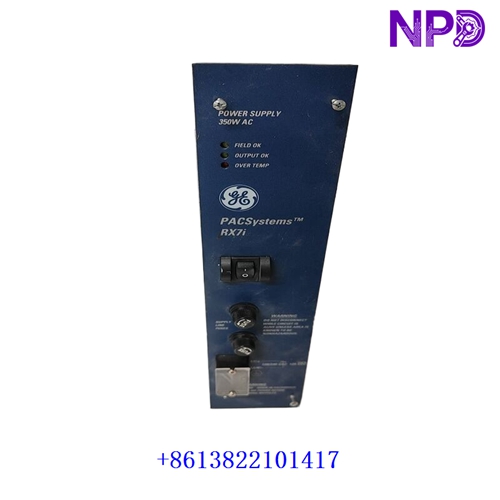
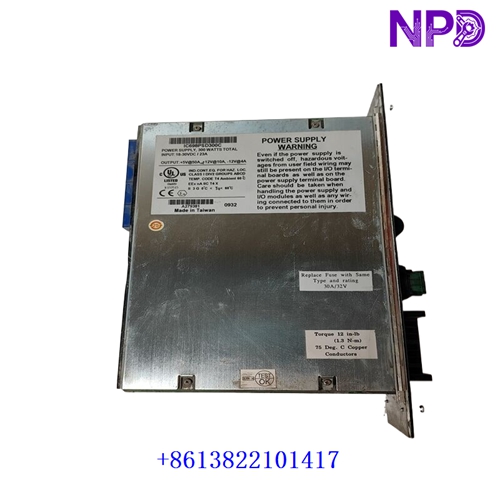
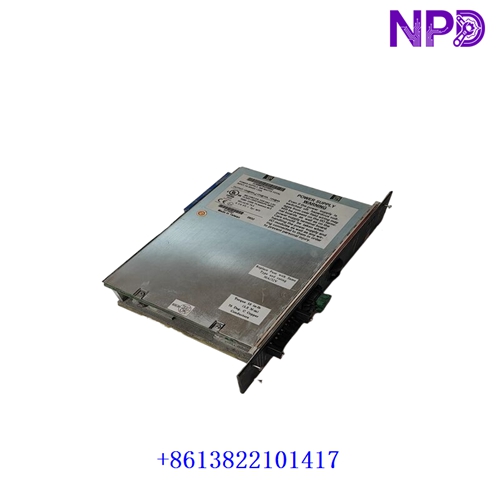
The GE Fanuc / Emerson IC698PSD300C is a high-capacity, multi-output Power Supply Module engineered specifically for the PACSystems RX7i VME64 rack architecture. It supplies regulated operating voltages to the rack backplane, powering the CPU, communication modules, and connected VME/RX7i I/O cards in demanding industrial automation and process control systems.
| Parameter | Specification |
| Brand / Manufacturer | GE Fanuc / Emerson Intelligent Platforms |
| Model / Part Number | IC698PSD300 (Revision: C) |
| Product Type | Rack Power Supply Module |
| System Compatibility | GE PACSystems RX7i Universal VME Backplanes |
| Input Voltage Range | 120 / 240 VAC nominal (85 to 264 VAC) or 125 VDC nominal (100 to 150 VDC) |
| Output Power Capacity | 300 Watts total output capacity |
| Backplane Rail Outputs | +5 VDC, +12 VDC, -12 VDC, and auxiliary power rails |
| Status Monitoring | Front-panel diagnostic LEDs for input power, output status, and over-temperature |
| Cooling Method | Internal convection / forced air cooling paths within the RX7i rack |
| Product Status | Industrial Automation Spare Part / Active System Support |
First-Run Inspection Checklist
- ☑ Physical & Faceplate Integrity
Inspect the module housing, front-panel terminal block covers, LED windows, and rear backplane connector pins for any transit damage or contamination.
- ☑ Rack Slot Alignment
Ensure that the designated power supply slot on the left side of the RX7i backplane is clean and unobstructed prior to inserting the module.
- ☑ Input Voltage & Wiring Verification
Confirm that incoming AC mains or DC supply voltages match the module’s rated input parameters and that branch fusing is correctly sized before energization.
Routine Maintenance & Servicing
- 🛠 Thermal & Ventilation Check
Ensure that cabinet cooling fans and ventilation grilles around the RX7i rack are clear of dust and debris to maintain safe operating temperatures.
- 🔌 Terminal Block & Ground Inspection
Periodically check incoming power wire terminal screws and verify that the chassis safety ground wire is securely fastened to reduce electrical noise.
Troubleshooting & Common Issues
- ⚠️ Power Supply Failure / LEDs Dark
If front status LEDs fail to illuminate, check external line fuses, verify incoming voltage at the input terminals, and ensure the module is fully pushed home into the backplane connectors.
- ⚠️ Thermal or Overload Shutdown
If the power supply cuts out under load, verify that total current draw across all rack modules does not exceed the 300W limit and check cabinet ambient temperature.
Safety Precautions
- 🔐 Qualified Personnel Only
Installation, wiring, and maintenance must be performed exclusively by certified electricians and automation technicians trained in industrial power distribution and control panel safety.
- ⚠️ High Voltage Isolation
Always isolate and lock out incoming AC or DC power lines before touching input terminals, wiring cables, or inserting/removing the power supply module from the rack.
Frequently Asked Questions (Q&A)
- ❓ Q1: What is the primary function of the IC698PSD300C module?
A: It converts incoming plant power (AC or DC) into the strictly regulated low-voltage rails (+5V, +12V, -12V) required to run the RX7i CPU and backplane modules.
- ❓ Q2: Can multiple power supplies be used in a single RX7i rack?
A: Yes. The RX7i backplane supports redundant power supply configurations to ensure high availability and prevent system shutdowns if one power source fails.