Description
- Model: GE IC687RCM711B
- Brand: GE Fanuc (Emerson Automation)
- Series: Series 90-30 PLC
- Core Function: Remote Collector / CPU Redundancy Synchronization
- Product Type: Communication/Redundancy Module
- Key Specs: Fiber Optic Sync Port Backplane Powered High-speed Data Transfer
- Module Type: Dedicated Redundancy Link for 90-30 Systems
- Compatibility: Requires CPU374 or higher redundant-capable CPUs
- Communication Link: High-speed fiber optic interface (Point-to-point)
- Data Transfer Rate: Optimized for real-time memory image synchronization
- Power Consumption: 450 mA @ 5 V DC (from the PLC backplane)
- Indicators: Front-panel LEDs for ‘OK’, ‘Sync’, and ‘Link’ status
- Fiber Cable Type: 62.5/125 micron multi-mode fiber (ST connectors)
- Distance: Supports up to 2,000 meters between redundant racks
- Configuration: Set via GE Proficy Machine Edition (Logic Developer)
- Diagnostic Tools: Supported via the CPU redundancy status bits
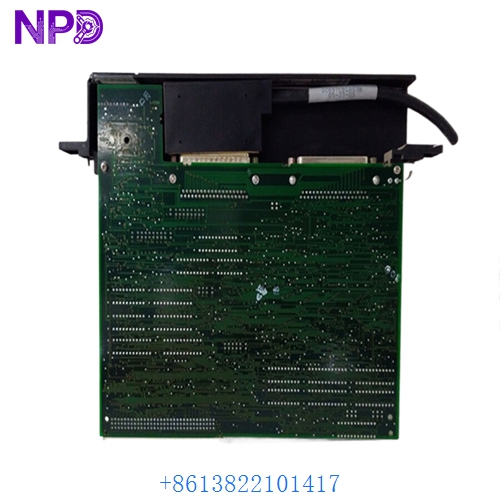
GE IC687RCM711B
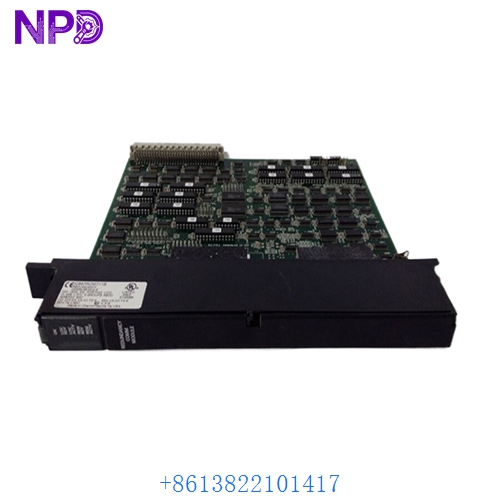
GE IC687RCM711B
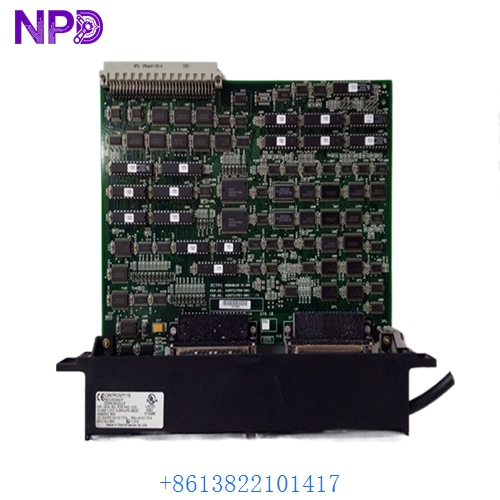
GE IC687RCM711B
Application Scenarios & Pain Points
In a Redundant Series 90-30 setup, the IC687RCM711B is the “umbilical cord” between two PLC racks. The primary pain point I see in the field is “Loss of Synchronization” (Sync Loss). If the fiber optic transceivers on this module begin to degrade, the backup CPU will stop receiving real-time data updates from the primary. This means if your primary CPU fails, the backup won’t have the current process state, leading to a “Cold Start” or a total system crash instead of a seamless “Bumpless Transfer.”
Typical Application Scenarios:
- Water & Wastewater Treatment Ensuring that pump stations and chemical dosing systems keep running even if one PLC rack loses power or fails.
- Infrastructure – Tunnel Ventilation Managing critical life-safety systems where a controller failure must trigger an instant, automated takeover by the standby unit.
- Oil & Gas – Midstream Pumping Maintaining high-speed control of pipeline valves where downtime equals massive financial penalties.
Case Study: The “Blind Standby” in a Cold Storage Facility
Background: A large industrial refrigeration plant was running a redundant 90-30 system. During a routine maintenance check, the engineer noticed the “Sync” light on the IC687RCM711B was flickering.
The Problem: The diagnostics showed intermittent “Synchronization Timeout.” If the primary CPU had failed during this flicker, the backup would have had no idea which valves were open. The plant was effectively running without a safety net.
The Solution: We provided a tested IC687RCM711B. We advised the client to also replace the fiber optic patch cables, as the ST connectors were found to be slightly loose.
The Result: – Operational Impact: The sync light returned to solid green immediately.
- Outcome: The system passed a “Force Failover” test successfully, ensuring the $2M of frozen inventory was protected.
- Client Feedback: “The ‘B’ revision hardware was a direct swap for our older unit, no software changes needed.”
Compatible Replacement Models
| Original Model | Replacement Model | Compatibility | Main Difference | Integration Effort |
|---|---|---|---|---|
| IC687RCM711B | IC687RCM711A | ⚠️ Limited | Older hardware revision | Check firmware compatibility |
| IC687RCM711B | IC695RCM001 | ❌ Incompatible | For PACSystems RX3i | Totally different architecture |
| IC687RCM711B | IC697RCM711 | ❌ Incompatible | For Series 90-70 | Larger form factor |
Troubleshooting Quick Reference
| Symptom | Likely Cause | Board Related? | Quick Check | Action |
|---|---|---|---|---|
| ‘SYNC’ LED Dark | Fiber Link Broken | ⚠️ Medium | Check for light at the end of the fiber cable. | Replace fiber cable or RCM module. |
| ‘OK’ LED Off | Backplane Power Fault | ✅ High | Check if the rack power supply is healthy. | Reseat the module. If it stays dark, replace it. |
| ‘LINK’ LED Red | Revision Mismatch | ✅ High | Ensure both RCMs in the pair are the same rev. | Match revisions (e.g., both must be ‘B’). |
| Intermittent Sync Loss | Dirty Optics | ⚠️ Medium | Clean the ST fiber ports with a dry swab. | Use a fiber cleaning kit. |
Integrator’s “Field Tips”:
- Revision Matching: When it comes to redundancy, GE is very particular. If your primary rack has an IC687RCM711B, do not try to use an ‘A’ revision in the backup rack. The hardware timing differences can cause the “Sync Loss” you are trying to avoid.
- The “Bend Radius” Trap: I’ve seen many fiber links fail because a technician zipped-tied the fiber cables too tightly in the cabinet. Fiber has a minimum bend radius; if you kink it, you’ll lose the signal, and the RCM will report a fault.
- Firmware Checks: Before swapping, check your Proficy Machine Edition settings. Ensure the “Redundancy” parameters match the hardware version of the new module to avoid “Configuration Mismatch” errors.