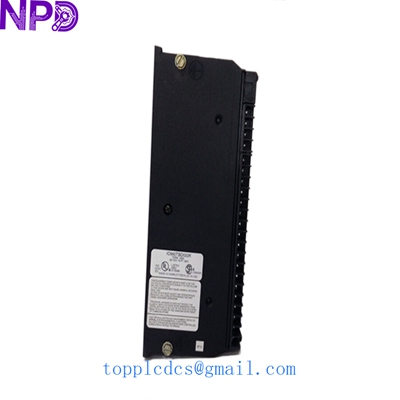
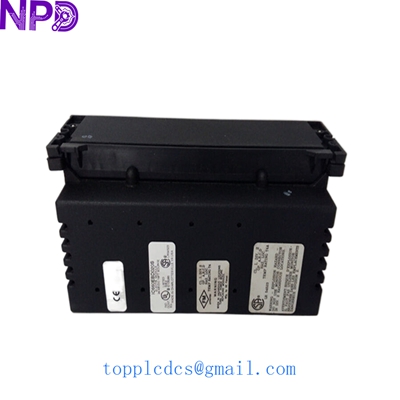

Description
- Model: IC660BBD022
- Brand: GE Fanuc (Genius I/O Series)
- Series: Genius Distributed I/O
- Core Function: 24/48 VDC Digital Mixed I/O Block
- Product Type: Discrete I/O Block (16 Circuits)
- Key Specs: 16 Configurable Points | 24/48 VDC | Diagnostic Feedback | Genius Bus Powered
- Number of Circuits: 16 (Each can be configured as Input, Output, or Tristate)
- Voltage Range: 18 to 56 VDC (Covers 24V and 48V nominal systems)
- Output Current: 2.0 Amps per point (Max 15 Amps per block)
- Input Impedance: 10k ohms (nominal)
- Communication: Genius Serial Bus (153.6 Kbaud or 38.4 Kbaud)
- Diagnostics:
- Open Wire Detection
- Short Circuit Protection
- Overload Shutdown
- Failed Switch Detection
- Isolation: 1500V between Genius Bus and I/O circuits
- Operating Temperature: 0 to 60°C (32 to 140°F)
- Power Dissipation: 12 Watts (Typical)
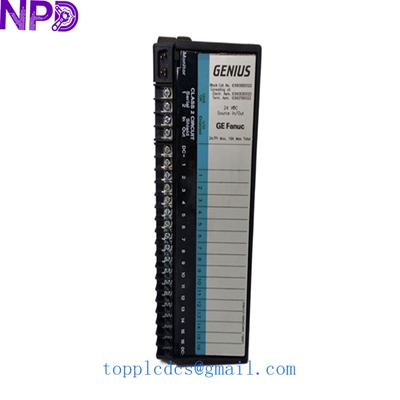
GE IC660BBD022
Installation & Configuration Guide
Stage 1: Pre-Installation
⚠️ Safety Checklist:
- Bus Power: The Genius bus is a daisy-chain network. Ensure you have the correct termination resistors (usually 75, 100, or 150 ohms) at both ends of the serial cable.
- Block Address: Every Genius block must have a unique Serial Bus Address (SBA). Ensure you don’t have a conflict with existing blocks (SBA 0-31).
- Handheld Monitor (HHM): You will need an IC660HHM501 Handheld Monitor or a PC with Genius software to configure the block parameters.
Required Tools:
- Small flat-head screwdriver (for terminal screws)
- IC660HHM501 Handheld Monitor (highly recommended)
- Wire strippers
Stage 2: Wiring
Steps:
- Bus Wiring: Connect the Serial Bus (Shielded Twisted Pair) to terminals 1, 2, 3, and 4. Maintain consistent polarity (Serial 1 to Serial 1, etc.) throughout the chain.
- Power Wiring: Connect the DC Power (24V or 48V) to the Power In terminals.
- I/O Connections:
- For Inputs: Connect the field device between the I/O terminal and the common.
- For Outputs: Ensure the load does not exceed 2.0A. Use internal or external suppression for inductive loads.
Stage 3: Configuration via HHM
Steps:
- Plug in HHM: Connect the Handheld Monitor to the port on the front of the block.
- Set SBA: Assign the Serial Bus Address (e.g., SBA 5).
- Configure Circuits: Set each of the 16 circuits to the desired mode (Input or Output).
- Note: If set as an output, you can also enable “Electronic Short Circuit Protection.”
- Fault Reporting: Enable or disable specific diagnostics like “Open Wire” depending on your field device type.
Stage 4: Testing & Commissioning
Validation:
- Bus LED: The “I/O Enabled” LED should be steady. If it is blinking, there is a communication error or an SBA conflict.
- Force Circuits: Use the HHM to “Force” an output and verify the field device actuates.
- Diagnostic Check: Check the HHM fault table. If an “Open Wire” fault appears on an unused input, ensure that input is configured as “Disabled” or has a dummy resistor.
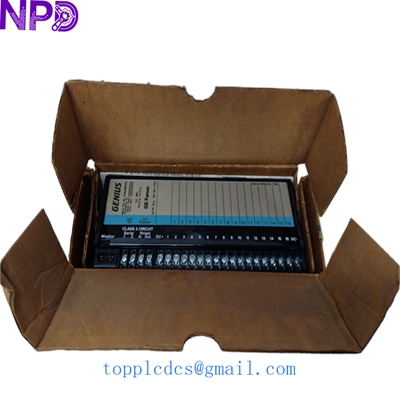
GE IC660BBD022
Customer Cases & Industry Applications
Case 1: Paper Mill Pulp Processing Control
Situation: A paper mill used IC660BBD022 blocks to control heavy-duty solenoid valves on a 48V DC system. A lightning strike damaged several blocks, halting the pulp flow.
Task: Find exact replacements for the obsolete 48V blocks. Modernizing to a new PLC platform would have required weeks of engineering.
Action: We supplied 4 units of IC660BBD022 New Surplus. Because the customer had their SBA and configuration settings documented, they were able to swap the blocks in a single shift.
Result: The mill avoided a $250,000 upgrade cost and resumed production immediately. The diagnostic feedback on the new blocks helped identify one damaged solenoid that had survived the strike but was drawing excessive current.
Case 2: Legacy Infrastructure Reliability
Situation: A municipal water department has several remote pump stations running on GE Series 90-70 PLCs and Genius I/O. They were experiencing intermittent “Failed Switch” alarms on their 24V inputs.
Task: The department needed a reliable source for “New” condition hardware to maintain their 20-year-old system for another 5 years.
Action: The customer purchased two IC660BBD022 blocks from our stock as “Strategic Spares.”
Result: By replacing the aging, heat-stressed blocks with New Surplus units, the “ghost alarms” disappeared, ensuring the remote stations remained operational without requiring expensive on-site manual monitoring.
Frequently Asked Questions (FAQ)
Q: Can I use this block with a Series 90-30 PLC? A: Yes, provided you have a Genius Bus Controller (GBC) module in your PLC rack. The IC660 series is a “bus-agnostic” distributed I/O system.
Q: What is the difference between IC660BBD022 and IC660BBD020? A: The IC660BBD022 is specifically rated for 24/48 VDC and includes advanced diagnostic features. The BBD020 is a different voltage/current variant. Always match the model number exactly to ensure terminal compatibility.
Q: Do I need a Handheld Monitor to install this? A: Technically, you can configure some settings via the PLC software, but in my experience, an IC660HHM501 is essential for setting the SBA and troubleshooting bus issues locally at the block.
Q: Is “New Surplus” safe for safety-critical systems? A: While Genius I/O was often used in high-reliability systems, “New Surplus” hardware should be tested in a bench environment before installation. Our units are original, unused GE parts, offering the highest reliability available for this legacy series.
Featured Inventory List (Current Stock)
- ABB PM866 Controller
- Bently Nevada 3500/15 Power Supply
- TRICONEX 3503E Digital Input
- GE IS215UCVEH2AE Processor
- Honeywell CC-PAIH01
- Siemens 6ES7 417-4XT07-0AB0
- Allen-Bradley 1756-L75
- Schneider 140CPU65150
For more details on these parts, visit our catalog at newplcdcs.