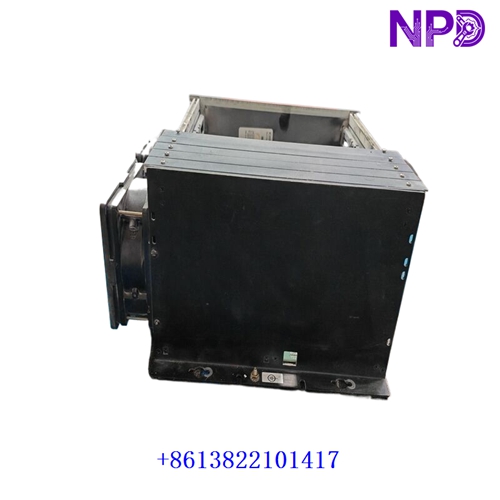

Description
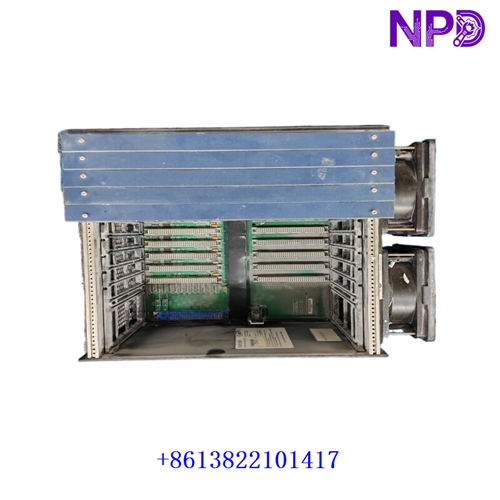
The GE IC698CHS009A is a 9-slot expansion / main backplane designed for the GE Fanuc / Emerson PACSystems RX3i programmable automation controller (PAC) platform. It provides the physical mounting chassis, power bus, and high-speed serial backplane communication highway required to interconnect RX3i CPUs, power supplies, and high-density I/O modules.
- Manufacturer: General Electric (GE / Emerson PACSystems)
- Part Number: IC698CHS009A (CHS009)
- Product Series: PACSystems RX3i Controller Family
- Product Type: 9-Slot System Backplane / Chassis
- Slot Capacity: 9 total configurable module slots (supports power supplies, CPU, and I/O modules)
- Bus Architecture: Dual-bus architecture supporting PCI high-speed data transfer and serial backplane communication
- Mounting Format: Panel-mount or standard 19-inch rack installation
- Approximate Weight: ~1.8 kg
Inspection & Installation Guidelines
- Packaging Check: Unpack the backplane carefully on a clean, flat workbench and verify that transit protection is intact.
- Part Verification: Confirm that part number
IC698CHS009Amatches your control panel layout drawings and hardware bill of materials. - Visual Inspection: Examine the backplane connectors, printed circuit board traces, grounding lugs, and mechanical mounting holes for any transit damage, dust, or metal shavings.
- Secure Mounting: Mount the chassis firmly to a grounded metal subpanel using all designated mounting hardware to ensure structural stability against plant vibration.
Maintenance Recommendations
- Dust Control: Keep control cabinets sealed and clean; use dry, oil-free compressed air during scheduled plant outages to clear dust from backplane slots and connectors.
- Grounding Audit: Periodically verify that the backplane chassis ground wire is tightly secured to the control panel grounding bus to maintain low-impedance EMI shielding.
- Thermal Monitoring: Ensure that enclosure cooling fans, air filters, and internal cabinet airflow paths maintain ambient operating temperatures within safe electronic limits.
- Connector Check: Regularly inspect installed module retaining latches to ensure cards remain firmly seated against the backplane edge connectors.
Troubleshooting & Common Faults
- Backplane Power Failure: Check the power supply module seated in the designated power slot and verify input line voltage terminals.
- Module Communication Drop / Bus Fault: Power down the system, remove the affected modules, and inspect backplane connector pins for bending, oxidation, or debris.
- Rack Addressing Mismatch: Verify that expansion rack configuration parameters and cable connections match the hardware setup defined in your programming software (Proficy Machine Edition).
Safety & Handling Precautions
- Power Isolation: Always disconnect and lock out main electrical power to the control panel before installing, wiring, or removing modules from the backplane.
- Qualified Personnel: Panel assembly, backplane wiring, and system integration must be performed exclusively by certified industrial automation and electrical control engineers.
- ESD Protection: Always wear a properly grounded anti-static wrist strap when handling electronic modules inserted into or near the backplane.
Frequently Asked Questions (Q&A)
- Q: What is the primary function of the GE IC698CHS009A?
- A: It serves as a 9-slot physical mounting chassis and communication backplane for PACSystems RX3i controllers and I/O modules.
- Q: How many modules can be installed on this backplane?
- A: It features 9 slots, which are shared among system power supplies, CPU controllers, and various discrete or analog I/O cards depending on your configuration requirements.