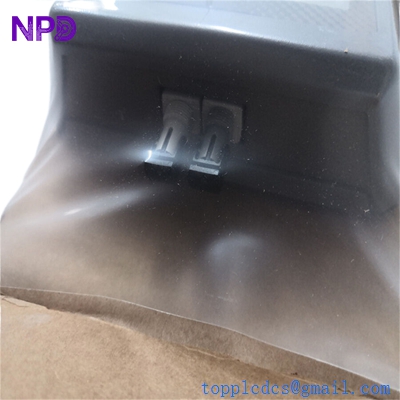

Description
- Model: GE Interlogix S710D-EST2
- Brand: GE Security / Interlogix (Fiber Options)
- Series: S710D Series Digitized Video & Data
- Core Function: Converts one channel of high-quality video and one bi-directional data channel for transmission over a single optical fiber.
- Product Type: Fiber Optic Transmitter (Desktop/Standalone or Rack-mount)
- Key Specs: Single-mode fiber, 2-way data (multi-protocol), 8-bit digital video encoding.
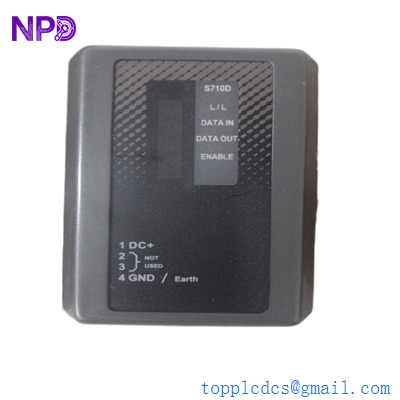
GE Interlogix S710D-EST2
Key Technical Specifications
- Fiber Type: Single-mode (9/125 µm)
- Optical Budget: 13 to 18 dB (Typical range up to 40 km / 25 miles)
- Wavelength: 1310 nm / 1550 nm (WDM – Wave Division Multiplexing)
- Video Channels: 1 Channel (NTSC or PAL compatible)
- Video Encoding: 8-bit digital sampling (ensures no signal degradation over distance)
- Data Channels: 1 Bi-directional channel (Supports RS-232, RS-422, or RS-485 2-wire/4-wire)
- Connectors:
- Video: BNC (75 Ohms)
- Fiber: ST Connector (Standard)
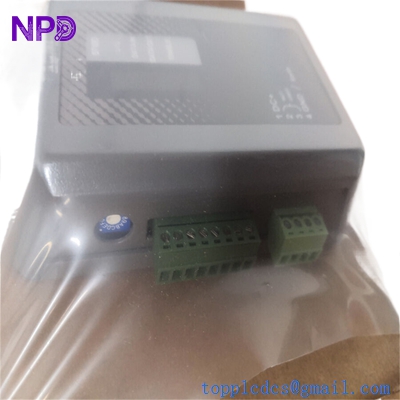
- Data/Power: Screw terminal block
- Operating Voltage: 12 to 16 VDC
- Operating Temperature: -40 °C to +75 °C (-40 °F to +167 °F)
- Mounting: Standalone desktop or fits into a 19-inch 515R1 or 517R1 rack chassis.
Installation & Configuration Guide
Phase 1: Pre-Installation (Estimated time: 10 minutes) ⚠️ Safety First:
- Never look directly into the fiber optic connector (ST) when the unit is powered. Even though it is infrared, the laser can cause permanent eye damage.
- Fiber Cleanliness: Use an alcohol-free fiber cleaner on the ST connector before plugging it in. A single speck of dust can cause a 3 dB signal loss.
- Check your fiber type. The S710D-EST2 is for Single-mode fiber only. It will not work reliably on Multimode (orange) fiber.
Phase 2: Wiring & Connections (Estimated time: 15 minutes)
- Video: Connect your analog camera BNC cable to the “Video In” port.
- Data: Configure the data pins for your PTZ (Pan-Tilt-Zoom) controller.
- For RS-485 2-wire: Connect to Data + and Data -.
- Ensure the data protocol (Baud rate/Parity) is set on your camera and controller; the S710D is “transparent” to these settings.
- Fiber: Connect the single-mode fiber to the ST port. Ensure the locking mechanism “clicks” into place.
Phase 3: Configuration (Estimated time: 10 minutes)
- Data Switches: There are typically small DIP switches on the side or bottom. Set these according to the manual for the desired data format (RS-232 vs RS-485).
- Power: Connect 12-16 VDC to the power terminals. The “Power” LED should illuminate.
Phase 4: Testing & Troubleshooting (Estimated time: 15 minutes)
- LED Status:
- Video Present: Should be green if a valid BNC signal is detected.
- Optical Link: Should be green if the transmitter “sees” the receiver at the other end.
- Signal Check: If the video is grainy, check the BNC cable. If the video is missing or “tearing,” check the fiber connection or the optical budget (too much distance or a dirty connector).
- Data Check: If PTZ control isn’t working, swap the Data + and Data – wires; reversed polarity is the most common cause of data failure.
GE Interlogix S710D-EST2
Customer Cases & Industry Applications
Case 1: Perimeter Security at a Remote Pumping Station A utility company used GE S710D links to monitor a remote gate 15 km away from the main office. When a lightning strike damaged the original transmitter, the security team lost both the video feed and the ability to control the PTZ camera. We delivered a New Surplus S710D-EST2 in 72 hours. Since the unit is “plug-and-play” with the existing rack receiver, the technician restored the feed in under 30 minutes.
Case 2: Industrial Manufacturing Site CCTV Expansion A manufacturing plant in Germany was expanding its facility and needed to run high-quality analog video through an area with extreme electromagnetic interference (EMI). Because the S710D uses fiber, it is immune to EMI. By utilizing our surplus stock, the plant was able to maintain their legacy analog infrastructure while upgrading the transmission reliability to “fiber-grade” without the high cost of a new IP-camera system.
Frequently Asked Questions (FAQ)
Q: Do I need to pair this with a specific receiver? A: Yes. The S710D-EST2 (Transmitter) must be paired with an S710D-ESR2 (Receiver) at the other end of the fiber. Using a different model or brand will likely result in a “No Link” status due to differing wavelengths or digital encoding formats.
Q: Can I use this with a 24 VAC power supply? A: No. The S710D-EST2 is designed for 12-16 VDC. To be honest, using 24 VAC will likely destroy the internal voltage regulator. Always verify your power source with a multimeter first.
Q: What is the maximum distance for this “EST2” model? A: While it depends on the quality of your fiber and the number of splices, the “EST2” is rated for single-mode fiber which typically handles up to 40 km (25 miles). For distances under 2 km, you may actually need an “optical attenuator” to prevent the receiver from being “blinded” by too much signal.
Q: Does it support Pelco-D or Hikvision PTZ protocols? A: Yes. The data channel is “protocol independent.” As long as the physical wiring (RS-422/485) is correct, it will pass any standard serial PTZ protocol transparently.
Q: Is “New Surplus” safe for security-critical applications? A: Absolutely. These are “zero-hour” units. They haven’t been running 24/7 in a hot rack for years. We provide a 1-year warranty to ensure that the internal laser and digital chips are performing to factory specifications.
I’m always open to corrections if I get something wrong; the best way to handle that is to just tell me what I missed or what I need to know! You can also always turn off the use of this personal context in your settings.