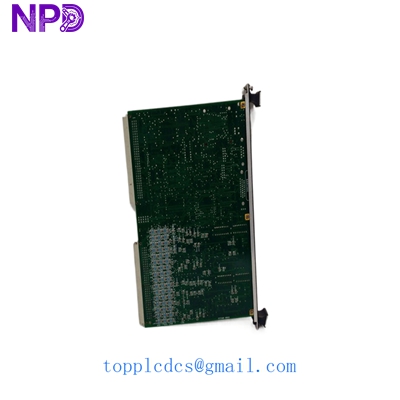

Description
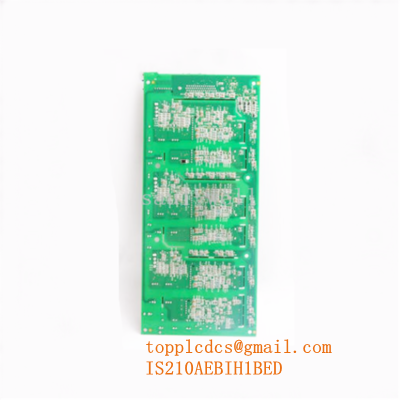
- Model: GE IS200VRTDH1DAB
- Brand: General Electric (GE)
- Series: Mark VI Speed Ratio / Turbine Control
- Core Function: RTD signal processing for turbine temperature monitoring
- Product Type: RTD Input Terminal Board (Excitation module)
- Key Specs: 12-Channel RTD | 3-wire/4-wire support | High-resolution ADC
- Board Revision: H1DAB (High-spec revision)
- Number of Inputs: 12 Independent RTD Channels
- RTD Types Supported: Pt100 (Platinum), Cu10 (Copper), Ni120 (Nickel)
- Excitation Current: 1.0 mA to 2.5 mA (Software selectable)
- Common Mode Rejection: >100 dB at 60 Hz
- Accuracy: ±0.1% of Full Scale
- Isolation: 1,500 V RMS galvanic isolation
- Power Consumption: 5.5 W (Typical)
- Connector Type: 2 x 48-pin DIN Backplane Connectors
- Diagnostics: Per-channel open/short circuit detection
- Operating Temp: -30 to +65 °C
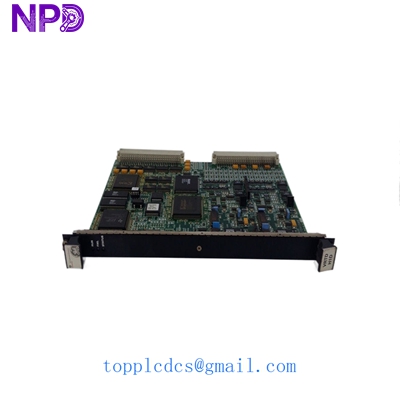
GE IS200VRTDH1DAB
Installation & Configuration Guide
Phase 1: Preparation (10 minutes)
Safety First:
- Turbine control racks operate on high-reliability 125 V DC or 24 V DC loops. Always power down the local rack before board insertion.
- Ensure the turbine is in a “Safe State” or “Cooldown” mode.
Tools & Backup:
- Weller Anti-static station or grounded wrist strap.
- Phillips #2 screwdriver for rack fasteners.
- Note: Use your phone to capture the current cabling orientation on the TB (Terminal Block) connectors.
Phase 2: Removal (5 minutes)
- Loosen the top and bottom screws securing the IS200VRTDH1DAB to the rack frame.
- Use the ejector tabs at the corners. Pull them simultaneously to unseat the 96-pin backplane connection.
- Inspect the backplane pins for any “black soot” or oxidation—common in high-humidity plants.
Phase 3: Configuration (15 minutes)
Configuration Check:
- Check the hardware jumpers. Unlike newer Mark VIe boards, these Mark VI boards rely on physical jumper settings for RTD type selection (e.g., Pt vs Cu).
- Match the jumper blocks (J1 through J12) to the original board’s positions exactly.
- Wait… double-check the board revision. If your old board is an “H1A” and this is “H1DAB,” the firmware in your controller may require a minor IO Config update in Toolbox.
Phase 4: Installation & Test (15 minutes)
- Slide the module into the guide rails. Push firmly until the module is flush with the rack.
- Power up the rack. Observe the “Run” LED.
- Open GE Toolbox software. Navigate to the IO card diagnostic page.
- Verify that all 12 channels are reporting “Healthy” status. If a channel shows “High Clamp,” check your wiring for an open circuit.
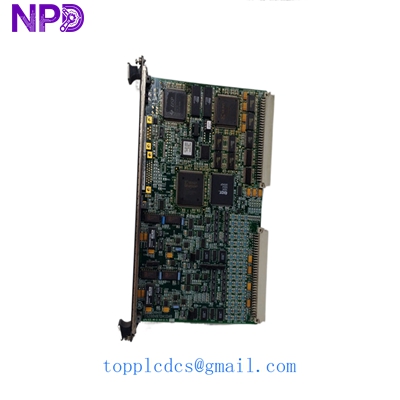
GE IS200VRTDH1DAB
Customer Cases & Industry Applications
Case 1: Gas Turbine Trip during Peak Demand
Situation: A combined-cycle plant in Texas suffered a “High Exhaust Temperature Spread” alarm, followed by a turbine trip. The culprit was a failing IS200VRTDH1DAB that was providing erratic temperature data. Task: The plant was losing $45,000 per hour in missed generation revenue. GE’s official lead time was “Unknown” due to the obsolescence of the Mark VI series. Action: The customer contacted us at 10 PM. We verified the “H1DAB” revision was in stock, performed a quick power-on test, and shipped it on the first morning flight. Result: The board arrived at the site 18 hours later. The technicians swapped the board and synchronized the turbine by midnight. The plant manager later noted that the 8,000 investment in a New Surplus board saved them over 500,000 in downtime.
Case 2: Preventive Maintenance in a Steel Mill
Situation: A mill in Europe used a GE Mark VI system to control their air compressor house. During a yearly audit, we noticed several RTD boards showing signs of heat-induced discoloration on the capacitors. Task: Avoid a “Last-time-buy” crisis where parts become completely unavailable. Action: We recommended the customer purchase two IS200VRTDH1DAB boards to hold as “Buffer Stock.” Result: By purchasing New Surplus now, they avoided the 30% price hike that usually occurs when global stocks drop below 10 units. They now have a 10-year “insurance policy” for their control system.
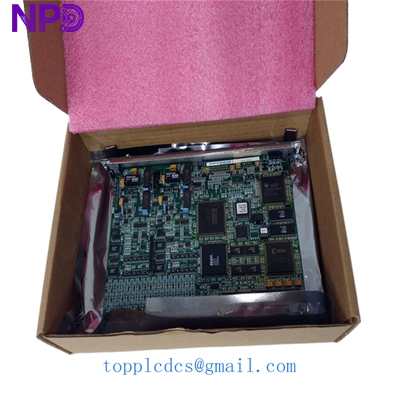
GE IS200VRTDH1DAB
Frequently Asked Questions (FAQ)
Q: Why is the “DAB” suffix at the end of the model number important? A: In my experience, GE suffixes indicate minor hardware revisions or component updates. “DAB” is often a later revision with better thermal characteristics than the original “A” version. It is usually backward compatible, but always check your Toolbox software version first.
Q: Can I use this board for 2-wire RTDs? A: Theoretically yes, but Mark VI systems are designed for 3-wire or 4-wire to compensate for lead resistance. If you use 2-wire, you’ll need to install jumpers at the terminal block, or your temperature readings will be significantly inaccurate.
Q: Is this a refurbished or repaired board? A: Absolutely not. This is a New Surplus unit. It has never been installed in a working rack. We specialize in “New Old Stock” (NOS), which means you get the original factory reliability without the used-part failure rate.
Q: What if the board doesn’t sync with my controller? A: This is usually a firmware compatibility issue. If the board is healthy (Green LEDs) but won’t talk to the HMI, you may need to “Download” the IO configuration from Toolbox. We provide 24/7 technical advice via email to help your engineers through this.
Q: Do you provide a Certificate of Conformance? A: We provide our own internal QC Pass certificate and a detailed Test Report. Since this is Surplus stock, we can’t always provide the original 20-year-old GE paperwork, but our 12-month warranty stands as our guarantee of quality.