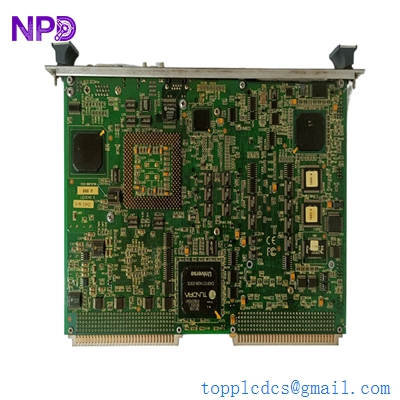

Description
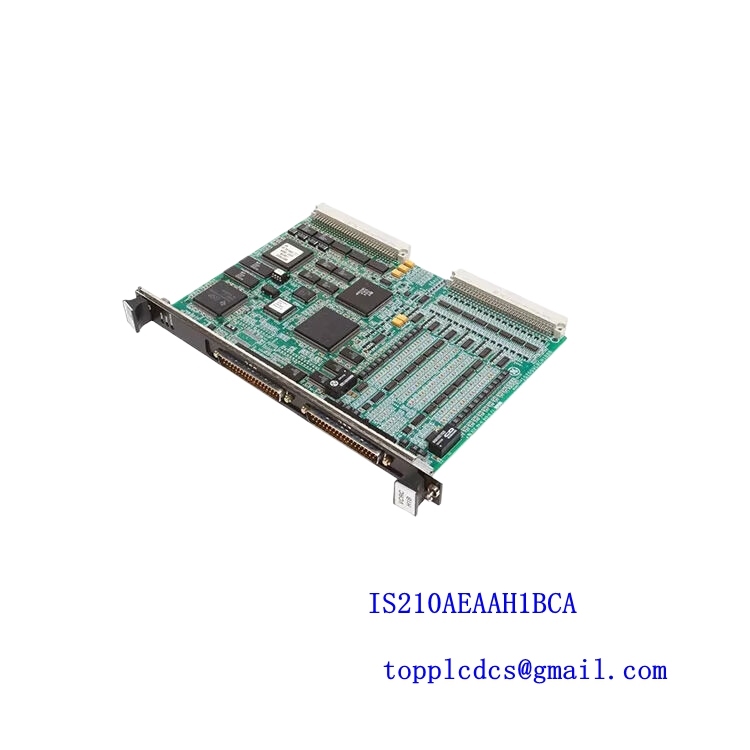
- odel: IS215UCVEH2AB (Base board: VMIVME-7614-132350-01)
- Brand: General Electric (GE) / GE Vernova
- Series: Mark VIe Control System
- Core Function: VME-based Single Board Computer (SBC) controller for turbine management
- Product Type: Central Processing Unit (CPU) / Controller Module
- Key Specs: Intel Celeron based | 6U VME form factor | Dual Ethernet ports | PMC expansion slot
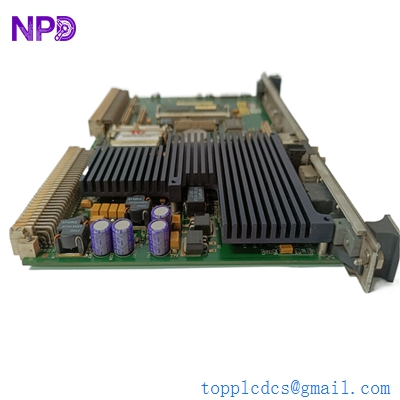
GE IS215UCVEH2AB VMIVME-7614-132350-017614-132 D
Key Technical Specifications
- Processor: Intel Celeron (optimized for low power/industrial stability)
- Board Architecture: 6U VMEbus specification
- Memory: Typically 128 MB to 512 MB SDRAM (Model specific)
- Flash Storage: Integrated CompactFlash or onboard IDE Flash for OS/Application
- Connectivity: 2x 10/100BaseTX Ethernet ports (RJ-45)
- Serial Ports: Two RS-232/422/485 programmable ports
- Expansion: One 32/64-bit 33/66 MHz PMC slot
- Front Panel I/O: VGA, Keyboard/Mouse (PS/2), and USB ports
- Operating System Support: QNX (Real-time OS used in Mark VIe)
- Power Consumption: Approx. 15-20 Watts depending on load
- Revision: H2AB (indicates specific hardware/firmware build)
Installation & Configuration Guide
Phase 1: Preparation (Pre-Installation)
⚠️ Safety First:
- Verify the turbine is in a safe, locked-out state if replacing the primary controller.
- Backup: Ensure you have a copy of the site-specific application code (usually managed via ToolboxST).
- Electrostatic Discharge (ESD): Use a grounded wrist strap. The IS215UCVEH2AB contains high-density CMOS components vulnerable to static.
Phase 2: Removal of Faulty Module
- Labeling: Identify all fiber optic and Ethernet cables connected to the front panel. Labeling is critical for the “IONet” connections.
- Ejection: Use the top and bottom injector/ejector handles simultaneously. These boards sit tight in the VME backplane; do not pull by the front panel ports.
- Inspection: Once removed, check the VME backplane pins for any signs of arcing or bending.
Phase 3: New Module Installation
- CompactFlash Transfer: If the original board’s Flash card is functional, you may need to transfer it to the new board to retain the BIOS and OS settings.
- Seating: Slide the IS215UCVEH2AB into the designated slot. Apply firm, even pressure until the handles click into the locked position.
- Connection: Reattach the IONet cables (Ethernet) to the exact same ports. Swapping IONet A and IONet B will cause a communication “Link Failure” alarm.
Phase 4: Commissioning & Testing
- Boot Sequence: Monitor the front panel LEDs. After a successful POST (Power-On Self-Test), the “Status” LED should transition from Red to Solid Green or Blinking Green (depending on the OS load).
- IP Configuration: You may need to connect a laptop via the Serial port or USB to configure the initial IP address to match the Mark VIe network architecture.
- ToolboxST Download: Open ToolboxST, go to the “Component” tab, and perform a “Full Download” to the new controller to synchronize the application code and parameters.
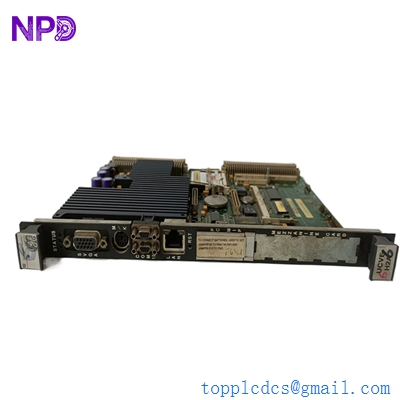
GE IS215UCVEH2AB VMIVME-7614-132350-017614-132 D
Customer Cases & Industry Applications
Case 1: Combined Cycle Power Plant Controller Failure
Situation: A 500MW combined cycle plant in Texas experienced a sudden “Processor Offline” alarm on the steam turbine controller. The IS215UCVEH2AB board had failed due to a localized power surge on the VME rack.
Task: The plant was operating at peak demand. Every hour of downtime cost approximately $25,000. GE’s lead time for a new replacement was quoted at “Evaluation Required,” implying weeks of delay.
Action: The plant manager contacted our team. We had one verified IS215UCVEH2AB (VMIVME-7614) in stock. We provided the test logs and photos of the actual board within 30 minutes. The board was hand-carried to the airport for same-day international priority shipping.
Result: The spare arrived within 24 hours. The onsite engineer swapped the board, downloaded the ToolboxST file, and the turbine was back at 100% load by the following evening. The plant avoided an estimated $600,000 in lost revenue.
Case 2: Strategic Inventory for Aging Infrastructure
Situation: A utility provider in the UK manages multiple sites using the Mark VIe control platform. As the systems entered their second decade of service, the failure rate of the older VMIVME-7614 base boards began to rise.
Task: The utility needed to secure “New Surplus” stock rather than refurbished units. Refurbished CPU boards often have hidden micro-cracks in the PCB or heat-stressed solder joints that fail prematurely in high-vibration environments.
Action: We supplied a batch of three IS215UCVEH2AB boards. These were “shelf-spares” from a cancelled project—brand new, in original ESD bags, with zero running hours.
Result: The customer now has a 5-year bridge strategy. By holding these critical spares, they can delay a multi-million dollar system-wide migration to the newer Mark VIeS platform until their next scheduled major outage.
Frequently Asked Questions (FAQ)
Q: What is the difference between IS215UCVEH2AB and the VMIVME-7614 number? A: IS215UCVEH2AB is the GE part number used for the Mark VIe system. The VMIVME-7614-132350-01 is the manufacturer part number (originally VMI, later GE Intelligent Platforms). They refer to the same physical hardware, but the “H2AB” suffix specifically confirms the revision used in GE turbine control applications.
Q: Is this board “Plug and Play”? A: Not quite. While the hardware fits perfectly, you must download the site-specific application code and configuration using GE ToolboxST software. Without the software download, the board will boot into its OS but won’t control the turbine.
Q: Can I use a VMIVME-7614 from a non-GE source? A: Honestly, it’s risky. Standard VME boards might lack the specific BIOS settings or firmware required by the Mark VIe IONet protocols. Using our IS215UCVEH2AB ensures it is the exact revision intended for turbine control.
Q: Do you offer a warranty on legacy boards? A: Absolutely. We provide a full 12-month warranty. Because this is New Surplus, we are confident in its longevity. If the board fails under normal operating conditions within a year, we will replace it or offer a full refund.
Q: Why does the front panel have a VGA port? A: It’s primarily for low-level diagnostics. If the board won’t connect to the network, an engineer can plug in a monitor and keyboard to check the BIOS settings or the QNX boot sequence to see exactly where the failure is occurring.