Description
- Model: GE IC698CPE040-JP
- Brand: GE Fanuc / Emerson Automation
- Series: PACSystems RX7i (VME-based)
- Core Function: Central Processing Unit (CPU) / Main Controller
- Product Type: 6U VME Processor Module
- Key Specs: 1.8 GHz Pentium-M Processor 64 MB User Memory 3 built-in Ethernet Ports
- Processor Speed: 1.8 GHz Intel Pentium-M
- Memory: 64 MB User Logic/Data Memory (Non-volatile battery-backed)
- Communications:
- 3 Dedicated 10/100 Mbps Ethernet Ports (RJ-45)
- 1 RS-232 Serial Port (Station Manager)
- 1 RS-485 Serial Port
- Bus Architecture: Standard 6U VME64 (Supports RX7i VME I/O and standard VME modules)
- Programming: Configured via Proficy Machine Edition (PME)
- Performance: Boolean execution as fast as 0.022 µs per instruction
- Protocols: Supports SRTP, Modbus TCP, EGD (Ethernet Global Data), and SNP
- Isolation: Galvanic isolation for protection against backplane noise
- Power Consumption: Approx. 4.5 Amps @ 5 V DC (from backplane)
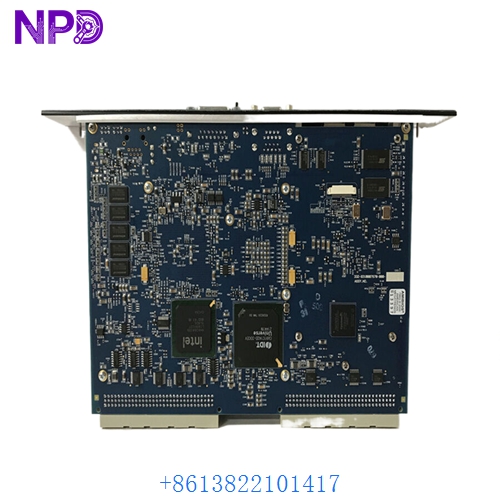
GE IC698CPE040-JP
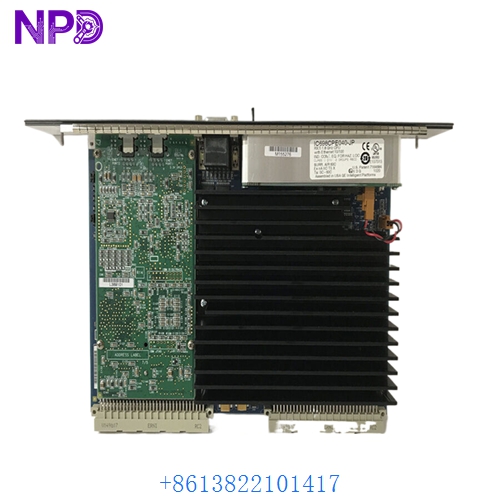
GE IC698CPE040-JP
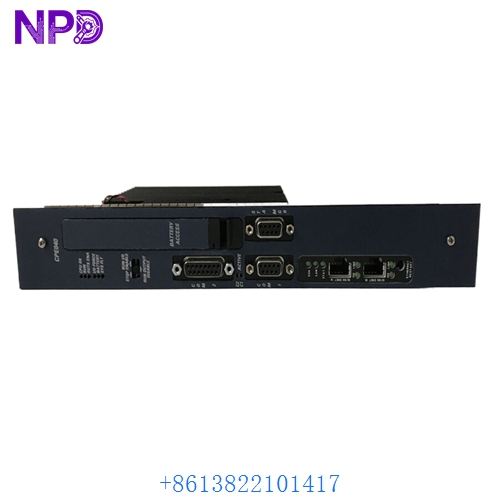
GE IC698CPE040-JP
Application Scenarios & Pain Points
In an RX7i environment, the IC698CPE040-JP is often handling the heavy lifting—complex math, high-speed PID loops, and massive data exchange over EGD. The primary pain point I see is “Processor Overload” or “Memory Fragmentation” in systems that haven’t been optimized in years. Because the RX7i is a legacy platform, finding a replacement CPU when your primary unit suffers a flash memory failure or a hardware “Watchdog Trip” is critical to avoiding a multi-million dollar plant-wide migration.
Typical Application Scenarios:
- Power Generation – Turbine Control Managing high-speed sequencing and fuel regulation where sub-millisecond scan times are non-negotiable.
- Metals & Mining – Rolling Mills Coordinating multiple VME-based motion control racks to maintain precise tension on steel or aluminum lines.
- Oil & Gas – Compressor Stations Integrating large-scale I/O over Ethernet Global Data (EGD) across multiple remote racks.
Case Study: The “Watchdog Timeout” at a Utility Provider
Background: A regional water utility used an RX7i rack as the master controller for their main pumping station. The system had been running for 12 years without a reboot.
The Problem: The IC698CPE040-JP suddenly threw a “Watchdog Timeout” and refused to boot. The diagnostic lights indicated a failure in the onboard flash memory, likely due to years of heat soak and power cycles.
The Solution: We provided a tested IC698CPE040-JP. Before shipping, we verified the battery-backed RAM was holding its state and cleared the hardware logs.
The Result: – Resolution: The client uploaded their PME project, and the system was back online in under 2 hours.
- Outcome: Avoided an unplanned outage that would have affected 15,000 residents.
- Client Feedback: “The ‘-JP’ revision was 100% compatible with our existing VME backplane.”
Compatible Replacement Models
| Original Model | Replacement Model | Compatibility | Main Difference | Integration Effort |
|---|---|---|---|---|
| IC698CPE040-JP | IC698CPE010 | ⚠️ Limited | 300MHz vs 1.8GHz; less memory | Check CPU load first |
| IC698CPE040-JP | IC698CPE020 | ⚠️ Limited | 700MHz vs 1.8GHz | Check scan time impact |
| IC698CPE040-JP | PACSystems RX3i | ❌ Incompatible | Totally different backplane | Requires full rack migration |
Troubleshooting Quick Reference
| Symptom | Likely Cause | Board Related? | Quick Check | Action |
|---|---|---|---|---|
| ‘OK’ LED Off | Power/Hardware Fault | ✅ High | Check +5V and +3.3V on the backplane. | Reseat CPU. If LED stays off, replace. |
| ‘RUN’ LED Blinking | Configuration Mismatch | ❌ Low | Check PME Fault Table. | Reload hardware configuration. |
| ‘BATT’ LED Red | Battery Failure | ✅ High | Measure the voltage of the lithium battery. | Replace battery (standard CR2477 or equiv). |
| Ethernet Port Dark | PHY Chip Failure | ✅ High | Try a different Ethernet cable. | If no link/activity, the port is dead. |
Integrator’s “Field Tips”:
- The “JP” Suffix: In my experience, the “-JP” version is often found in systems integrated by Japanese OEMs or specifically for that region’s hardware standards. It is functionally identical to the standard CPE040, but always check your “Hardware Configuration” in Proficy to ensure the catalog number matches exactly.
- Battery Life: If you are buying a used or surplus IC698CPE040-JP, replace the battery immediately. These CPUs can lose their program in seconds if the backplane power drops and the battery is dead.
- Firmware Version: Before swapping the CPU, check the firmware version of your original unit. If the new CPU has a newer firmware, your PME project might require an update. If the new CPU has older firmware, you may need to flash it up to your current standard to maintain EGD compatibility.