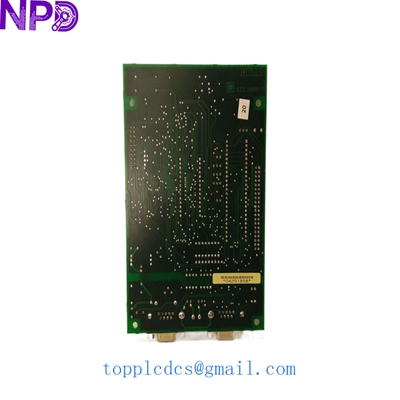

Description
- Model: GE SBI-PDP-32
- Brand: General Electric (GE / GE Fanuc)
- Series: SBI (Smart Block Interface) Series
- Core Function: PROFIBUS DP Slave interface for distributed I/O integration.
- Condition: Brand New Surplus (Original, non-refurbished)
- Type: Communication Interface Module
- Key Specs: Supports PROFIBUS DP-V0, Baud rates up to 12 Mbps, 32-byte I/O capacity
- Protocol: PROFIBUS DP (Decentralized Periphery)
- Station Type: Slave
- Data Rate: Automatic detection from 9.6 kbps to 12 Mbps
- I/O Data Size: Maximum 32 bytes input / 32 bytes output
- Address Range: 1 to 125 (set via rotary switches)
- Status Indicators: LED for Power, Bus Fault, and Module Status
- Isolation: 500 V AC between network and logic
- Operating Voltage: 24 V DC (nominal)
- Connector Type: Standard 9-pin D-sub (Female)
- Mounting: DIN rail or panel mount

GE SBI-PDP-32
Installation & Configuration Guide
Phase 1: Pre-Installation (Preparation: 10 minutes)
⚠️ Safety First:
- Ensure the PLC or master station is in a state where adding a new slave will not cause a bus fault.
- Confirm the GSD (General Station Description) file for the SBI-PDP-32 is loaded into your configuration software (e.g., Proficy Machine Edition or STEP 7).
- Check the existing network termination; adding a node in the middle of a segment requires ensuring termination is “OFF.”
Tools Needed:
- Small flat-head screwdriver (for terminal blocks and rotary switches)
- PROFIBUS cable with 9-pin D-sub connector
- 24 V DC Power source for testing
Phase 2: Hardware Configuration
- Address Setting: Use the two rotary switches on the side or front of the module.
- One switch represents the “Tens” digit and the other the “Ones.”
- Example: For station address 32, set Tens to 3 and Ones to 2.
- Mounting: Snap the module onto the 35 mm DIN rail. Ensure the grounding clip on the back makes solid contact with the rail to minimize electrical noise.
- Power Wiring: Connect the 24 V DC supply to the power terminals. In my experience, using a shielded cable for power in high-interference environments prevents intermittent “Module Status” errors.
Phase 3: Network Integration & Testing
- Connect the Bus: Plug in the PROFIBUS cable. If this is the last node on the cable, set the slide switch on the D-sub connector to “ON.”
- Power Up: Turn on the 24 V DC supply.
- PWR LED: Should be solid green.
- BF (Bus Fault) LED: Will flash until the Master station successfully clears the configuration.
- Software Mapping:
- In your Master configuration, drag the SBI-PDP-32 GSD file into the bus map.
- Assign the I/O addresses (e.g., %I and %Q registers).
- Download the hardware configuration to the PLC.
- Final Check: Once the Master starts communicating, the BF LED should turn off. If it continues to flash, double-check that the Baud rate in the software matches the physical network speed.
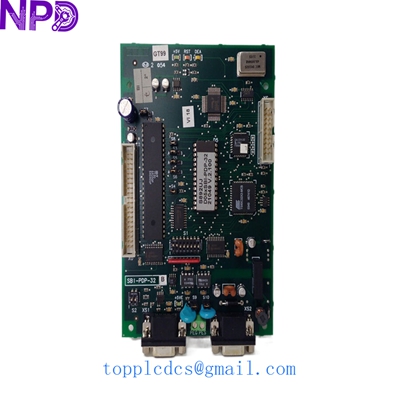
GE SBI-PDP-32
Customer Cases & Industry Applications
Case 1: Automotive Assembly Line Expansion
Situation: A Tier-1 automotive supplier in Shanghai needed to add three additional pneumatic valve manifolds to an existing PROFIBUS network controlled by a GE 90-30 system.
Task: The original parts were on a 10-week lead time from the factory. The line expansion was scheduled for a holiday weekend, and any delay would halt Monday production.
Action: We supplied three SBI-PDP-32 modules from our current stock. We provided the customer with the correct GSD files via email before the parts even arrived, allowing their engineers to pre-configure the PLC code.
Result: The modules were installed on Saturday, configured on Sunday, and the line was fully operational by Monday morning shift. The client saved thousands in potential “emergency air-freight” and avoided a production delay.
Case 2: Water Treatment Plant Maintenance
Situation: A municipal water facility utilized SBI-PDP-32 modules to link remote telemetry units. A lightning strike damaged one slave interface, causing a loss of communication with the chemical dosing station.
Task: The facility required a “New Surplus” unit rather than a used one to ensure long-term reliability in a critical public infrastructure environment.
Action: We shipped a unit with a verified 2024 test report. We also advised the customer to install a surge protector on the 24 V DC line, a common failure point we’ve observed in similar lightning-strike cases.
Result: Communication was restored within 48 hours. By choosing a new unit over a refurbished one, the plant manager met their strict “no-used-parts” policy for safety-critical systems.
Frequently Asked Questions (FAQ)
Q: Does the SBI-PDP-32 support PROFIBUS DP-V1 (Acyclic communication)? A: No, the SBI-PDP-32 is primarily a DP-V0 slave. It is designed for high-speed cyclic exchange of I/O data. If your application requires complex parameterization via DP-V1, you may need to look at newer GE VersaMax or RX3i modules.
Q: The “BF” LED is red. What should I check first? A: 90% of the time, this is an address mismatch. Check that the rotary switches on the module match the address assigned in the PLC software. If they match, check the cable termination; if the node is at the end of the line, the terminator must be ON.
Q: Can I use this with a Siemens S7-1500 PLC? A: Yes. PROFIBUS is an open standard. As long as you have the GE GSD file, you can integrate this module into a Siemens, Allen-Bradley, or ABB PROFIBUS master network.
Q: Why is “New Surplus” better than “Refurbished”? A: Refurbished modules often have capacitors that have already seen years of heat. A New Surplus module, like the ones we stock, has zero hours of operation, meaning the internal components have their full lifecycle ahead of them.
Current Inventory Specials
We currently have stock of several hard-to-find GE and industrial modules:
- GE SBI-PDP-32 (Current Request)
- GE IC693CPU374
- GE IC695CPU315
- ABB PP836A 3BSE042237R2
- Bently Nevada 3500/15
- Honeywell TK-PRR021
- Siemens 6ES7315-2AH14-0AB0
- Schneider 140CPU65150
Check our latest inventory and pricing at www.newplcdcs.com.