Description
Product Overview
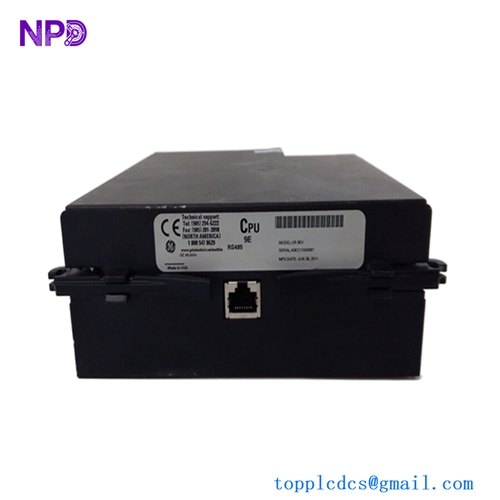
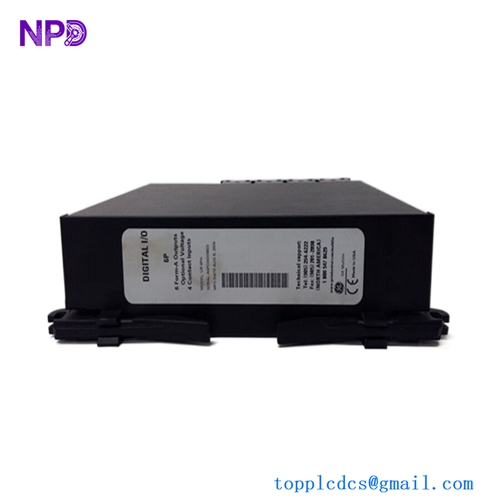
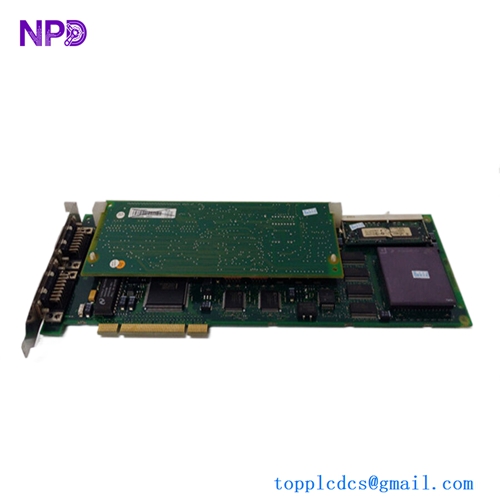
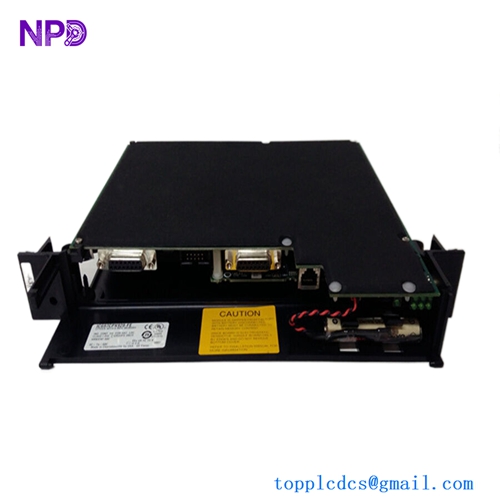
The GE V7768-320001, associated with part number 350-9301007768-320001 A2, is a 6U VMEbus Single Board Computer developed by GE Intelligent Platforms for industrial embedded computing and control applications.
The V7768 combines an Intel Core 2 Duo processor platform with the Mobile Intel 945GME Express chipset and VME64 backplane support. It was designed for applications where a VME-based system needs more processing capability, local storage, Ethernet connectivity, and flexible I/O in a single board.
The board can be used as a processor or computer node inside a VME chassis rather than as a conventional PLC I/O module. It is particularly suitable for legacy industrial systems that still depend on VMEbus architecture.
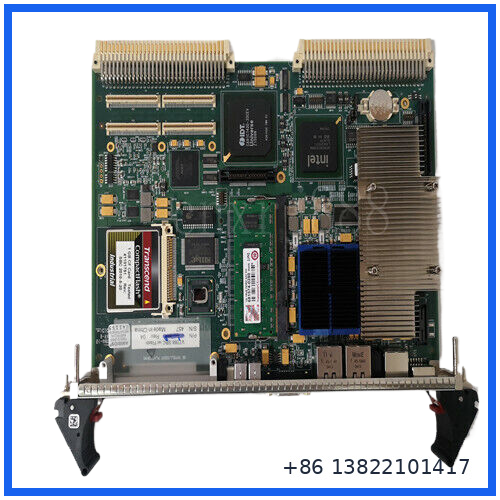
Main Features
- GE Intelligent Platforms VMEbus single board computer
- Intel Core 2 Duo processor option up to 2.16 GHz
- Up to 2 GB DDR2 SDRAM
- Up to 4 MB L2 cache
- Up to 8 GB bootable CompactFlash
- Dual Gigabit Ethernet interfaces
- Two serial communication ports
- Four USB 2.0 ports
- Two SATA interfaces
- Front-panel SVGA and PS/2 keyboard/mouse connections
- One PCI-X capable PMC expansion site
- VME64 backplane interface
- Hardware byte swapping
- Programmable watchdog timer
- Nonvolatile SRAM
- Support for Windows, VxWorks, and Linux operating environments
Technical Specifications
| Parameter | Specification |
|---|---|
| Brand | GE Intelligent Platforms |
| Model | V7768-320001 |
| Associated Part No. | 350-9301007768-320001 A2 |
| Product Type | VMEbus Single Board Computer |
| Form Factor | 6U VME single-slot Eurocard |
| Processor | Intel Core 2 Duo, up to 2.16 GHz |
| Alternative Processor | Intel Celeron M, 1.07 GHz |
| Chipset | Mobile Intel 945GME Express |
| L2 Cache | Up to 4 MB |
| Memory | Up to 2 GB DDR2 SDRAM |
| System / Memory Bus | Up to 667 MHz |
| CompactFlash | Up to 8 GB, bootable |
| Ethernet | 2 × Gigabit Ethernet |
| Serial | 2 × 16550-compatible serial ports |
| USB | 4 × USB 2.0 |
| SATA | 2 × SATA interfaces |
| Expansion | 1 × PCI-X PMC site |
| VME Interface | Tundra Universe II / VME64 |
| VME Modes | A32, A24, D32, D08(EO), MBLT64, BLT32 |
| Watchdog | Programmable |
| Nonvolatile SRAM | 32 KB |
| Operating System Support | Windows XP, VxWorks, Linux |
| Dimensions | Approx. 233.4 × 160 × 20.3 mm |
| Cooling | Forced-air cooling required |
The specifications above describe the V7768 platform. Exact processor, memory, storage and hardware configuration should be checked against the complete part number and the board label before replacement.
VMEbus and System Function
The V7768 communicates with the host VME system through a Tundra Universe II VME interface. The interface supports VME64 transfer modes and hardware byte swapping, which helps the board integrate with existing VME-based processors, I/O boards and other embedded control equipment.
In a typical installation, the V7768 operates as the computing node while other VME modules provide specialized acquisition, motion, communication, or control functions.
This architecture makes the board useful for systems where replacing the complete VME platform would be impractical.
Communication and I/O
The front panel provides several commonly used interfaces.
Ethernet:
Two Gigabit Ethernet ports are available through front-panel RJ45 connectors. Network boot through PXE is supported.
Serial Communication:
Two 16550-compatible serial ports are provided. COM1 is routed to the front panel, while COM2 is available through rear I/O.
USB:
Four USB 2.0 ports are available, with front and rear I/O depending on system configuration.
Storage:
The board supports CompactFlash storage and two SATA interfaces. CompactFlash can be configured as a boot device through BIOS settings.
PMC Expansion:
A PCI-X capable PMC site provides additional expansion capability. The board can also interface with the PMC237CM1/V expansion board for additional customer-defined I/O options.
Installation and Replacement Guide
Before installing a replacement V7768, record the configuration of the existing computer.
- Shut down the VME chassis according to the equipment manufacturer’s procedure.
- Disconnect power before removing the board unless the system documentation specifically permits live replacement.
- Record the existing BIOS configuration and boot-device settings.
- Verify the processor and memory configuration of the replacement board.
- Check the CompactFlash device and operating-system image if the VME application boots locally.
- Inspect the VME backplane connector for contamination, bent contacts, or mechanical damage.
- Install the board carefully into the correct VME slot.
- Confirm that the front-panel connectors and rear-I/O connections are correctly aligned.
- Restore power and check the board’s status indicators.
- Verify VME communication, Ethernet connectivity, serial communication and application startup.
For an operating-system-based replacement, the hardware alone may not be enough. The BIOS configuration, boot media, application software, and VME system configuration should match the original installation.
Important Compatibility Checks
When replacing an older V7768, do not compare the model number alone.
Check:
- Complete GE part number
- Hardware revision
- Processor type
- Installed RAM
- CompactFlash capacity and image
- BIOS configuration
- VME backplane compatibility
- PMC expansion hardware
- Rear transition module
- Operating system
- Application software
- Ethernet configuration
The suffix A2 is important when matching the replacement board. A different V7768 configuration may belong to the same product family while having different processor, memory, storage, or I/O options.
Inspection Before Installation
For a surplus or previously installed board, a practical inspection should include:
- PCB and front-panel condition
- VME connector pins
- Ethernet connectors
- Serial connectors
- USB connectors
- PMC connector
- CompactFlash interface
- Battery condition
- Heat sink and cooling path
- Evidence of corrosion or overheating
- Board revision and complete part number
A bench test should preferably include power-up, BIOS recognition, memory detection, Ethernet communication, serial communication and boot-media verification.
Troubleshooting
Board does not start
Check the VME rack power supply, board seating, backplane connector and VME slot assignment. Confirm that the required +5 V, +12 V and -12 V rails are available.
No operating system boot
Check BIOS boot-device priority and the CompactFlash or other installed boot media. A replacement board may require the original system image.
Ethernet communication failure
Check RJ45 connections, link indicators, network configuration and application-side IP settings. Verify that the correct Ethernet port is being used.
VME communication problems
Inspect the VME connector and backplane. Confirm that the host software and VME transfer configuration are compatible with the V7768 interface.
System becomes unstable after extended operation
Check chassis airflow and heat-sink condition. The V7768 documentation specifies forced-air cooling, so insufficient airflow can become a real problem in a crowded VME rack.
Typical Applications
The V7768 can be found in VME-based embedded and industrial systems such as:
- Industrial automation computers
- Legacy process-control systems
- Industrial data acquisition
- Machine control
- Test and measurement equipment
- Embedded computing platforms
- Transportation control systems
- Defense and aerospace equipment
- High-speed industrial communication
- VME-based supervisory and control systems
Its role is generally to provide computing and communication resources within a VME chassis rather than directly replacing a dedicated PLC I/O module.
Maintenance Recommendations
Keep the VME chassis clean and maintain adequate forced-air cooling. Periodically inspect the board’s heat sink, fan system and air filters.
For long-running systems, it is also useful to maintain a backup of the operating-system image and application software. This can greatly reduce recovery time if the CompactFlash device or another storage component fails.
When storing a spare V7768, use ESD protection and keep the board in a dry, temperature-controlled environment. Avoid unnecessary handling of the VME connector and exposed PCB components.
FAQ
Q: Is V7768-320001 a PLC module?
A: No. It is more accurately described as a VMEbus Single Board Computer / processor board used in embedded industrial systems.
Q: Is V7768-320001 a motion-control card?
A: Public listings sometimes describe it incorrectly as a motion-control board. The GE documentation identifies the V7768 as a VMEbus Single Board Computer. Motion or specialized control functions may be provided by other boards installed in the same VME system.
Q: What processor does the V7768 use?
A: The V7768 platform supports an Intel Core 2 Duo processor up to 2.16 GHz, with an Intel Celeron M option also available. The exact processor installed should be confirmed from the board configuration.
Q: How much memory can it support?
A: The V7768 platform supports up to 2 GB DDR2 SDRAM.
Q: Does it support Ethernet?
A: Yes. The documented configuration provides two Gigabit Ethernet interfaces on the front panel.
Q: Can it boot from CompactFlash?
A: Yes. CompactFlash can be used as a boot device, with capacities up to 8 GB supported by the platform.
Q: Is the A2 version interchangeable with another V7768?
A: Not automatically. Verify the full part number, hardware revision, processor, memory, storage and system software before substitution.
Related GE VME Models
Commonly encountered GE Intelligent Platforms VME computer families include:
- V7768
- V7769
- VME-7807
- VME-7807RC
- VMIVME-7750
- VMIVME-7614
- V7875
- V7865
- V7812
- VR11
These boards are not automatically interchangeable. VME slot requirements, processor architecture, rear I/O, PMC configuration and software support must be checked for each application.
Product Summary
The GE V7768-320001 350-9301007768-320001 A2 is a GE Intelligent Platforms 6U VMEbus Single Board Computer intended for industrial embedded computing and VME-based control systems.
Its combination of Core 2 Duo processing, DDR2 memory, dual Gigabit Ethernet, USB, serial communication, SATA, CompactFlash and PMC expansion makes it a practical replacement candidate for legacy VME computer nodes where maintaining the existing chassis and system architecture is important.
Before ordering or installing, match the complete part number, A2 revision, processor configuration, memory, storage device and existing VME system requirements.