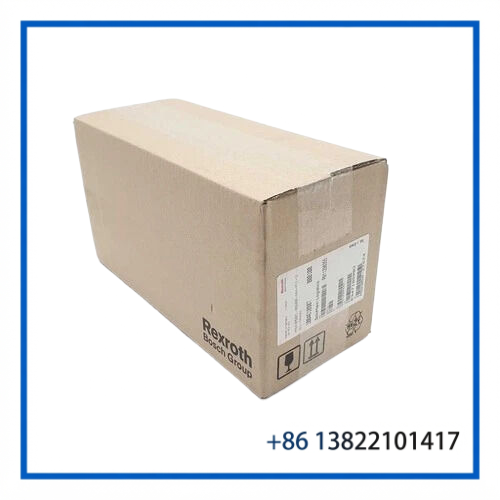

Description
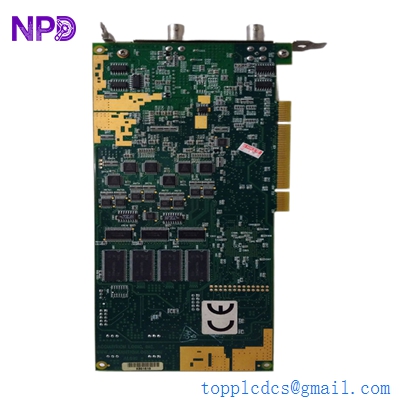
- Model: HIMA F8627X (Part No: 98 4862765)
- Brand: HIMA Paul Hildebrandt GmbH (Germany)
- Series: H41q / H51q Safety System Architecture (PES)
- Core Function: Ethernet communication processor board facilitating SafeEthernet and Modbus TCP links between HIMA safety racks and host DCS/SCADA
- Product Type: Communication Module / Ethernet Master Board
- Key Specs: SIL 3 (IEC 61508) SafeEthernet protocol support, 10/100 Mbit/s Ethernet, RS-485 / RS-232 serial interfaces, dual subrack backplane interface
- Supply Status: ⚠️ Discontinued Model (Fully Tested Surplus & Refurbished Stock Available)
- Stock: 3 pcs in stock (Ready to Ship)
- Warranty: 12 Months (From shipment date)
- Ship From: Shenzhen / Hong Kong (Domestic 2-3 days, International 5-7 days)
Key Technical Specifications
- Input Operating Voltage: 24 V DC (-15% / +20%, ripple max 5%) supplied via backplane
- Safety Integrity Level: SIL 3 according to IEC 61508 / IEC 61511; AK6 according to DIN V 19250 (when using SafeEthernet protocol)
- Network Interfaces: 1x 10/100 Base-T Ethernet port (RJ45 / Industrial M12) + dual RS-485 serial ports
- Protocols Supported: SafeEthernet (HIMA peer-to-peer safety bus), Modbus TCP (Server/Client), OPC DA interface via HIMA OPC server, HIPRO-S serial bus
- Data Transmission Speed: 10/100 Mbps auto-negotiation on Ethernet; up to 115.2 kbps on serial ports
- Diagnostic Coverage: Hardware diagnostic routines monitoring network buffer overrun, link state, and CRC error counters
- Operating Temperature: 0°C to +60°C
- Form Factor: Double Eurocard format for slot insertion into H41q / H51q 19-inch subracks
- Status Indicators: Front panel LEDs (LINK, ACT, RUN, STOP, ERR, COM)
Application Scenarios & Engineering Pitfalls
In safety-critical plants like refineries, offshore platforms, and LNG terminals, the HIMA F8627X acts as the primary data bridge. It connects central safety processors (such as the F 8650A) to plant DCS systems, SCADA visualizers, and other HIMA safety racks over SafeEthernet.
Because safety communication protocols enforce tight heartbeat timeouts, an improperly configured subnet, damaged network chip, or baud rate mismatch on an F8627X board will drop the communication link. If the DCS loses safety status signals, operators are forced into manual monitoring or must trigger a conservative process trip.
Typical Industrial Application Scenarios
- Emergency Shutdown System (ESD) Peer-to-Peer Interlocking Links multiple HIMA H51q racks across different substation buildings using SIL 3 SafeEthernet, passing safety interlock signals with sub-50 ms cycle times.
- Burner Management System (BMS) to DCS Integration Transfers boiler safety interlock states, flame sensor data, and trip alarms from the HIMA safety rack to a central Yokogawa, Honeywell, or ABB DCS via Modbus TCP.
- Fire and Gas System (F&G) Network Master Routes gas alarm values and zone deluge feedback to the central control room SCADA system for real-time plant mapping.
Real-World Case: Loss of SafeEthernet Link on Offshore Platform
Background: An offshore production platform experienced intermittent safety network drops between its main platform ESD rack and the wellhead platform safety subrack. The secondary communication module HIMA F8627X began throwing COM ERR diagnostic faults.
Problem: The communication loss broke the SIL 3 SafeEthernet peer-to-peer heartbeat. Per platform operating procedures, if the safety link remains down for more than 30 seconds, the wellhead safety valves automatically close, causing a complete platform shutdown.
Solution: Our integration engineering team pulled a verified HIMA F8627X (Part No: 98 4862765) module from emergency inventory. We configured the IP address, subnet mask, and SafeEthernet station ID to match the customer’s ELOP II software project target, ran a 12-hour full-load packet test on an H51q test bench, and express-shipped the unit.
Result:
- Module arrived on-site and was hot-swapped into the secondary slot without interrupting active safety logic.
- SafeEthernet peer link re-established within 10 seconds of insertion, avoiding a platform production shutdown estimated at $520,000 USD.
Compatible Replacement Models
When replacing or upgrading HIMA communication cards, confirm subrack slot depth, firmware release revisions, and ELOP II project network configuration settings.
| Original Part Number | Replacement Part Number | Compatibility Level | Key Differences | Required Modification | Cost Impact |
| HIMA F8627X (984862765) | HIMA F8627 (Standard) | ✅ Direct Replacement | Minor PCB revision update; identical hardware form factor and SafeEthernet protocol support | Drop-in; verify IP address & DIP switch settings | Base |
| HIMA F8627X | HIMA F8628X | ⚠️ Software / Network Swap | Multi-port Ethernet switch capability on-board | Re-configure network architecture in ELOP II software | +20% |
| HIMA F8627X | HIMAX Com Modules (F8621 / F8629) | ❌ Not Compatible | Designed for modern HIMAX hardware racks; completely incompatible backplane pinout | Requires full safety system migration project | +250% |
Integration Tip: When hot-swapping an F8627X module in a redundant pair, check that both boards run identical communication firmware build numbers. If firmware versions differ significantly, the redundant pair may fail to synchronize memory buffers, causing one card to stay in
STOPmode.
Troubleshooting Quick Reference
Use this table to quickly diagnose whether a communication failure originates from network infrastructure (switches, cables, IP conflicts) or an internal F8627X module defect.
| Fault Symptom | Probable Cause | Module Correlation | Quick Diagnostic Test | Corrective Action |
| All LEDs OFF | 24 V DC backplane power missing or blown subrack fuse | ❌ Low (Subrack power fault) | Check 24 V DC supply across backplane power pins with a multimeter. | Inspect subrack power supply module (e.g., F 7126) and cabinet supply breakers. |
| ERR / FAULT LED Solid Red | Board hardware self-test failed or corrupted flash firmware | ✅ High (Internal board failure) | Power cycle slot. If ERR stays solid red after 15 seconds, internal onboard memory/CPU is damaged. |
Replace HIMA F8627X communication module. |
| LINK LED Off (Ethernet) | Broken Ethernet cable, bad RJ45 connector, or unpowered switch port | ❌ Low (Network cabling/switch) | Test Ethernet cable with a LAN tester or plug into a laptop directly. | Replace damaged CAT5e/CAT6 cable or restore power to the industrial Ethernet switch. |
| COM ERR Flashing (SafeEthernet) | Station ID mismatch, IP conflict, or SafeEthernet heartbeat timeout | ⚠️ Medium (Config / Network) | Connect ELOP II software to inspect network status buffer and verify station address jumpers. | Re-align DIP switch station address on card to match ELOP II software definition. |
| DCS Modbus Data Frozen | Modbus slave ID error, wrong baud rate, or buffer overflow | ⚠️ Medium (Protocol setup) | Use Modbus Poll software on a laptop to test Modbus TCP/RTU register reading. | Verify Modbus register map, check IP port 502 configuration, and restart communication service. |
Technician’s Replacement Checklist & SOP
Safety System Communication WarningReplacing a communication module may temporarily interrupt data transfer to your DCS/SCADA system. Ensure local manual monitoring or override protocols are active before pulling an active communication card.
Replacing the F8627X Module (Step-by-Step SOP)
1.Record Network Configuration & Station Address:10 mins.Connect to the HIMA rack via ELOP II software. Document the IP address, Subnet Mask, Gateway, and SafeEthernet Station ID associated with the target F8627X slot. Photograph the hardware DIP switch settings on the existing card.Verification: IP address and DIP switch binary positions are fully documented.
2.Isolate Slot / Disconnect Cables:5 mins.If replacing offline, turn off power to the subrack. If hot-swapping in a redundant setup, ensure the secondary communication module is active. Unplug Ethernet RJ45 and serial DB9/RS-485 cables.Verification: All network cables are labeled and safely disconnected.
3.Extract Failed Board:5 mins.Loosen top and bottom retaining screws using a flathead screwdriver. Using card ejector handles, smoothly pull the F8627X module out of the subrack card cage while wearing a grounded ESD wrist strap.Verification: Module is removed without contacting adjacent card components.
4.Set DIP Switches & Insert Replacement Board:5 mins.Set the DIP switch block on the replacement F8627X board to match the station address recorded in Step 1. Align the card with the guide rails and push firmly until seated in the backplane connector. Tighten retaining screws.Verification: Card sits flush with the subrack frame and screws are secured.
5.Power-On & Network Sync Verification:10 mins.Reconnect network cables and restore slot power. Observe LED startup sequence. Verify via ELOP II or ping command that the card responds on its assigned IP address and SafeEthernet links re-establish.Verification: LINK LED glows green, COM LED flashes during data transfer, and ERR LED remains OFF.