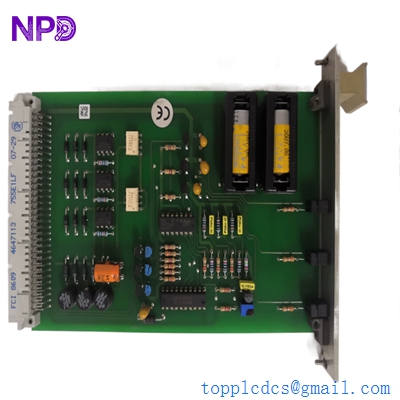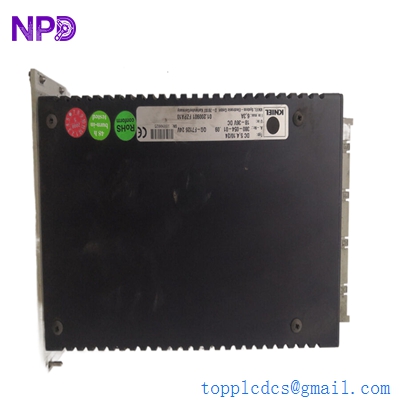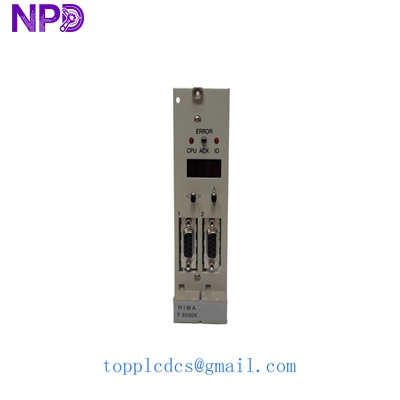

Description
- Model: HIMA F8650X
- Brand: HIMA (Germany)
- Series: HIMax Safety System
- Core Function: High-performance CPU module for safety-critical applications
- Condition: Brand New Surplus (Original Factory Quality)
- Product Type: Central Processor Module (CPU)
- Key Specs: SIL 3 Rated | Quad-Core Architecture | Ethernet/ProfiNet support
- Safety Integrity Level: SIL 3 (IEC 61508)
- Processor Type: Multi-core high-speed CPU
- Memory: High-capacity Flash and RAM for complex logic
- Communication Interfaces: 4x Ethernet ports (RJ45)
- Redundancy: Supports Hot-Standby and System Redundancy
- Operating Voltage: 24 V DC (nominal)
- Power Consumption: Max 25 W
- Diagnostics: Integrated self-test and error logging
- Operating Temperature: 0 to +60 °C
- Mounting: HIMax Base Plate Slot
- Programming: SILworX Engineering Tool
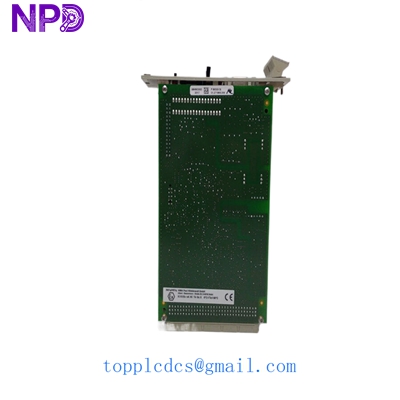
HIMA F8650X
Installation & Configuration Guide
Phase 1: Pre-Installation (Preparation) Estimated Time: 15 minutes
⚠️ Safety Protocol:
- Ensure the safety system is in a controlled state. Replacing a central module in a non-redundant system will cause a shutdown.
- Confirm the current SILworX project version matches the new hardware.
- Discharge static electricity by wearing a grounded ESD wrist strap.
Tools Required:
- ESD protection kit
- SILworX Engineering PC
- Labeling pen for cable identification
Phase 2: Removal of Faulty Module Estimated Time: 5 minutes
- Power Check: In a HIMax system, if the module is redundant, the secondary will take over. If not, power down the rack.
- Unlock: Locate the locking levers at the top and bottom of the F8650X faceplate.
- Extraction: Press the locking clips and pull the levers outward simultaneously to disengage the backplane connector.
- Inspect: Check the BOARD connector pins on the base plate for any signs of arcing or dust.
Phase 3: Installing the New F8650X Estimated Time: 10 minutes
- Verify Part Number: Ensure the suffix (e.g., hardware revision) is compatible with your existing setup.
- Physical Insertion: Slide the module into the designated slot along the guides. Push firmly until the levers click into the locked position.
- Cable Reconnection: Reattach any communication cables (Ethernet/System Bus) to the front ports.
- Firmware Check: Use SILworX to verify if the firmware version on the new module matches the system requirements.
Phase 4: Power-On & Commissioning Estimated Time: 20 minutes
- Observe LEDs:
- RUN (Green): Should begin flashing then turn solid once the application is loaded.
- ERR (Red): If solid, check the diagnostic buffer in SILworX.
- Project Download: If the module is new surplus, it won’t have your specific logic. Download the project from your engineering station.
- Functional Test: Trigger a non-critical safety loop to ensure the CPU is processing I/O signals correctly.
- Documentation: Record the new serial number in your maintenance log for lifecycle tracking.
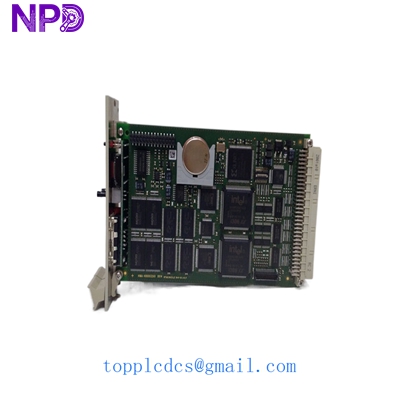
HIMA F8650X
Customer Cases & Industry Applications
Case 1: Offshore Platform Emergency Replacement An offshore oil rig in the North Sea experienced a CPU failure on their Fire and Gas (F&G) system. The HIMA F8650X module was critical for platform-wide safety. With the OEM quoting a 14-week lead time due to global shortages, the platform faced a potential forced shutdown. We dispatched a “New Surplus” unit via international priority. The part arrived in 4 days, allowing the crew to restore the SIL 3 safety loop without halting production. Total cost saved: Estimated $1.2M in avoided downtime.
Case 2: Chemical Plant Preventive Maintenance A large chemical plant in Southeast Asia planned a major turnaround. Their HIMax system had been running for 7 years. Recognizing the “Lead time variability” of specialized safety modules, the plant manager decided to procure two F8650X units as “Buffer stock.” Six months later, during a routine upgrade, one of their existing processors failed to reboot. Because they had the spare on-site (the “insurance policy”), the incident was a minor 30-minute fix rather than a catastrophic logistics nightmare.
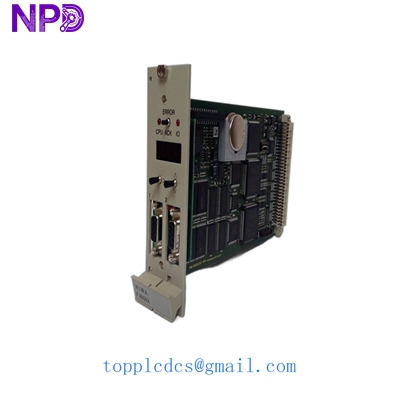
HIMA F8650X
Frequently Asked Questions (FAQ)
Q: Is the HIMA F8650X hot-swappable? A: In a redundant HIMax configuration, yes. You can replace one CPU while the other maintains the “RUN” state. However, if your system is non-redundant (Mono), removing the F8650X will immediately stop all safety logic processing. Always check your system architecture before pulling the module.
Q: Does this come with the SILworX license? A: No. The F8650X is the hardware component. You must have your own licensed copy of the SILworX engineering tool to configure the module and download your safety project.
Q: How do I know this is “New Surplus” and not used? A: Honestly, it’s a valid concern in this industry. Our F8650X units come in the original factory anti-static packaging. We provide high-resolution photos of the connector pins—which show zero insertion wear—and the serial number, which you can verify with HIMA for its production date. We don’t touch “Refurbished” gear because, in SIL 3 environments, there is zero room for error.
Q: What happens if the firmware version is different? A: This is common with surplus stock. If the firmware is older or newer than your current system, you may need to perform a firmware update/downgrade using the HIMA maintenance tools. If you’re unsure how to do this, let us know before shipping; we can often match the firmware version for you in our lab.
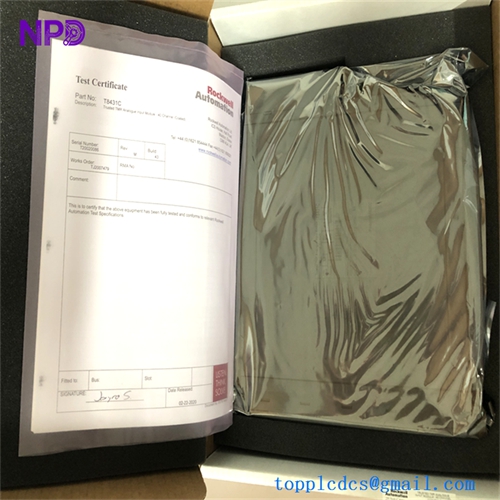
Q: Do you provide a test report? A: Absolutely. Every F8650X we sell undergoes a power-on self-test (POST) and a communication handshake test on our HIMA test rack. We include a signed QC certificate in the box.