Description
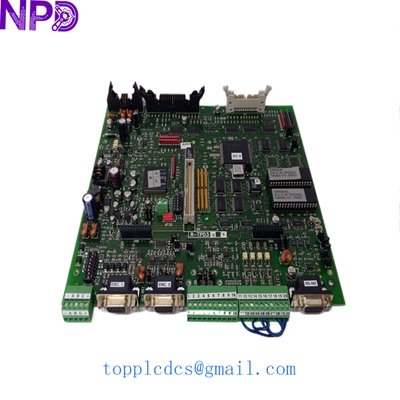
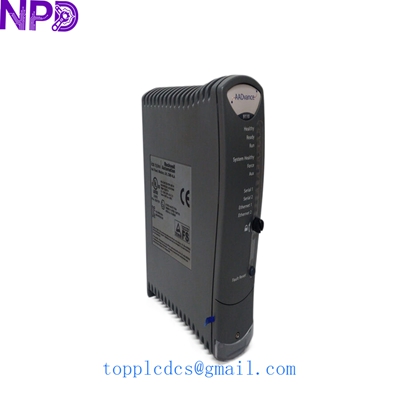
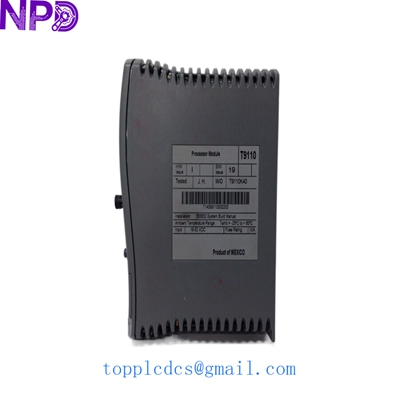
- Model: ICS Triplex T9110
- Brand: Rockwell Automation / ICS Triplex
- Series: AADvance System (Integrated Process Control & Safety)
- Core Function: Central processing module for Triple Modular Redundant (TMR) safety systems.
- Condition: Brand New Surplus (Original Box, Factory Sealed)
- Type: AADvance Processor Module
- Safety Rating: SIL 3 (IEC 61508) compliant
-
- Architecture: Triple Modular Redundancy (TMR) with voting logic.
- Processor: 32-bit PowerPC (various clock speeds depending on hardware revision).
- Memory: 128 MB RAM / 128 MB Flash (common revision specs).
- Communication: Ethernet (TCP/IP, EtherNet/IP, Modbus TCP), Serial (RS232/485).
- Operating Voltage: 24 V DC (nominal), range 18 to 32 V DC.
- Environment: -25°C to +60°C operating temperature; 5% to 95% humidity.
- Dimensions: 120 mm x 80 mm x 40 mm (Standard module footprint).
- Weight: Approximately 0.43 kg (0.95 lbs).
- Redundancy: Dual redundant 24 V DC power feeds and internal fail-safe logic.
ICS Triplex T9110
Installation & Configuration Guide
Phase 1: Pre-Installation (Preparation: 10 minutes)
⚠️ Safety Notice:
- The T9110 is often part of an Emergency Shutdown (ESD) or Fire & Gas (F&G) system. Verify that the system is in a “Bypass” or “Maintenance” mode before attempting a swap to prevent accidental plant trips.
- Ensure you have the latest project backup from AADvance Workbench.
- Anti-static precautions are mandatory; use a grounded wrist strap.
Tools Needed:
- Small flat-head screwdriver (for terminal locking).
- AADvance Workbench software (for synchronization check).
- Replacement battery (T9905 / BR2032) if the unit has been in storage for a long period.
Phase 2: Removing a Faulty T9110
- Verify Redundancy: If your system uses two or three processors, check that the other processors are “Healthy” and have “Joined” the controller.
- Ejection: Release the locking handle on the module. The status LEDs should indicate that the processor is shutting down or going offline.
- Extraction: Gently pull the module out of the base unit. Be careful not to force the backplane connectors.
Phase 3: Installing the New T9110
- Physical Check: Inspect the backplane pins of the new T9110 for any bending.
- Insertion: Slide the module into the empty slot in the base unit. Push firmly until the locking handle can be engaged.
- Self-Education: The AADvance system is designed for “hot-swapping.” Once inserted, the new module will automatically begin a self-test and synchronization process with the existing processors.
- Firmware Match:
- Note: In my experience, the new module’s firmware must match the existing processors. If the “Fault” LED remains amber, use ControlFLASH or the Workbench tool to align the firmware versions.
- Join Operation: Once the “Healthy” LED is solid, the module should “Join” the redundant group. You may need to trigger a “Join” command via the HMI or Workbench if it is not set to automatic.
ICS Triplex T9110
Customer Cases & Industry Applications
Case 1: Offshore Platform Fire & Gas System
Situation: An offshore oil platform in the South China Sea reported a processor failure on their AADvance Fire & Gas system. The system was running in dual-redundancy after one T9110 failed.
Task: The client needed a replacement immediately to restore SIL 3 TMR status, as operating with a degraded safety system increased insurance risks and operational hazards.
Action: We dispatched a New Surplus T9110 via express courier. We also provided a pre-shipment test video showing the module passing self-diagnostics on our local test rack.
Result: The module was installed while the platform remained operational. The “Hot-Swap” capability allowed the new processor to sync with the active ones in under 5 minutes, restoring the system to full TMR (Triple Modular Redundant) status without a second of downtime.
Case 2: Chemical Plant Emergency Shutdown (ESD)
Situation: A chemical processing facility in Europe was undergoing a planned turnaround. During the restart, one of the T9110 processors failed to boot due to an internal watchdog fault.
Task: Local suppliers had a 12-week lead time. The plant could not safely restart the reactor without a fully functional ESD system.
Action: We provided a unit from our Shenzhen inventory. Because the plant used an older software version (R1.3), we assisted the customer’s engineer in locating the correct firmware flash file to ensure compatibility with their legacy workbench.
Result: The plant avoided a two-week delay in their turnaround schedule. The engineer noted that the “New Surplus” unit was cleaner and performed more reliably than the “Refurbished” alternatives they had previously sourced.
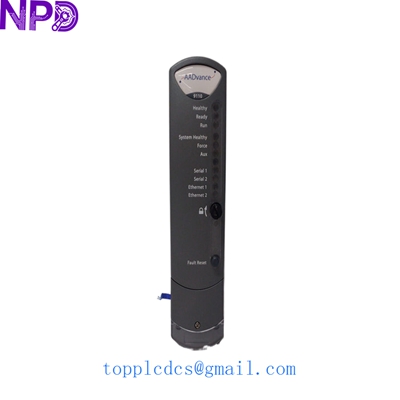
ICS Triplex T9110
Frequently Asked Questions (FAQ)
Q: Can I mix different hardware revisions of the T9110 in one rack? A: Generally, yes, provided the firmware versions are identical. However, it is a best practice to keep hardware revisions as close as possible for consistent timing and diagnostic behavior.
Q: Is the T9110 the same as the T8110? A: No. The T9110 is part of the AADvance system, while the T8110 (or T8110B/C) is part of the Trusted system. They are not interchangeable and fit into different backplane architectures.
Q: What does a flashing Red “Fault” LED mean? A: Usually, this indicates a “Non-Latching” fault or a firmware mismatch. If the LED is solid Red, it often points to a critical hardware failure. Try a power cycle in a standalone test rack before declaring the module dead.
Q: Does this module require a battery to retain the program? A: The program is stored in Flash memory, but the battery (T9905) is used to maintain the Real-Time Clock (RTC) and certain volatile diagnostic logs. We recommend replacing the battery every 2-3 years as part of preventive maintenance.
Current Inventory Specials
Looking for more ICS Triplex or Rockwell parts? We also stock:
- ICS Triplex T9402 (Digital Input)
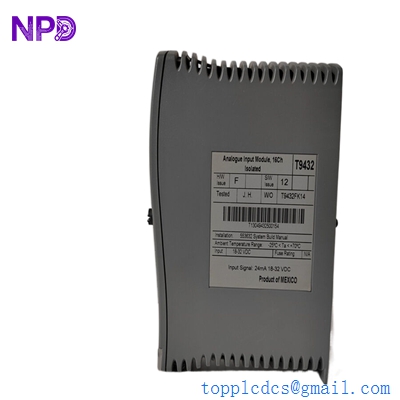
- ICS Triplex T9432 (Analogue Input)
- ICS Triplex T9300 (I/O Backplane)
- ICS Triplex T8110B (Trusted TMR)
- ABB PM866K01
- Honeywell CC-PAIH01
- Bently Nevada 3500/42M
For technical manuals or to request a formal quote, visit www.newplcdcs.com.