Description
- Model: ICS TRIPLEX T9110
- Brand: ICS Triplex (Rockwell Automation)
- Series: Trusted™ TMR System
- Core Function: Main Processor/Logic Solver for the Trusted Controller
- Product Type: Triple Modular Redundant (TMR) Processor Module
- Key Specs: 32-bit RISC processors SIL 3 Certified Fault-tolerant architecture
- Processor Type: Triple 32-bit RISC processors (Lock-step execution)
- Safety Integrity Level: SIL 3 (IEC 61508)
- Memory: 12 MB Flash (Firmware/App) & 2 MB Battery-backed SRAM
- Fault Tolerance: 3-2-0 (Operations continue with a single slice failure)
- Scan Time: Typically 10ms to 50ms (Application dependent)
- Inter-Module Bus: High-speed redundant serial bus interface
- Diagnostics: Hardware-implemented voting and discrepancy monitoring
- Power Consumption: 25 Watts (Maximum)
- Clock: Real-time clock with battery backup
- Programming: Trusted Toolset (IEC 61131-3 compliant)
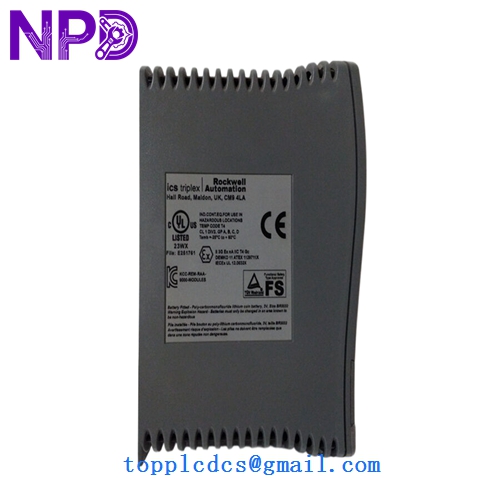
ICS TRIPLEX T9110
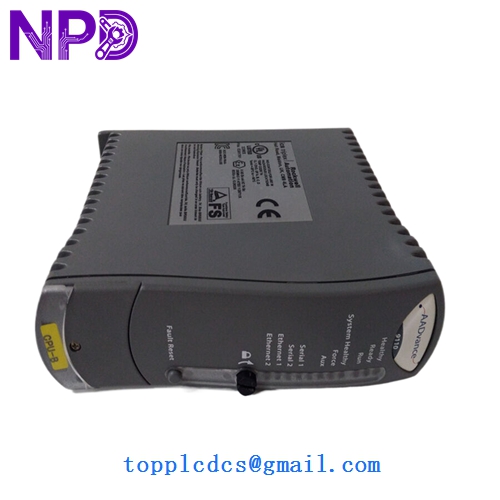
ICS TRIPLEX T9110
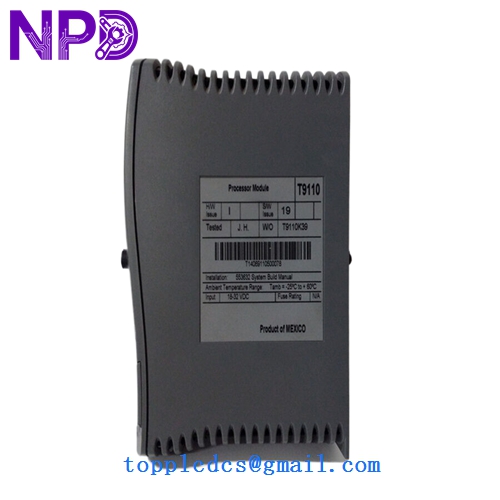
ICS TRIPLEX T9110
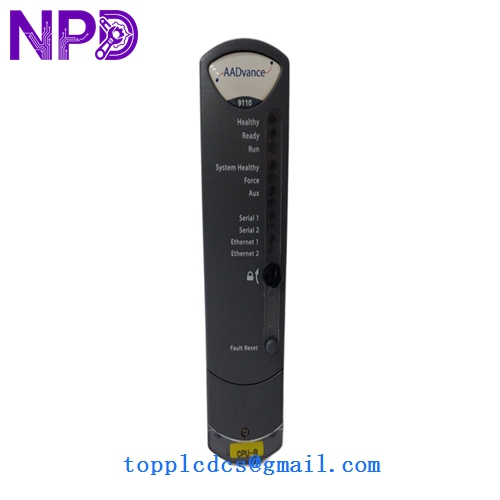
ICS TRIPLEX T9110
Installation & Configuration Guide
Phase 1: Preparation (Pre-Installation)
Estimated time: 30 minutes
⚠️ Critical Warning:
- The T9110 is the “brain” of the Trusted system. Replacing it while the plant is live requires a redundant processor pair (Active/Standby). If you only have one processor, the system must be shut down.
- Check the existing firmware version in the Trusted Toolset. The new module must have a compatible firmware revision to sync.
- Ensure you have the latest application project file (.TT) saved on a dedicated engineering station.
Tools Required:
- Engineering workstation with Trusted Toolset.
- ESD grounded wrist strap and mat.
- Anti-static bags for the old module.
Phase 2: Firmware & Address Verification
Estimated time: 15 minutes
Step 1: Set the Address Check the DIP switches on the side of the T9110. The processor address must be set correctly (usually Address 1 for the primary slot).
Step 2: Battery Connection Ensure the internal backup battery is connected. Some surplus units are shipped with the battery disconnected to preserve shelf life. Note: If the battery is dead, you will see a “Low Battery” fault on boot.
Phase 3: Replacement (Redundant System)
Estimated time: 20 minutes
- Verify Redundancy: Ensure the “partner” T9110 is healthy and currently “Active.”
- Extraction: Unlock the ejector levers of the failed processor and remove it slowly.
- Insertion: Align the new T9110 and push firmly into the slot. Lock the levers.
- Synchronization:
- The module will undergo a self-test (LEDs will cycle).
- Once the self-test passes, the module will communicate with the Active processor.
- The Active processor will begin “educating” the new module, transferring the application and current state.
- This process is complete when the “Healthy” and “Standby” (or Active) LEDs are solid green.
Customer Cases & Industry Applications
Case 1: LNG Terminal Emergency Processor Swap An LNG export terminal in Australia reported a “Voter Discrepancy” on its primary T9110 processor. While the TMR architecture kept the system running, the loss of one “slice” meant the system was no longer fault-tolerant. Rockwell’s official lead time for a replacement was over 24 weeks. We delivered a New Surplus T9110 via express courier within 4 days. The on-site team performed a live swap without interrupting the cooling process, restoring full SIL 3 integrity immediately.
Case 2: Nuclear Power Plant Spare Strategy A nuclear facility using Trusted systems for auxiliary control needed to refresh their aging spare parts inventory. They were concerned that refurbished units from some vendors lacked the original hardware trace. We provided two T9110 modules with original factory labels and verified serial numbers. This allowed the facility to pass their stringent safety audit, ensuring they had reliable, zero-hour processors ready for the next decade of operation.
Frequently Asked Questions (FAQ)
Q: Can I replace a T9110 with a T9100? A: No. While they look similar, the T9110 has significantly more memory and processing power required for later versions of the Trusted Toolset and complex SIL 3 applications. Always stick to the exact model number defined in your system configuration.
Q: What happens if the firmware doesn’t match? A: If the new T9110 has a different firmware version than the active partner, they will not synchronize. You will need to use the Trusted Toolset to “Flash” the new processor to match the existing system version before it can take over control.
Q: Is it safe to hot-swap a processor? A: Yes, provided you have a redundant pair. If your system only has one T9110, removing it will cause an immediate system shutdown and trip all safety outputs. In my experience, even with redundancy, it’s best to perform the swap during a quiet period of operation.
Q: Why is this module so expensive compared to standard PLCs? A: You aren’t just buying a CPU; you’re buying three CPUs in one. The T9110 contains triple-redundant hardware logic that votes on every single operation. That complexity, combined with the SIL 3 certification and the fact that they are no longer in mass production, drives the market value. It’s an investment in “zero-fail” reliability.