Description
- Model: Johnson Controls MS-NAE5510-1
- Brand: Johnson Controls (JCI)
- Series: Metasys® Network Automation Engine (NAE)
- Core Function: Supervisory controller for building automation systems (BAS)
- Type: NAE55 Series High-Capacity Network Engine
- Key Specs: Supports BACnet MS/TP, N2 Bus, LonWorks (with adapter), and Modbus protocols
- Processor: High-speed computing platform for managing large-scale building networks
- Memory: 128 MB RAM / 128 MB Flash (System-dependent revisions may vary)
- Communication Ports:
- 2 RS-485 ports (Configurable for N2 or BACnet MS/TP)
- 1 Ethernet port (10/100 Mbps) for SIT/Web access
- 2 USB ports for external integrations or localized tools
- Supervisory Capacity: Manages up to 100 field controllers (FEC, FAC, VMA, etc.)
- Input Power: 24 VAC, 50/60 Hz (Typically 20-30 VA)
- Internal Battery: Rechargeable NiMH battery for orderly shutdown during power loss
- Operating Temp: 0°C to 50°C (32°F to 122°F)
- Software: Embedded Metasys® OS (SCT tool required for configuration)
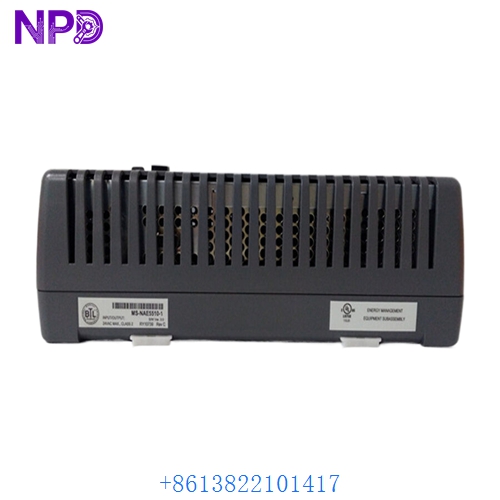
Johnson Controls MS-NAE5510-1
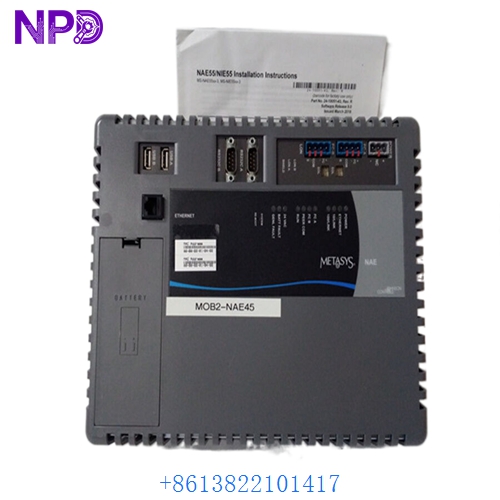
Johnson Controls MS-NAE5510-1
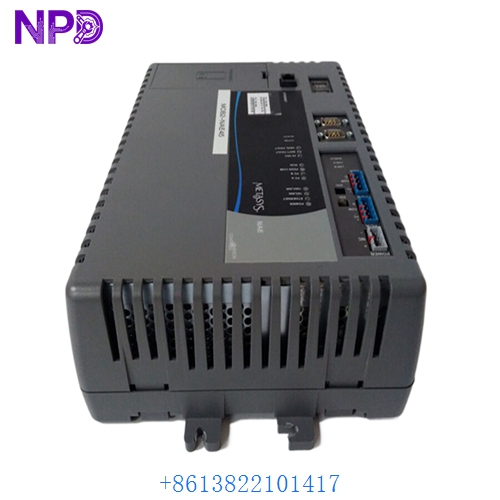
Johnson Controls MS-NAE5510-1
Installation & Configuration Guide
Phase 1: Preparation (15 minutes)
⚠️ Safety Warning: The MS-NAE5510-1 acts as the “brain” for HVAC, lighting, and fire safety interfaces. Replacing this unit will temporarily disconnect all supervisory logic and schedules for its assigned branch. Ensure local controllers are set to “Standalone” or “Default” operation modes before proceeding.
Required Items:
- Grounded anti-static wrist strap.
- System Configuration Tool (SCT) software on a field laptop.
- Ethernet crossover or patch cable.
- 24 VAC Class 2 power supply verification.
Phase 2: Hardware Swapping (15 minutes)
Steps:
- Backup Database: Use SCT to perform an “Upload” of the existing NAE database if the old unit is still partially functional.
- Removal: Disconnect the 24 VAC power terminal. Unplug the Ethernet and RS-485 (N2/MS/TP) connectors. Remove the Johnson Controls MS-NAE5510-1 from its DIN rail mounting.
- Battery Check: Ensure the internal NiMH battery in the new surplus unit is connected (there is often a small jumper or plug to engage the battery for the first time).
- Seating: Snap the new unit onto the DIN rail. Reconnect the communication trunks and finally the 24 VAC power.
Phase 3: Commissioning (45 minutes)
The Activation Process:
- Initial Boot: The “Power” LED should be solid green. The “Heartbeat” LED will blink once the Metasys OS has loaded (this can take 2–5 minutes).
- IP Configuration: Connect via the Ethernet port. Use the default JCI credentials (or your site-specific login) to access the web UI or SCT. Assign the static IP address, Subnet, and Gateway.
- Database Download: Using SCT, “Download” the archived site database to the new MS-NAE5510-1.
- Device Discovery: Verify that all N2 or MS/TP field devices come back “Online.” Check schedules and trends to ensure data logging has resumed.
Customer Cases & Industry Applications
Case 1: Hospital HVAC Supervisory Recovery
Situation: A major metropolitan hospital lost control of three surgical wing air handling units (AHUs) when an aging NAE5510-1 failed due to a power surge. Task: Restore supervisory control and scheduling to maintain pressurized environment standards. Action: We dispatched a New Surplus unit from our stock. The hospital’s facilities team used our technical guide to prioritize the SCT download. Result: Control was restored in under 6 hours. The hospital avoided the massive cost of a full system upgrade while maintaining critical patient safety compliance.
Case 2: Commercial Office Tower Retrofit
Situation: An office building was moving from N2 bus architecture to BACnet MS/TP. They needed a reliable supervisory engine that could “bridge” both protocols during the 12-month transition. Task: Provide Johnson Controls MS-NAE5510-1 engines to handle the hybrid network load. Action: The contractor purchased four New Surplus units to ensure consistent hardware revisions across the project. Result: The project stayed on schedule. The “New Surplus” units provided the reliability of new hardware at a budget-friendly price point for the property manager.
Frequently Asked Questions (FAQ)
Q: Is the MS-NAE5510-1 compatible with Metasys Release 12.0 or higher? A: The NAE55 series is supported by many newer Metasys releases, but always check the JCI software compatibility matrix. Some older hardware revisions (Series 1) may have memory limitations that prevent them from running the very latest engine software versions.
Q: What is the difference between NAE5510 and NAE5511? A: Typically, the last digit indicates the specific protocol package or regional variation (e.g., LonWorks support vs. standard N2/BACnet). The MS-NAE5510-1 is a standard high-capacity engine usually configured for North American and global MS/TP or N2 markets.
Q: Why choose “New Surplus” for an automation engine? A: Building engines run 24/7/365. A “Used” engine has already seen years of heat and flash memory write-cycles. A New Surplus MS-NAE5510-1 offers fresh internal components and a factory-clean OS environment, significantly reducing the risk of “database corruption” or hardware hang-ups.
Q: Does it come with a Metasys License? A: The hardware includes the embedded OS. However, the site-level Metasys license (SCT/Server) is managed at the system level. If you are replacing an existing NAE, your current system license typically covers the replacement hardware.
Q: My “Fault” LED is blinking red. What does it mean? A: This usually indicates a boot failure or a problem with the internal battery. If it persists after a power cycle, check the SCT diagnostics. In my experience, a red fault on a new unit is often just a reminder that the database has not yet been “Bound” or downloaded from the SCT.