
Description
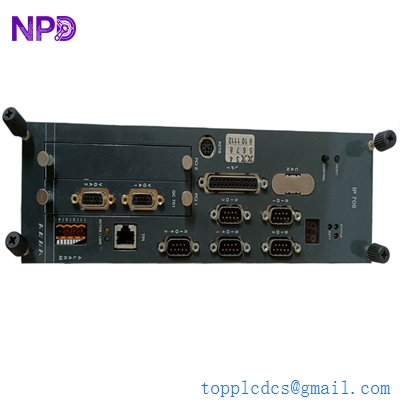
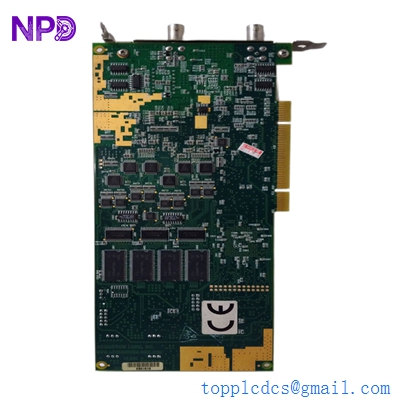
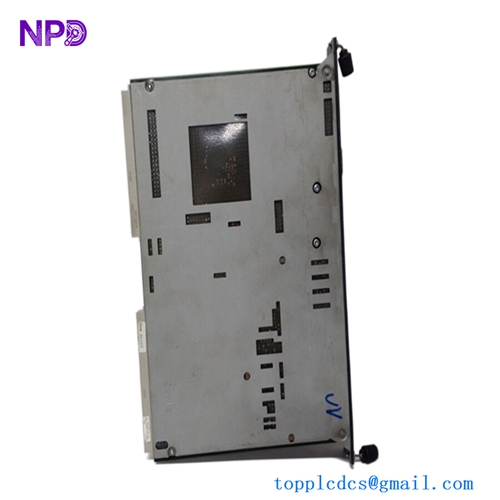
The Kongsberg Maritime K-Chief BI Panel System (Part Number: 110-0059859) is an advanced operator workstation and automation interface unit engineered specifically for marine vessel monitoring and control. Designed as part of the renowned K-Chief integrated automation system, this panel provides bridge officers and marine engineers with centralized visualization, alarm monitoring, machinery control, and power management capabilities to ensure optimal vessel safety and operational efficiency at sea.

📊 Product Technical Datasheet
- Brand: Kongsberg Maritime
- Model: 110-0059859
- Series: K-Chief Series
- Product Name: K-Chief BI Panel System
- Place of Production: Norway / Global Facilities
- Condition Status: Factory New / Refurbished Available
- Dimensions: 350 mm x 280 mm x 85 mm
- Weight: 2.40 kg
- Origin Country: Norway
- Power Consumption: 15W (Operating via marine power supply)
🔍 Initial Operation Checklist
- Verify physical integrity: Inspect the panel enclosure, display screen, mounting brackets, and rear connection terminals for any transit damage or maritime environmental exposure prior to installation.
- Check power compatibility: Ensure that the incoming power supply voltage matches the unit’s rated input requirements and verify correct polarity before energizing the module.
- Inspect wiring terminations: Confirm that all communication lines, network cabling, and power input connections are securely fastened, properly shielded, and correctly torqued.
- Verify software version: Power on the display unit and check the boot screen to verify that the internal firmware and configuration files match the vessel’s specific automation architecture.
- Perform communication loop check: Test the marine network interfaces and serial communication links to ensure seamless data exchange with the central automation server and engine control room systems.
🔧 Routine Maintenance and Care
- Environmental monitoring: Regularly inspect the bridge or control room console to ensure internal ambient temperatures remain within the specified operating range of -15°C to +55°C.
- Terminal security: Periodically check and retighten all rear wiring terminal blocks and connectors to prevent loosening caused by continuous vessel vibration and engine humming.
- Screen and housing care: Clean the front-panel display glass and enclosure surface using a soft, lint-free cloth dampened with mild detergent or isopropyl alcohol. Avoid abrasive industrial solvents.
- Ventilation check: Ensure that cooling vents and surrounding console spaces remain clear of dust, salt residue, or obstruction to guarantee proper thermal dissipation.
- Firmware and backup management: Archive current system configuration files and software backups using authorized Kongsberg service utilities whenever maintenance or system updates are performed.
⚠️ Troubleshooting and Common Issues
- Communication Loss: If the panel loses connection with the main control system, inspect network switch connections, verify redundant LAN cable integrity, and check node address configurations.
- Unresponsive Touch or Keypad: Clean any accumulated moisture or salt film from the interface surface. If input commands fail to register, verify internal membrane ribbon connectors and power stability.
- Blank or Flickering Display: Check incoming supply voltage levels and inspect internal display backlighting connectors. If the screen fails to initialize, verify power supply module output.
- Alarm Annunciation Failure: Ensure that software configuration parameters for alarm routing are correctly mapped and that the internal buzzer and visual indicators are fully operational.
🛡️ Safety Precautions
- Marine Electrical Safety: Always completely isolate all electrical power sources and shipboard AC/DC feeds before opening console enclosures or performing internal wiring service.
- Qualified Personnel Only: Installation, network integration, hardware servicing, and parameter configuration must be performed exclusively by certified marine automation engineers and technicians.
- Operational Safety: Never bypass critical safety alarms, emergency shutdown commands, or fire detection monitoring loops while the vessel is operating in active transit or maneuvering.
- Electrostatic Discharge Protection: Wear an appropriate ESD grounding strap when handling internal circuit boards or service components to prevent delicate electronic damage.
❓ Frequently Asked Questions (Q&A)
- Q1: What is the primary role of the K-Chief BI panel system onboard a vessel? A1: The K-Chief BI panel serves as an operator interface and monitoring workstation for managing shipboard machinery, alarm systems, and automated processes across engine and cargo spaces.
- Q2: Does the unit support redundant network configurations? A2: Yes, K-Chief systems are designed with high-availability architecture, typically featuring dual network ports to ensure uninterrupted communication and system resilience under maritime conditions.
- Q3: What software tools are utilized for maintaining or configuring this system? A3: System maintenance, diagnostics, and configuration updates are performed using specialized Kongsberg service and engineering software suites designed for the K-Chief automation ecosystem.
- Q4: What immediate action should be taken if the panel displays a critical internal system fault? A4: Note the specific error code or alarm message shown on the screen, check primary power stability, and contact Kongsberg Maritime support or certified marine technicians for assistance.