
Description
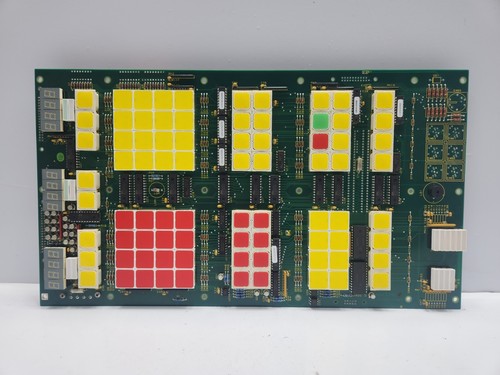
The Kongsberg NA1116.1 (Hardware Revision HA220862B/B/B) is a high-reliability Operator Panel designed for use with the AC4 and AC7 Automation and Control systems. It serves as the primary Human-Machine Interface (HMI) for vessel management, propulsion control, and dynamic positioning systems. Built to endure the harsh conditions of maritime environments, it provides real-time monitoring, command input, and system-level diagnostic capabilities for shipboard personnel.
📋 Technical Specifications
- Model Number: NA1116.1
- Hardware ID: HA220862B/B/B
- Series: AC4 / AC7 Control System
- Function: Human-Machine Interface (HMI) / Operator Control Panel
- Display Type: High-visibility industrial LCD with integrated tactile input
- Communication: Industrial Fieldbus / Ethernet integration
- Operating Temp: -15°C to 55°C
- Dimensions: Standard console-mount form factor
- Weight: 3.1 lbs (1.4 kg)
- Country of Origin: Norway
⚙️ Application Areas
- Dynamic Positioning (DP) Systems
- Vessel Management System (VMS) Consoles
- Marine Propulsion Control Stations
- Cargo and Ballast Monitoring Panels
- Integrated Bridge Navigation and Automation
🛠️ Operating Instructions & Guidelines
- Installation: Panel-mount the unit into a secure, vibration-dampened bridge or engine room console. Ensure the rear connectors are protected from water ingress and use the provided gasket to maintain the IP-rating of the console face.
- Environmental Requirements: Keep the operating environment within -15°C to 55°C. Periodically clean the front display with non-abrasive, anti-static screen cleaners to prevent buildup of sea-salt residue, which can corrode key-switches over time.
- Maintenance: Ensure the backlight illumination remains consistent. If flickering occurs, check the power supply voltage at the rear terminals. Inspect all physical push-buttons for “sticky” operation caused by salt crystallization.
⚡ Power Sequence & Operation
- Power-On Sequence: 1. Confirm 24VDC control power is active. 2. Upon energizing, the panel will perform a self-boot sequence; the display should illuminate, and the status LEDs will cycle. 3. Verify communication handshaking with the host AC4/AC7 controller.
- Power-Off Sequence: 1. Ensure that no critical control commands are being processed. 2. De-energize the 24VDC auxiliary power supply. 3. If the panel is part of a redundant pair, verify that the secondary panel has taken over the interface duties before powering down the primary unit.
- Step-by-Step Operation: 1. Use the navigation keys to toggle between system sub-menus (e.g., Engine, Thruster, Alarm). 2. Acknowledge alarms by pressing the dedicated “Alarm ACK” button. 3. Use the numeric or function keys to input setpoints (e.g., RPM, pitch, or heading) as required by the vessel’s operational state.
❓ Frequently Asked Questions (Q&A)
- What does the “HA220862B/B/B” code indicate? This is the specific hardware revision identifier. When ordering spare parts or looking for technical documentation, it is essential to provide this full string to ensure compatibility with your specific AC4 or AC7 system generation.
- Why is the display screen dim or blank? This may indicate a failure of the internal backlight unit or an issue with the 24VDC power input. Use a multimeter at the rear terminal to ensure the unit is receiving stable voltage.
- Can I clean the panel with water? Do not spray water directly on the panel. Use a lightly dampened, lint-free cloth with a mild, alcohol-free detergent to prevent damaging the sensitive LCD polarizer or keypad membrane.
- How do I recalibrate the touch interface? If the panel uses a touch overlay, calibration is usually accessed via the system “Service” or “Setup” menu. Consult the Kongsberg technical manual specific to your vessel’s software version for the exact procedure.