
Description
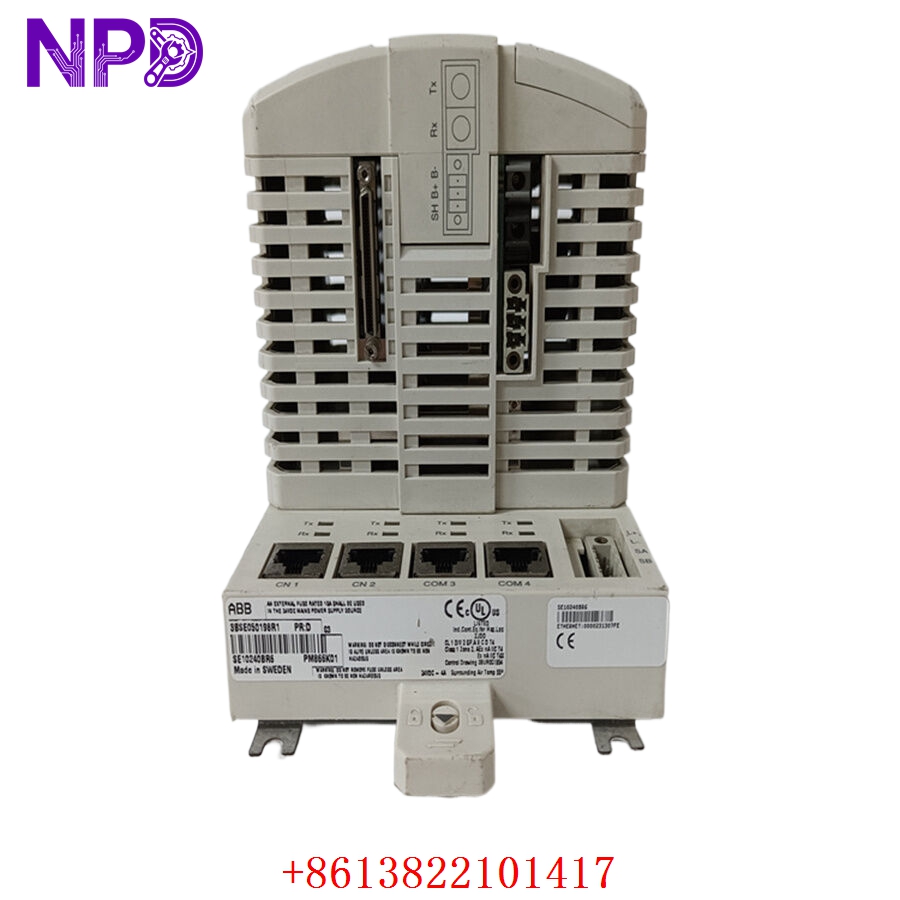
The KONGSBERG RCU500 (Part Number 603108) is a core component within the Kongsberg Maritime automation portfolio. As a Remote Controller Unit, it provides high-reliability signal processing and control logic for shipboard auxiliary systems. It is engineered to act as a localized intelligence node, bridging the gap between field sensors/actuators and the centralized Vessel Management System (VMS), ensuring robust performance in the rigorous conditions of maritime operation.

⚙️ Technical Specifications
- Dimensions: 250 mm x 170 mm x 90 mm
- Weight: 1.35 kg
- Country of Origin: Norway
- Power Input: 24V DC
- Operating Temperature: -20°C to +70°C
- Housing: Robust aluminum alloy, dust and moisture resistant
- Protection Class: IP54
🏗️ Application Areas
- Propulsion Monitoring and Control
- Auxiliary Machinery Automation
- Alarm and Monitoring Systems (AMS)
- Valve Remote Control Systems
- Shipboard Power Management Interface
📖 Product Usage Instructions
The RCU500 should be installed inside an IP-rated enclosure or console to protect against direct environmental exposure. Utilize the provided mounting hardware for vibration-resistant installation. Ensure all connections—particularly analog inputs and communication buses—use high-quality shielded cabling grounded to the vessel’s designated common earth to prevent signal noise from interfering with control logic.
🌐 Communication Configuration Steps
- IP Address: Configure the network settings via the Kongsberg service software. Access the “Network Parameters” tab to set a static IP, Subnet Mask, and Gateway.
- Station Number: Set the internal Node/Station ID through the device configuration menu to ensure it is correctly mapped in the VMS network.
- Baud Rate: Match the serial communication baud rate (e.g., 38400 or 115200) within the port configuration settings to ensure synchronization with the central bus.
⚡ Power-Up Debugging Flow
- Verify the 24V DC power supply at the unit terminals with a multimeter.
- Check that the grounding strap is securely attached to the cabinet ground bus.
- Apply power and observe the front-panel status LEDs; a steady green light indicates successful system power-on and self-test.
- If a yellow or red LED flashes, consult the maintenance logs via the diagnostic port to identify the specific error code.
- Confirm connectivity status on the main VMS operator station.
✅ Initial Run Checklist
- Conduct a “Point-to-Point” I/O verification test for all connected sensors and actuators.
- Confirm that alarm thresholds (high/low limits) are calibrated to the correct vessel parameters.
- Check for “Communication Error” flags in the central automation system logs.
- Save the full configuration file to an external secure drive for future troubleshooting.
- Verify that the enclosure cooling is adequate to prevent overheating during continuous operation.
❓ Frequently Asked Questions (Q&A)
Q: Is the RCU500 backward compatible with older Kongsberg units? A: It is designed for specific generations of Kongsberg automation systems. Always check your vessel’s technical documentation or the part number cross-reference list before attempting to replace an older RCU model.
Q: What do I do if the unit displays a “Watchdog” fault? A: A watchdog fault typically indicates that the internal processor has stalled. Try a power cycle; if the fault persists, the internal logic board may require professional diagnostics or replacement.
Q: Can the unit be configured for Modbus communication? A: Yes, the RCU500 is highly versatile and supports various communication protocols, including Modbus, when configured correctly through the Kongsberg engineering environment.
Q: How often should I perform maintenance on the RCU500? A: Annual inspections of the physical connections, grounding points, and thermal environment are recommended as part of the vessel’s standard maintenance schedule.