
Description
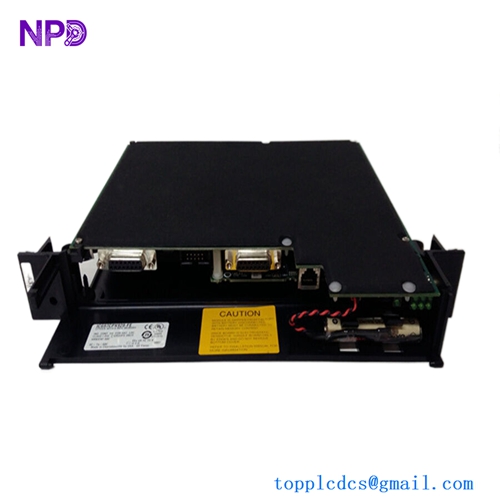
The Mitsubishi Beijer E1032 (Part Number: 06701C) is a compact, high-performance operator panel from the E1000 series, featuring a monochrome FSTN keypad display designed for robust industrial automation environments. Engineered for reliable machine monitoring, PLC communication, and process visualization, this robust HMI provides plant operators with clear text feedback, configurable function keys, and dependable control across diverse manufacturing and factory automation applications.

📊 Product Technical Datasheet
- Brand: Mitsubishi / Beijer Electronics
- Model: E1032 (06701C)
- Series: E1000 Series
- Product Name: HMI Display Operator Panel
- Place of Production: Sweden / Global
- Condition Status: Factory New / Refurbished Available
- Dimensions: 202 mm x 187 mm x 63.6 mm
- Weight: 0.95 kg
- Origin Country: Sweden / Japan
- Power Consumption: 3.6W (Operating via 20–30 VDC power supply)
🔍 Initial Operation Checklist
- Verify physical integrity: Inspect the aluminum housing, front keypad membrane, display window, and rear communication ports for any transit damage before installation.
- Check power compatibility: Ensure that the DC supply voltage matches the rated input requirement (20–30 VDC) and verify correct polarity before energizing the panel.
- Inspect wiring terminations: Confirm that all serial, Ethernet, and DC power terminal connections are securely tightened and properly torqued.
- Verify project configuration: Power on the unit and check that the application project transferred via E-Designer matches the exact control requirements of your PLC system.
- Perform communication loop check: Test the RS-232, RS-422/485, and Ethernet ports to guarantee stable data exchange between the HMI and connected industrial controllers.
🔧 Routine Maintenance and Care
- Environmental monitoring: Regularly inspect the control cabinet to ensure internal ambient operating temperatures remain within the specified range of 0°C to +50°C.
- Terminal security: Periodically check and retighten all screw terminal blocks and communication connectors to compensate for potential vibration-induced loosening.
- Backlight inspection: Monitor the LED backlight performance; the display features an expected backlight lifetime of approximately 35,000 hours under normal operating conditions.
- Software backups: Export and archive current project files and configuration data using E-Designer software whenever program modifications are implemented.
- Surface cleaning: Wipe the front-panel display and keypad buttons using a soft, lint-free cloth dampened with mild detergent or isopropyl alcohol. Avoid abrasive solvents.
⚠️ Troubleshooting and Common Issues
- Communication Timeouts: If the HMI loses connection with the PLC, verify cable wiring continuity, check baud rate settings, and confirm correct protocol driver selection in E-Designer.
- Blank or Dim Display: Check incoming DC power supply voltage levels and inspect contrast settings or LED backlight operation if the screen fails to display clearly.
- Keypad Unresponsiveness: Clean any accumulated dust or debris from around the tactile function keys. If keys fail to register inputs, check internal membrane ribbon connections.
- Project Transfer Failures: Ensure the correct programming cable is connected securely and verify that the communication port settings on both the PC and HMI match.
🛡️ Safety Precautions
- Fluid and Debris Warning: Never allow fluids, metal filings, or wiring debris to enter any openings in the operator panel to prevent electrical shock or short-circuit hazards.
- LCD Chemical Hazard: The LCD display liquid contains a powerful irritant; in case of accidental skin or eye contact, wash immediately with plenty of water and seek medical attention.
- Qualified Personnel Only: Installation, wiring, configuration, and maintenance of the HMI must be executed exclusively by trained and certified industrial automation technicians.
- Power Isolation: Completely isolate all DC power sources and connected control loops before opening the panel housing or performing internal wiring maintenance.
❓ Frequently Asked Questions (Q&A)
- Q1: What software tool is used to configure the E1032 HMI? A1: The E1032 operator panel is configured using the E-Designer software suite, which allows for screen layout creation, tag mapping, and logic management.
- Q2: Does the E1032 support Ethernet communication? A2: Yes, the unit features a built-in 10/100 Base-T Ethernet port in addition to traditional RS-232 and RS-422/485 serial communication ports for versatile PLC connectivity.
- Q3: What type of display screen does this model utilize? A3: The E1032 utilizes a monochrome FSTN LCD display with a resolution of 240 x 64 pixels, optimized for clear text and data visualization.
- Q4: What should be done if the unit displays a fatal system error upon booting? A4: Power cycle the unit. If the error persists, reload the application project via E-Designer or contact technical support for hardware evaluation and repair.