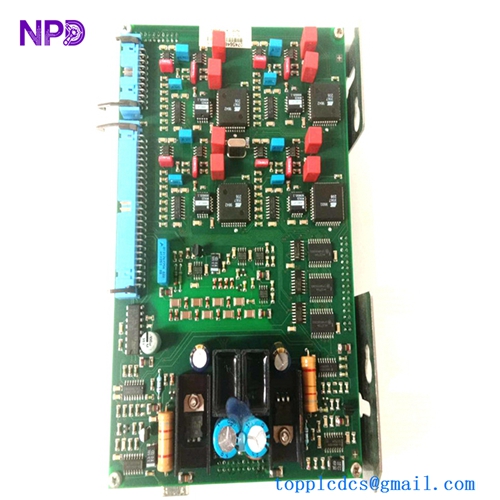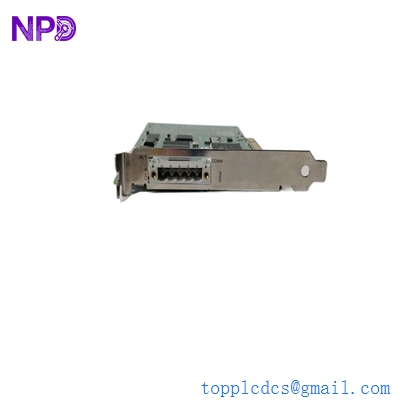

Description
- Model: SST-DN3-PCI-2 (Molex) / DSQC658 (ABB)
- Part Number: 3HAC025737-001
- Brand: Molex (Woodhead) / ABB Robotics
- Series: SST DeviceNet / IRC5 Robot Controller
- Core Function: High-speed DeviceNet communication interface for PCI bus
- Product Type: Dual-Channel DeviceNet Interface Card
- Key Specs: 5-pin DeviceNet connector, PCI 2.2 compliant (3.3V/5V), supports Master and Slave modes simultaneously.
- Bus Interface: PCI 32-bit, 33MHz (Universal 3.3V/5V keyed)
- Network Protocol: DeviceNet (CAN-based)
- Channels: 1 or 2 (The “-2” suffix indicates dual-channel capability)
- Baud Rates: 125k, 250k, 500k (Auto-baud supported)
- Processor: On-board high-speed RISC processor for protocol offloading (no PC CPU overhead)
- Memory: 512 KB shared memory for fast data exchange
- Isolation: 500V galvanic isolation between network and PCI bus
- Software Support: Compatible with ABB RobotWare, SST console, and various OPC servers.
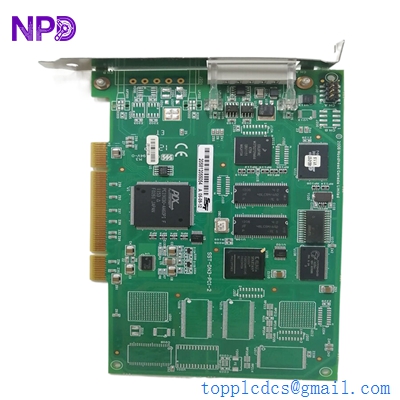
MOLEX SST-DN3-PCI-2 DSQC658
Application Scenarios & Pain Points
The SST-DN3-PCI-2 (DSQC658) is a specialized communication “bridge” primarily used in ABB IRC5 Robot Controllers. It allows the robot’s main computer to talk to peripheral devices like grippers, welding power sources, and external I/O blocks over a DeviceNet network. The biggest pain point for maintenance teams is Driver Compatibility. Because this is a PCI-based card, the robot’s operating system (RobotWare) expects a very specific hardware ID. If you replace it with a non-ABB branded Molex card, the software might refuse to initialize the network, leaving the robot “blind” to its tools.
1. ABB IRC5 Robot Cell Integration
Providing the primary Master connection for the robot to control end-of-arm tooling (EOAT).
2. Legacy PC-Based Control Systems
Used in older industrial PCs running Soft-PLCs or HMI software that requires direct DeviceNet access.
3. DeviceNet Network Analysis
Acting as a diagnostic node to monitor traffic and “sniff” packets on a busy production line.
Case Study: The “Communication Lost” Fault
Background: An automotive assembly line using ABB robots suddenly stopped. The FlexPendant displayed error “71137: DeviceNet Master/Slave Board Failure.” The robot could move, but it couldn’t open its gripper to release a car door.
The Problem: The DSQC658 card had suffered a failure in its CAN transceiver chip, likely due to a voltage spike on the DeviceNet “Blue Hose” cable. While the PCI bus was still talking to the computer, the network side was dead.
The Solution: We supplied a certified DSQC658. Before shipping, we verified that the card was a “Universal PCI” revision, ensuring it would work in both older and newer IRC5 computer racks. We also advised the customer to check the 120-ohm terminating resistors on their network to prevent future reflections/spikes.
The Result: The robot was back in production 15 minutes after the card arrived.
- Avoided Loss: Prevented an estimated $120,000 in lost production time for the assembly plant.
- Takeaway: Always check your network termination. A missing resistor can “cook” the transceiver on your DSQC658 card over time.
Compatible Replacement Models
| Original Model | Replacement Model | Compatibility | Key Differences | Workload |
| SST-DN3-PCI-1 | SST-DN3-PCI-2 | ✅ Direct | -2 has two channels; -1 has one | Plug & Play |
| DSQC658 | SST-DN3-PCI-2 | ✅ Direct | These are the same hardware | Plug & Play |
| DSQC336 | DSQC658 | ❌ No | Older S4C+ technology; different bus | System upgrade |
Engineer’s Advice: If your robot uses the DSQC658, it is highly recommended to stick with the Molex SST-DN3-PCI-2. While there are cheaper DeviceNet cards on the market, only this specific model is natively supported by ABB’s RobotWare drivers without needing custom DLL modifications.
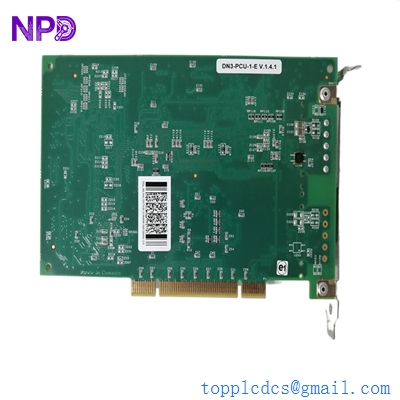
MOLEX SST-DN3-PCI-2 DSQC658
Troubleshooting Quick Reference
| Symptom | Possible Cause | Card Related? | Quick Check | Action |
| “Comm” LED Red | Network Power Missing | ⚠️ Medium | Measure 24V DC on DeviceNet connector | Check network power supply |
| Board Not Found | PCI Seating Issue | ✅ High | Re-seat card in the PCI slot | Clean pins/Re-seat |
| Bus Heavy/Errors | Termination Missing | ❌ Low | Check for 120-ohm resistors at ends | Install resistors |
| “Status” LED Blinking | Firmware Mismatch | ✅ High | Check RobotWare version | Update firmware on card |
Expert Maintenance Tips:
- The 24V DC Power: ❗ Critical! DeviceNet requires external 24V DC power (Red and Black wires) to power the opto-isolators on the card. If your power supply dies, the DSQC658 will appear “dead” to the network even if the robot computer is fine.
- Connector “Pigtails”: These cards use a 5-pin open-style Phoenix connector. Ensure the screws are tight. Vibration in a robot cabinet is the #1 cause of “Intermittent Bus Off” errors.
- Electrostatic Discharge (ESD): When handling the DSQC658, always wear a grounded wrist strap. The PCI pins are directly connected to high-speed logic that can be fried by a simple static spark.