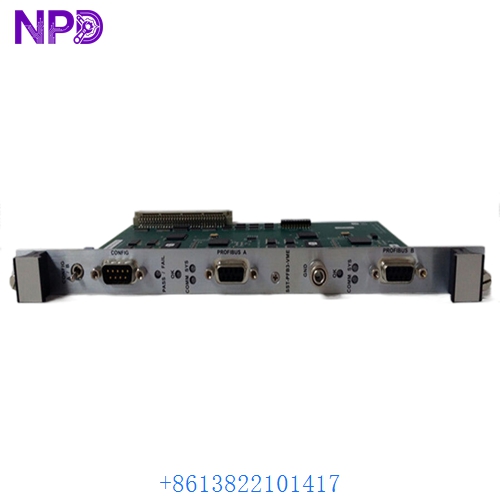

Description
- Model: SST-PFB3-VME-2-E (PB3-VME-2-E)
- Brand: Molex (Woodhead / SST)
- Series: SST Profibus v3
- Core Function: Dual-Channel Profibus DP Master/Slave Interface for VMEbus
- Hardware Version: V1.2.2 (Standard production revision)
- Product Type: 6U VMEbus Plug-in Card
- Key Specs: 12 Mbps Profibus Speed Dual DB9 Ports Shared Memory Architecture
- Processor: High-speed onboard RISC processor for offloading Profibus protocol tasks from the VME CPU.
- Channels: 2 Independent Profibus DP Ports (DB9 Female).
- Network Speed: Auto-baud detection up to 12 Mbps per channel.
- VME Interface: Standard 6U A24/D16/D32 shared memory interface.
- Memory: Onboard Flash for configuration and high-speed Dual-Port RAM for data exchange.
- Protocols Supported:
- Profibus DP-V0 Master/Slave
- Profibus DP-V1 Master/Slave
- FDL (Fieldbus Data Link)
- Diagnostics: Front-panel LEDs for ‘SYS OK’, ‘COMM 1’, and ‘COMM 2’.
- Software Compatibility: Works with SST Configuration Console and GE Proficy/CIMPLICITY drivers.
- Operating Temp: 0°C to +60°C (32°F to 140°F).
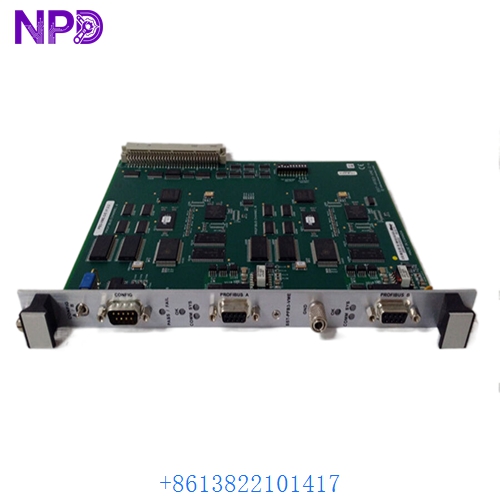
MOLEX SST-PFB3-VME-2-E SST-PFB3-VME PB3-VME-2-E V1.2.2
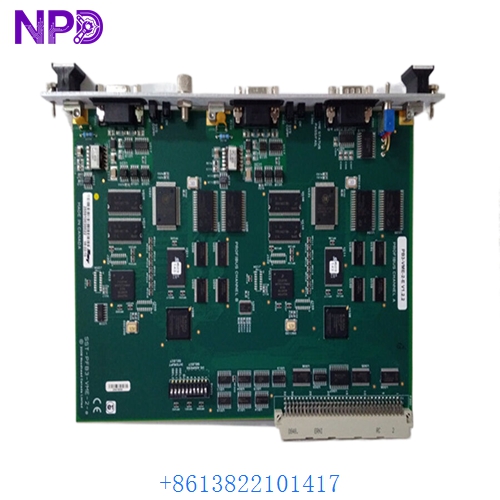
MOLEX SST-PFB3-VME-2-E SST-PFB3-VME PB3-VME-2-E V1.2.2
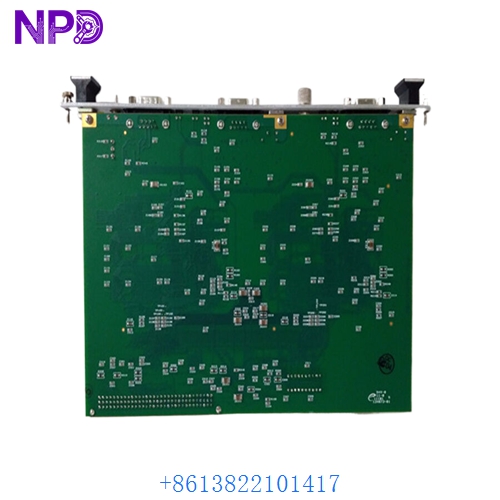
MOLEX SST-PFB3-VME-2-E SST-PFB3-VME PB3-VME-2-E V1.2.2
Application Scenarios & Pain Points
In a VME-based system like the GE RX7i, the SST-PFB3-VME-2-E is often the most critical communication node. The primary pain point I see is “Bus Collisions” or “Module Timeout” in high-density networks. Because this card handles the entire Profibus protocol stack internally, if the onboard firmware (V1.2.2) becomes corrupted or the dual-port RAM fails due to age, the VME controller will “lose” all its remote I/O, leading to a catastrophic plant shutdown.
Typical Application Scenarios:
- GE Fanuc Series 90-70 / RX7i Integration Serving as the primary Profibus Master for distributed I/O racks in large-scale assembly plants.
- Steel & Paper Mills Coordinating high-speed drive synchronization over Profibus where sub-millisecond timing is vital.
- Custom VME Computers (VxWorks / Linux) Used as a high-performance fieldbus interface for specialized industrial research or military applications.
Case Study: The “Intermittent Bus Fault” in a Rolling Mill
Background: A steel rolling mill was suffering from random “Profibus Timeout” errors. The VME controller would lose communication with 40 different motor drives, forcing a 2-hour reset process.
The Problem: We identified that the older SST-PFB3-VME card was suffering from “Component Creep”—specifically, the onboard 5V logic regulators were fluctuating under high heat, causing the RISC processor to reboot momentarily.
The Solution: We provided a tested SST-PFB3-VME-2-E (V1.2.2). Before shipping, we verified the “Dual-Channel” stability under a full load of 125 Profibus nodes on our VME test rig.
The Result: – Operational Impact: The random timeouts stopped immediately.
- Outcome: The mill achieved its highest weekly production volume in two years.
- Client Feedback: “The card was a direct drop-in replacement, and the V1.2.2 firmware was perfectly compatible with our legacy drivers.”
Compatible Replacement Models
| Original Model | Replacement Model | Compatibility | Main Difference | Integration Effort |
|---|---|---|---|---|
| PB3-VME-2-E | PB3-VME-1-E | ⚠️ Limited | Single channel vs Dual channel | Check your port usage! |
| PB3-VME-2-E | SST-PFB-VME-2 | ❌ Incompatible | Older ‘Version 2’ hardware | Requires driver update |
| PB3-VME-2-E | 5136-PFB-VME | ✅ Direct Replace | Older Woodhead part number | Drop-in; zero config |
Troubleshooting Quick Reference
| Symptom | Likely Cause | Board Related? | Quick Check | Action |
|---|---|---|---|---|
| ‘SYS’ LED Off | Board Power Failure | ✅ High | Check +5V and +12V on the VME backplane. | Reseat the card. If dark, replace it. |
| ‘COMM’ LED Red | Network Configuration Error | ❌ Low | Verify station addresses in SST Console. | Reload Profibus GSD configuration. |
| VME Bus Error | Addressing Conflict | ⚠️ Medium | Check the VME jumper settings on the board. | Ensure the A24/D32 space is unique. |
| ‘COMM’ LED Blinking | No Slaves Found | ❌ Low | Check Profibus cabling and termination. | Verify 220-ohm resistors at bus ends. |
Integrator’s “Field Tips”:
- Shared Memory Addressing: When installing a new SST-PFB3-VME-2-E, match the jumper settings from the old card exactly. If your VME address space overlaps with a CPU or I/O card, the entire rack will hang on boot.
- Firmware V1.2.2: This specific revision is highly sought after for its stability with legacy GE drivers. If your system was commissioned between 2005 and 2015, this is likely the exact version you need.
- Profibus Connectors: Always use high-quality DB9 connectors with built-in termination switches. These SST cards are very fast; a “noisy” reflection on the bus can cause the card to discard data packets.