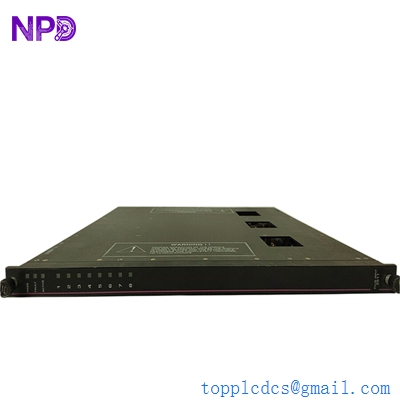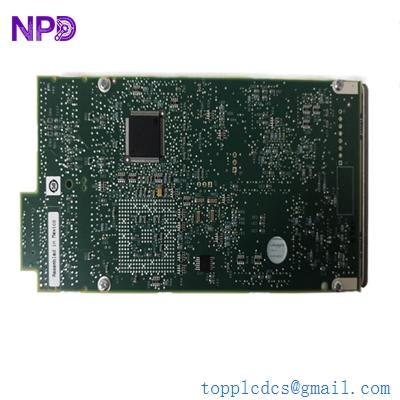

Description
- Model: IPMC7616E-002
- Brand: Motorola (now part of SMART Embedded Computing / Penguin Solutions)
- Series: MVME / PowerPC VME Series
- Core Function: High-performance VMEbus Single Board Computer (SBC) for embedded control
- Product Type: CPU / Controller Module (New Surplus)
- Key Specs: PowerPC 750 (G3) Processor | 6U VME form factor | Dual Ethernet | PMC Expansion
- Processor: PowerPC 750 (G3) series (typically 333 MHz to 450 MHz range)
- Bus Architecture: VME64 (6U form factor)
- Memory (RAM): 128 MB to 512 MB ECC SDRAM (Model variant dependent)
- Flash Memory: 1 MB to 4 MB for Boot ROM / User Flash
- Network Connectivity: 2x 10/100BaseTX Ethernet ports
- Serial I/O: 2x Asynchronous Serial Ports (RS-232/422/485 configurable)
- Expansion: 2x IEEE 1386.1 PCI Mezzanine Card (PMC) slots for modular I/O
- Real-Time Clock (RTC): Integrated with battery backup
- Operating Systems: Supports VxWorks, LynxOS, QNX, and specialized Linux distributions
- Power Requirements: +5V DC (Primary), +/-12V DC (for Serial/PMC) from the VME backplane
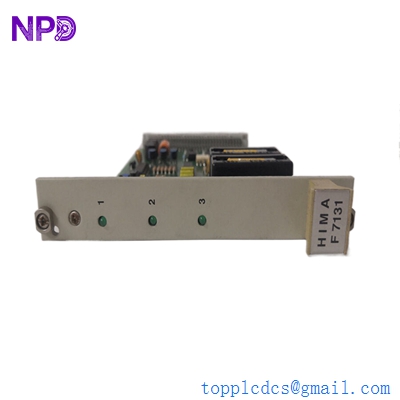
MOTOROLA IPMC7616E-002
Installation & Configuration Guide
Phase 1: Preparation (Pre-Installation)
⚠️ Safety First:
- Ensure the VME chassis is powered down before inserting the CPU. Hot-swapping standard VME boards can damage the backplane pins.
- Jumpers: Identify the “System Controller” jumper. If this is the only CPU in the rack, it must be set to “Enable” (Slot 1). If it is a secondary CPU, it must be “Disabled.”
- ESD Protection: Use a grounded wrist strap. The PowerPC architecture and high-speed SDRAM are highly sensitive to static discharge.
Phase 2: Removal of Faulty Module
- Connector Audit: Label all Ethernet, Serial, and PMC cables connected to the front panel.
- Ejection: Simultaneously pull the top and bottom ejector handles outward to disengage the 96-pin (or 160-pin) DIN connectors from the backplane.
- PMC Check: If the original board has PMC expansion cards installed, carefully unscrew and transfer them to the new IPMC7616E-002.
Phase 3: New Module Installation
- Backplane Alignment: Slide the module into the card guides. Ensure the board is perfectly level to prevent pin misalignment.
- Seating: Apply firm, even pressure until the ejector handles can be pushed inward to lock the board in place.
- Cabling: Reconnect the IONet/Ethernet and Serial links.
Phase 4: Commissioning & Testing
- POST (Power-On Self-Test): Watch the “Status” or “Fail” LEDs on the front panel. A green “Run” LED indicates the CPU has successfully initialized its BIOS/Firmware.
- Terminal Access: Connect a laptop to Serial Port 1 (COM1) using a null-modem cable (9600 baud, 8-N-1) to view the boot sequence.
- OS Loading: If the board hangs at the “PPC” prompt, you may need to manually point the boot loader to the correct network path or onboard Flash address for the Operating System.
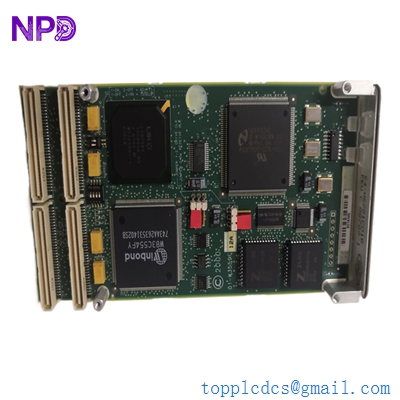
MOTOROLA IPMC7616E-002
Customer Cases & Industry Applications
Case 1: Restoring a Semi-Conductor Fabrication Line
Situation: A wafer fab in Taiwan experienced a total system freeze on an older lithography tool. The central controller, an IPMC7616E-002, had suffered a memory parity failure after 15 years of continuous operation.
Task: The tool manufacturer no longer supported this hardware, and a “Modernization Upgrade” was quoted at $1.2 million with a 6-month lead time. The fab needed to restore the tool immediately to fulfill current orders.
Action: We provided a New Surplus IPMC7616E-002. Because we maintain “New-Old-Stock,” the board had zero hours of thermal wear. We verified the firmware revision matched the customer’s requirements before shipping.
Result: The fab engineer swapped the board and loaded the proprietary control software via the VME backplane. The tool was back in production within 48 hours. The customer saved over $1.1 million and months of downtime.
Case 2: Defense Radar System Maintenance
Situation: A naval radar installation used a cluster of VME-based PowerPC processors for real-time signal processing. Several boards in the redundant cluster began showing intermittent “Bus Timeout” errors.
Task: The system required 100% hardware consistency. Using a “similar” board with a different processor speed or revision would cause timing jitters in the signal processing loops.
Action: We supplied two matched IPMC7616E-002 units. These boards were identical in revision to the original military-spec hardware, ensuring perfect synchronization across the VMEbus.
Result: The radar system’s MTBF (Mean Time Between Failures) was restored to original specifications. The defense contractor now uses us as a primary source for legacy Motorola VME hardware.
Frequently Asked Questions (FAQ)
Q: Is the IPMC7616E-002 the same as the MVME series? A: Yes, the IPMC7616E is essentially a customized or high-revision version of the Motorola MVME2400/2700 series architecture. It uses the same PowerPC 750 core and VME64 interface, making it functionally compatible with many MVME-based systems.
Q: Can I increase the RAM on this board? A: The RAM is usually soldered or mounted in specialized SODIMM slots. While it is technically possible, it is not recommended as the BIOS is often hard-coded to recognize the specific memory footprint of the -002 variant.
Q: Does this board support “Auto-Slot-ID”? A: Yes, if your VME backplane supports it, the board can automatically determine its geographical address. However, for legacy systems, we recommend manually setting the jumpers to ensure Slot 1 (System Controller) status is correctly assigned.
Q: Why choose “New Surplus” for legacy CPUs? A: CPUs generate significant heat, which eventually degrades the solder balls under the BGA (Ball Grid Array) chips. Used boards from eBay have already lived through these heat cycles. Our New Surplus boards have sat in a box, giving you the full 15+ year life expectancy of a brand-new product.
Q: What is the purpose of the PMC slots? A: PMC slots allow you to add “Mezzanine” cards for extra functionality—such as additional Fiber Optic ports, specialized Analog I/O, or extra Serial channels—without taking up another VME slot in the rack.