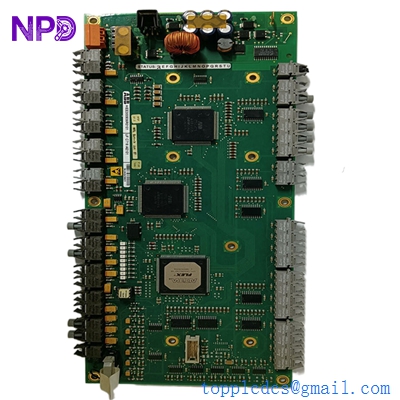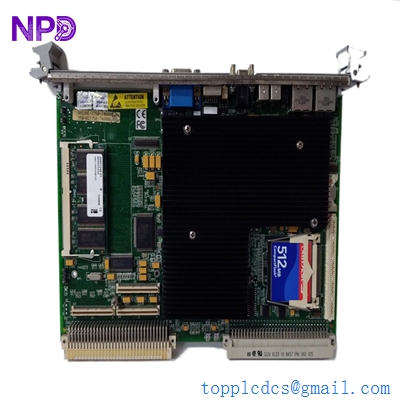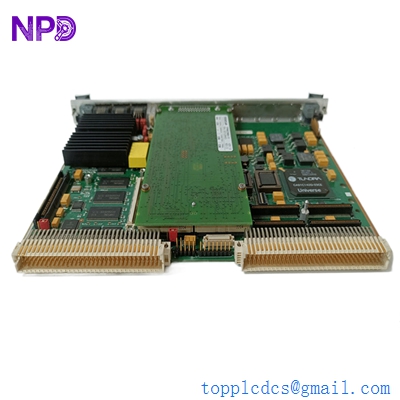

Description
- Model: Motorola MVME5100 (Common variants: MVME5100-0161, -0163)
- Brand: Motorola / SMART Embedded Computing (formerly Artemis/Emerson)
- Series: PowerPlus VME Architecture
- Core Function: High-performance VMEbus Single Board Computer (SBC)
- Product Type: CPU / Processor Module
- Key Specs: PowerPC 7410/750 CPU Up to 512MB SDRAM Dual PMC Slots
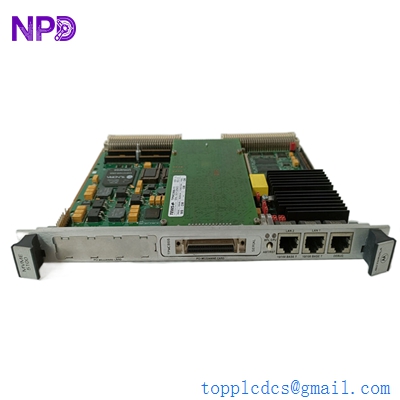
MOTOROLA MVME5100
Key Technical Specifications
- Processor: PowerPC 7410 or 750 (typically 400 MHz to 500 MHz)
- Memory: 128 MB, 256 MB, or 512 MB ECC SDRAM
- Flash Memory: 1 MB Flash for bootloader; 16 MB user Flash
- VME Interface: VME64 (Tundra Universe II ASIC)
- Ethernet Ports: 2 x 10/100BaseTX ports (Front panel)
- Expansion: 2 x IEEE 1386.1 PCI Mezzanine Card (PMC) slots
- Serial Ports: 1 x RJ45 console port (RS-232)
- Onboard I/O: 64-bit PCI expansion via the P2 connector
- Operating Systems: VxWorks, LynxOS, and Linux support
- Power: +5.0 VDC (±5%)
Application Scenarios & Pain Points
The MVME5100 was the workhorse of the early 2000s for high-reliability VME systems. In my experience, these boards are rarely the bottleneck in terms of speed, but they are absolutely critical for systems running specialized VxWorks kernels. When an MVME5100 dies in a semiconductor fab or a military radar rack, you can’t just “upgrade” to a modern PC; you need this exact architecture to maintain the real-time determinism required by the original code.
Typical Application Scenarios:
- Semiconductor Manufacturing Used in wafer processing tools to coordinate robotic arm movements and vacuum chamber sensors with microsecond precision.
- Defense & Aerospace Acting as the flight control or telemetry processor in simulators and ground control stations where VME64 reliability is a standard.
- Medical Imaging (MRI/CT) Handling back-end data processing and reconstruction for legacy imaging systems that still utilize the VME bus for high-bandwidth data transfer.
- Energy & Power Grid Monitoring and controlling substation protection relays in systems that require long-term stability and high MTBF (Mean Time Between Failure).
Case Study: The “PMC Sandwich” Failure
Background: A large manufacturing facility used an MVME5100 with two stacked PMC modules for specialized high-speed analog data acquisition. The system started throwing “PCI Bus Errors” and crashing during the boot sequence.
The Problem: After stripping the board down, we found that the heat generated between the SBC and the top PMC module had caused thermal stress on the VME bridge chip. The original thermal pads had dried out and become brittle, losing their effectiveness.
The Solution: We provided a refurbished MVME5100 that had undergone a full thermal stress test. We also guided the client on applying new high-conductivity thermal interfaces before re-seating their PMC mezzanine cards.
Result: The system returned to 100% uptime, and the client implemented a preventative maintenance schedule to check cooling fans every 6 months.
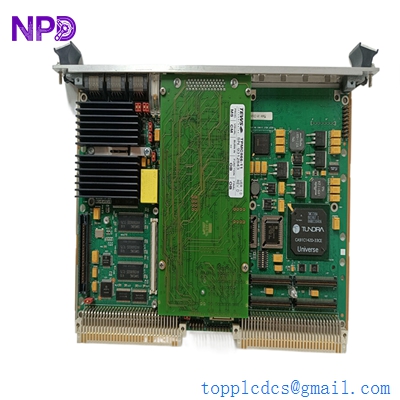
MOTOROLA MVME5100
Compatible Replacement Models
The MVME5100 has many build-to-order (BTO) variants. It is vital to check the exact part number (e.g., MVME5100-0163) on the barcoded label on the side of the board.
| Model Number | Compatibility | Main Difference | Integration Note |
| MVME2100 | ❌ Incompatible | Entry-level, less RAM | Different memory map; code won’t run. |
| MVME5100-0161 | ✅ Direct | 256MB RAM variant | Check if your software requires 512MB. |
| MVME5110 | ⚠️ Software Compatible | Faster CPU (7447/7448) | May require BSP (Board Support Package) updates. |
| MVME5500 | ❌ Hardware Change | Dual GigE, different ASIC | Not a drop-in; requires re-coding. |
Troubleshooting Quick Reference
| Symptom | Possible Cause | Relevance | Action |
| BrdFail LED (Red) | Self-test failure | ✅ High | Connect to the RJ45 Console port and check PPCBug logs. |
| No Console Output | Baud rate mismatch | ⚠️ Medium | Ensure terminal is set to 9600, 8, N, 1. |
| VME Bus Errors | Addressing conflicts | ✅ High | Check DIP switches (S1/S2) for correct VME address map. |
| PCI Error Alarms | PMC Seating | ⚠️ Medium | Remove PMC cards and clean gold fingers with isopropyl alcohol. |
Technical SOP & Quality Guarantee
Because the MVME5100 is often used in systems that are 15+ years old, we take extra steps to ensure longevity:
- VMEbus Stress Test: We don’t just “power it on.” We run the onboard
PPCBugdiagnostics suite, specifically the memory and VME bridge tests. - Capacitor Audit: We inspect all electrolytic capacitors for signs of leakage or “crowning,” which is common in older boards kept in warm racks.
- Refurbishment: We clean the board using an ultrasonic bath and apply a fresh coat of conformal coating if required for harsh environments.
- Configuration Backup: If you send us your dead board, we can often attempt to extract the NVRAM settings so your new board arrives “pre-configured.”
A “Trap” to avoid: Be careful with the P2 connector pins. If the VME rack’s backplane is slightly warped, pushing the MVME5100 in can bend the long pins. Always inspect the backplane with a flashlight before sliding the board in.