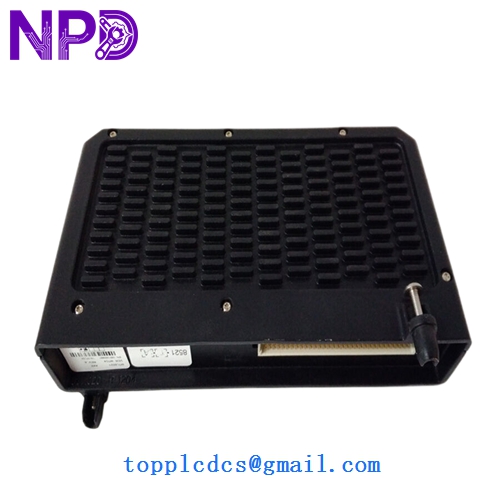

Description
- Model: 8521-TC-SA
- Brand: MTL (Eaton)
- Series: MTL 8000 Series (Remote I/O)
- Core Function: Ethernet/IP communication interface for the MTL 8000 distributed I/O system.
- Product Type: Network Interface Module / Bus Outlet
- Key Specs: 10/100 Mbps Ethernet | Modbus TCP/IP | Supports up to 32 I/O modules
Key Technical Specifications
- Protocols: Modbus TCP/IP (Standard), EtherNet/IP
- Data Rate: 10/100 Mbps (Auto-negotiation)
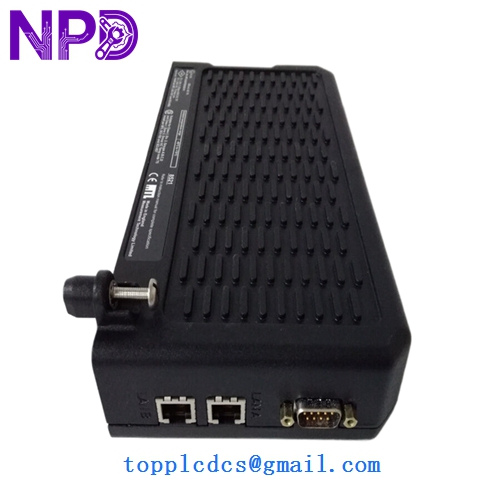
- Connection: Shielded RJ45 Connector
- System Capacity: Controls up to 32 MTL 8000 series I/O modules per node
- Input Voltage: 24 V DC (via backplane)
- Isolation: 500 V AC between network and I/O bus
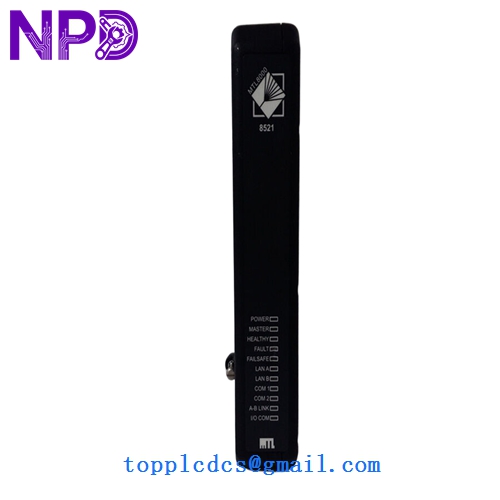
- Diagnostics: LED status for Module OK, LAN Link, LAN Activity, and I/O Status
- Mounting: Carrier-based (integrated into MTL 8000 rail/carrier system)
- Configuration: Via web browser (internal web server) or MTL configuration software
- Environmental: Rated for Class I, Div 2 / Zone 2 hazardous areas (with appropriate enclosure)
Application Scenarios & Pain Points
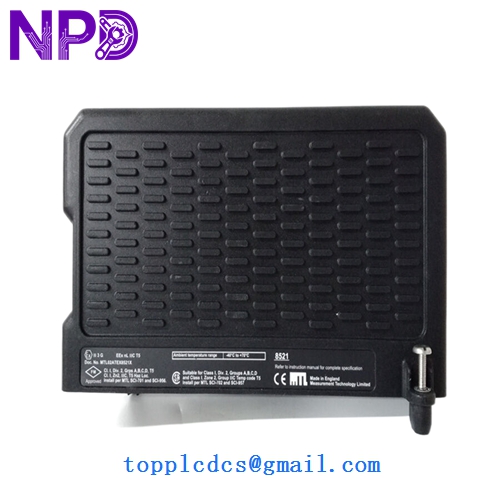
The 8521-TC-SA is the digital “mouth” of the MTL 8000 series. In many chemical and oil/gas facilities, the MTL 8000 system is installed directly in the field (near the process) to reduce wiring costs. If the 8521-TC-SA fails, the entire I/O node drops off the network. While the local I/O modules might still have power, the DCS in the control room will show “Comm Fail,” and you’ll lose all visibility of your field instruments.
Typical Application Scenarios:
- Remote Wellhead Monitoring Consolidating signals from pressure and temperature transmitters in remote oil fields and sending them back to a central PLC via Ethernet.
- Chemical Tank Farms Managing hazardous area I/O where the 8521-TC-SA acts as the gateway between the Safe Area Ethernet and the Zone 2 field modules.
- Retrofit Automation Projects Replacing older serial-based (RS485) communication with high-speed Ethernet without needing to replace all existing MTL 8000 I/O cards.
Engineering Case Study: The “Ghost” Disconnect
Background: A refinery used the 8521-TC-SA to link their water treatment plant to the main Honeywell DCS. They began seeing “Link Down” events that lasted for 2-3 seconds—just enough to trip the watchdog timers.
The Problem: The local electrician checked the RJ45 cables, and they were fine. However, the 8521 module’s internal web server logs showed “Internal Bus Timeout.” The module’s backplane connector was slightly oxidized from the humid environment, causing intermittent data drops.
The Solution: We provided a replacement 8521-TC-SA (the “SA” variant which is often preferred for specific safety/standard applications). We advised the client to use a contact cleaner on the carrier pins before seating the new module.
Result: The new module was installed, and the “Link Down” events stopped immediately. The plant also enabled the “Redundant Link” feature on the new module to provide an extra layer of safety for the future.
Compatible Replacement Models
| Original Model | Replacement Model | Compatibility | Key Differences | Change Impact |
|---|---|---|---|---|
| 8521-TC-SA | 8521-TC-ST | ⚠️ Software | Standard protocol vs SA | Check specific GSD/EDS files |
| 8521-TC-SA | 8511-IS | ❌ Incompatible | Serial Bus (RS485) | Different physical network |
| 8521-TC-SA | 8521-TC-SA (Rev B) | ✅ Direct | Manufacturing revision | Fully interchangeable |
Troubleshooting Quick Reference
| Symptom | Possible Cause | Relation to 8521-TC-SA | Quick Check | Action |
|---|---|---|---|---|
| LAN LED Off | Physical cable break | ⚠️ Medium | Test cable with a fluke tester. | Replace RJ45 cable/switch. |
| I/O ERR LED (Red) | I/O module mismatch | ✅ High | Check if a module on the rail is dead. | Replace the faulty I/O card. |
| Module OK LED Off | Internal Hardware Fail | ✅ High | Power cycle the 24V supply. | Replace 8521-TC-SA module. |
| Cannot Ping IP | Subnet/Mask Mismatch | ⚠️ Medium | Check laptop IP vs Module IP. | Use “Set IP” tool or factory reset. |
Engineer’s Pro-Tip: “When you’re replacing an 8521-TC-SA, remember that the IP address is usually stored in the module, not on the carrier. If you pull the old one and put a new one in, your DCS won’t see it until you assign the correct IP. I always keep a ‘cross-over’ cable in my bag to connect directly to the module’s web server for a quick setup. Also, check the version of your MTL 8000 carrier; if it’s an early 2000s version, ensure the pins are straight before pushing the 8521 into place—they are notoriously easy to bend if you don’t line them up perfectly.”
If you need the specific EDS (Electronic Data Sheet) for integrating this into an Allen-Bradley ControlLogix system, I have the Eaton-MTL library ready—just let me know.