
Description
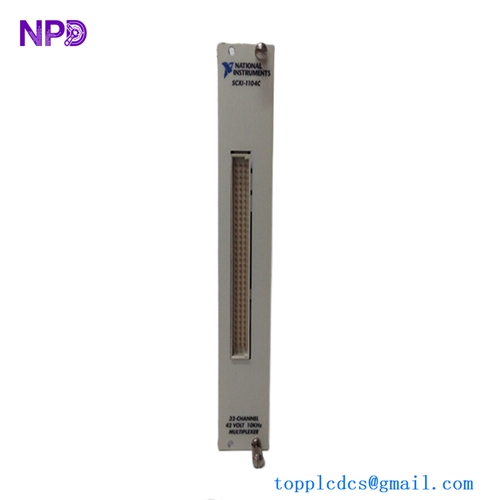
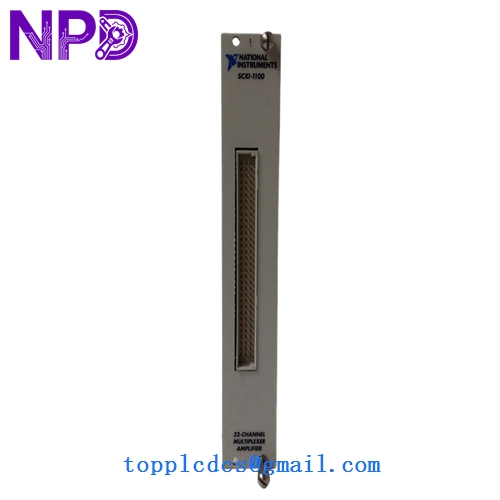
- Model: SCXI-1100
- Part Number: 776572-00
- Brand: National Instruments (NI)
- Series: SCXI (Signal Conditioning eXtensions for Instrumentation)
- Core Function: High-density multiplexing and amplification of analog signals
- Product Type: 32-Channel Analog Input Module
- Key Specs: 32 Differential Channels Programmable Gain (1 to 1000) 4 Hz or 10 kHz Filter
- Channels: 32 differential analog inputs
- Multiplexing: High-speed instrumentation-grade multiplexer
- Programmable Gain: 1, 2, 5, 10, 20, 50, 100, 200, 500, and 1000
- Input Ranges: ±10 V down to ±10 mV (full scale)
- Low-Pass Filtering: Jumper-selectable 4 Hz or 10 kHz per module
- Input Impedance: > 100 GΩ in parallel with 50 pF (Powered On)
- Common-Mode Rejection Ratio (CMRR): > 110 dB (Gain ≥ 100)
- Sampling Rate: Up to 333 kS/s (depending on the DAQ card and chassis used)
- Connectivity: Front-side screw terminals or specialized cable assemblies (e.g., SCXI-1300)
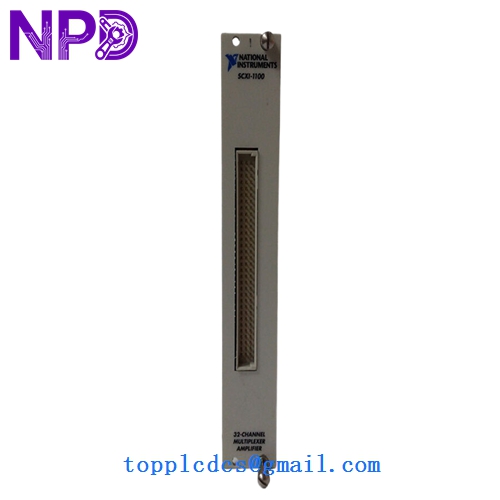
NI SCXI-1100

NI SCXI-1100

NI SCXI-1100
Application Scenarios & Pain Points
The NI SCXI-1100 is a classic workhorse for laboratory and industrial data acquisition. It is designed to take weak signals—like those from thermocouples, strain gauges, or millivolt transducers—and amplify them before they reach the DAQ card. This “front-end” conditioning is vital for maintaining signal integrity in electrically noisy environments.
The most common pain point is Multiplexer “Ghosting.” Because all 32 channels share a single amplifier, if one channel is connected to a high-impedance source or has a loose wire, it can “bleed” its signal into the next channel during a fast scan. This often leads to confusing data where one sensor’s reading appears to follow another sensor’s trend.
Typical Application Scenarios:
- Thermal Profiling Monitoring up to 32 thermocouples simultaneously in oven or engine testing.
- Structural Health Monitoring Acquiring millivolt data from large arrays of strain gauges on bridges or airframes.
- Process Monitoring Interfacing 4-20 mA or 0-10V industrial sensors with a PC-based measurement system.
- Battery Cell Testing Measuring individual cell voltages in high-capacity battery packs.
Case Study: The “Floating” Sensor Mystery
Background: A research lab was using an SCXI-1100 to measure 20 different pressure sensors. Channels 1 through 5 were accurate, but Channels 6 through 20 were all reading a steady 5V, even with no pressure applied.
Problem: We diagnosed the system and found that Channel 6 had a broken signal wire. In an SCXI-1100, a “floating” (disconnected) input will eventually drift to the power rail voltage. Because the multiplexer switches so fast, this 5V charge stayed on the amplifier’s input stage as it moved to the subsequent channels, “infecting” the entire scan.
Solution: Replaced the faulty cable and added 100 kΩ “bias resistors” to ground on the high-impedance channels to bleed off stray charges.
Result:
- Data Accuracy: All 20 channels returned to precise, independent readings.
- System Uptime: Prevented a multi-day delay in the testing schedule.
- Engineer’s Insight: “With the SCXI-1100, one bad wire can ruin 31 good channels. Always use the ‘Self-Test’ feature in NI-MAX to verify module health before a big run.”
Compatible Replacement Models
The SCXI-1100 is a standard module, but newer PXI-based systems are its modern successors.
| Original Model | Replacement Model | Compatibility | Note |
|---|---|---|---|
| SCXI-1100 | 776572-00 | ✅ Exact Match | Standard 32-ch module. |
| SCXI-1100 | SCXI-1102 | ⚠️ Software | Similar, but 1102 has individual amplifiers per channel (no ghosting). |
| SCXI-1100 | PXIe-4300 | ❌ Incompatible | Modern PXI Express version; requires a different chassis. |
Troubleshooting Quick Reference
| Symptom | Possible Cause | Relation | Quick Check | Action |
|---|---|---|---|---|
| Module Not Found | Chassis Address | ✅ High | Check the DIP switch address on the side of the module. | Match address in NI-MAX software. |
| All Channels at Max | Blown Fuse / Power | ✅ High | Check if the SCXI chassis power light is green. | Replace chassis fuse or module. |
| Noisy Signals | Ground Loop | ✅ High | Ensure the SCXI-1300 terminal block shield is grounded. | Use twisted-pair shielded cabling. |
| Incorrect Values | Wrong Gain Setting | ✅ High | Check the gain constant in your LabVIEW or DAQmx task. | Re-calibrate the gain in software. |
❗ Pro Tip: The Terminal Block
The SCXI-1100 is almost always used with an NI SCXI-1300 terminal block. If you are buying a replacement module, make sure you keep your original terminal block. The 1300 contains the actual screw terminals and the cold-junction compensation (CJC) sensor required for accurate thermocouple measurements.
Handling & Installation:
- Alignment: When sliding the module into the SCXI chassis, ensure it is perfectly vertical. The backplane pins are delicate and can bend if the module is forced.
- Configuration: Jumper settings for filtering (4 Hz vs 10 kHz) are located inside the module. You must remove the metal shield to change them.
- Software: Ensure you have the correct version of NI-DAQmx installed. Older versions of LabVIEW may require the “Legacy” NI-DAQ drivers.