
Description
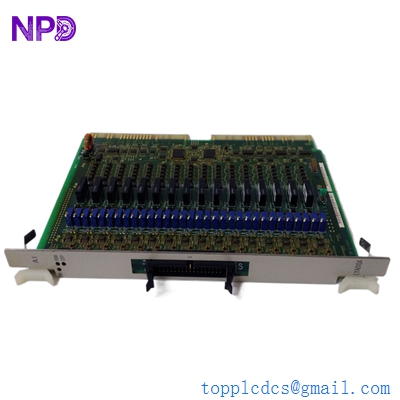
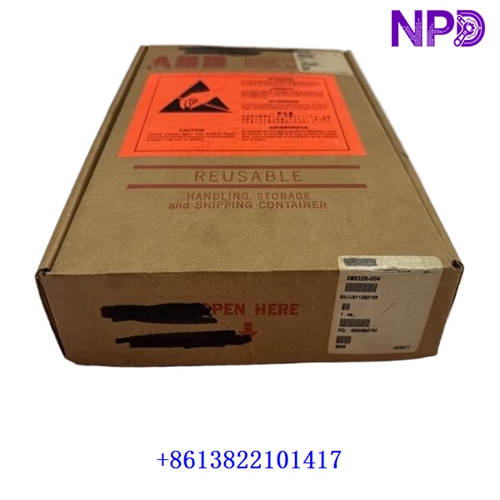
The Orbotech DFDRV 0378114 D (Part Number: 0378114, Revision D) is a specialized electronic interface and drive control module engineered specifically for Orbotech automated optical inspection (AOI) and direct imaging (DI) systems used in printed circuit board (PCB) and flat panel display (FPD) manufacturing. It acts as an essential communication and signal-routing bridge between motion control systems, drive mechanisms, and central processing units, ensuring high-speed data transmission, precise actuator/motor management, and reliable operational coordination in high-precision industrial environments.

📊 Product Datasheet
| Parameter | Value |
| Brand | Orbotech |
| Model | DFDRV / 0378114 (Rev D) |
| Series | Inspection/Direct Imaging System Electronics |
| Product Name | Interface and Drive Control Board |
| Origin | Israel / Global Manufacturing |
| Product Status | Active / Industrial Automation Spare Part |
| Dimensions | Standard Orbotech Rack-Mount PCB Form Factor |
| Weight | 0.5 kg |
| Country of Origin | Israel (IL) |
| Power Rating | Low Voltage DC System Bus Powered |
🛠️ Operation Standards and Usage Methods
🔸 Handling Precautions: Always ensure that the inspection machine chassis or electronic rack is completely de-energized and locked out before handling or installing the module. Wear a certified anti-static wrist strap at all times to prevent electrostatic discharge (ESD) damage to sensitive onboard integrated circuits.
🔸 Installation Procedure: Carefully align the DFDRV 0378114 D board with the designated slot guides within the card cage or backplane. Push it evenly and firmly until the edge connectors engage fully, then secure any mechanical locking levers or retention screws.
🔸 System Initialization: Power on the equipment control rack and observe the onboard diagnostic LED indicators. Verify that the system software recognizes the module, communication links are active, and no hardware initialization errors are reported.
🚨 Emergency Shutdown Procedures
🔺 System Stop Execution: In the event of a motion runaway, mechanical collision, or critical system fault, immediately trigger the main system emergency stop (E-stop) button to cut power to drives and associated control interfaces.
🔺 Power Disconnection: If a physical replacement or maintenance intervention is required on the board, isolate the primary electrical cabinet power supply to prevent electrical hazards or short circuits.
🔺 Post-Incident Inspection: Allow all components to stabilize following an emergency shutdown. Inspect the board, interface connectors, and ribbon cables for any physical damage before attempting system restart.
🔍 Troubleshooting and Common Issues
⚠️ Issue 1: Communication Loss or Module Not Recognized
Troubleshooting Method: Verify that the board is securely and evenly seated in its backplane slot. Inspect all interface cables, backplane pins, and connectors for dust, bent pins, or secure latching.
⚠️ Issue 2: Drive/Motion Feedback Error Codes
Troubleshooting Method: Check system error logs via the Orbotech workstation software to identify specific fault flags. Ensure that local DC power supply rails feeding the rack are stable and within specified tolerances.
⚙️ Routine Maintenance and Care
🔹 Periodic Visual Inspection: Conduct routine monthly inspections of the electronic enclosure to check for dust accumulation, secure cable connections, and proper operation of cabinet cooling fans.
🔹 Environmental Management: Ensure that the cleanroom or machine enclosure environment maintains stable ambient temperatures and controlled relative humidity to prevent electronic component degradation.
🔹 Diagnostic Log Reviews: Regularly check system diagnostic files and event logs via the engineering interface to monitor hardware health and preemptively address minor communication warnings.
💡 Frequently Asked Questions Q&A
❓ Q1: Can the DFDRV 0378114 D board be hot-swapped while the machine is powered on?
💬 A1: No. Hot-swapping is generally not supported for precision inspection system electronics. The machine and card rack must be completely powered down before inserting or removing this board.
❓ Q2: What is the primary function of this module in Orbotech equipment?
💬 A2: It functions as an interface and drive control board, managing command signals, motion coordination, and data communication within the system architecture.
❓ Q3: How should spare DFDRV boards be stored?
💬 A3: Store spare units in their original anti-static packaging inside a clean, dry, climate-controlled environment free from corrosive gases, moisture, and mechanical vibrations.