
Description
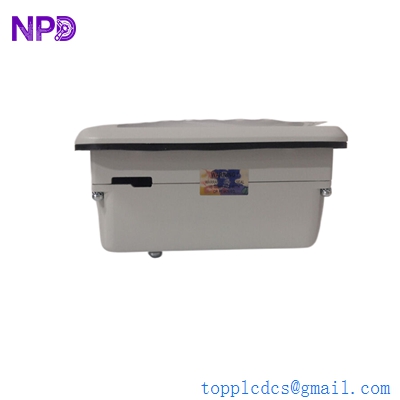
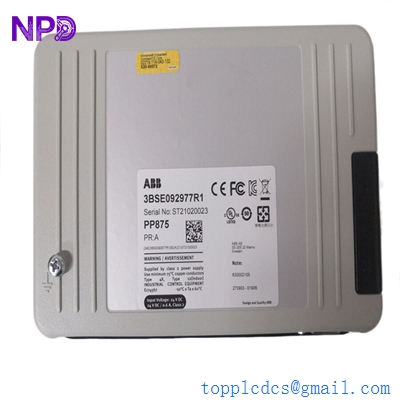
- Model: PP875
- Part Number: 3BSE042236R1
- Brand: ABB (Sweden)
- Series: Panel 800 (Part of the System 800xA ecosystem)
- Core Function: Human Machine Interface (HMI) / Operator Terminal
- Display: 15.0″ TFT-LCD Touchscreen
- Resolution: 1024 x 768 pixels (XGA)
- Key Specs: Intel Celeron M Processor 1GB RAM Windows CE Operating System
- Display Type: Active Matrix TFT-LCD with LED backlight
- Brightness: 350 cd/m² (Typical)
- Contrast Ratio: 700:1
- Storage: 1 GB CompactFlash (Internal)
- Communication Ports:
- 2 x Ethernet (10/100 Mbps)
- 2 x USB 2.0
- 3 x Serial Ports (RS232/RS422/RS485)
- Input Voltage: 24 VDC (18–32 VDC)
- Power Consumption: 2.0 A at 24 VDC
- Protection Class: IP66 (Front), IP20 (Rear)
- Configuration Software: Panel Builder 800
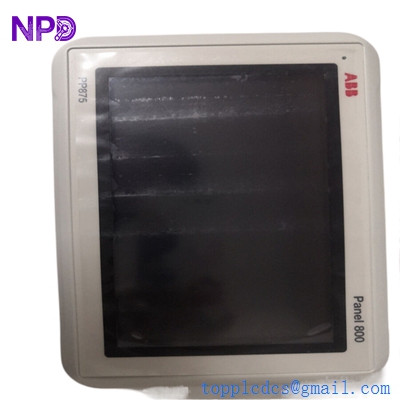
ABB PP875
Application Scenarios & Pain Points
The PP875 is a flagship 15-inch HMI from the Panel 800 series. Its large screen real estate makes it the preferred choice for complex process overviews in ABB 800xA or Freelance systems. Because it supports multi-protocol communication, it is often used as a centralized “dashboard” for an entire production line, pulling data from both ABB and third-party PLCs.
Typical Application Scenarios:
- DCS Operator Stations Serving as the primary local interface for AC 800M controllers in chemical or water treatment plants.
- Complex Machine Control Ideal for large-scale packaging or material handling systems that require detailed P&ID (Piping and Instrumentation Diagram) displays.
- Marine Engine Monitoring The high-contrast TFT display is often utilized on ship bridges for engine room monitoring and alarm management.
- Factory-Wide SCADA Aggregator Using the dual Ethernet ports to bridge the control network with the plant’s office network for data logging and reporting.
Case Study: The “Blind” Control Room
Background: A beverage bottling plant in Southeast Asia reported that their PP875 panel would periodically freeze, requiring a hard power cycle. The operators were “blind” to the carbonation levels for 5–10 minutes during every reboot.
The Problem: After inspecting the unit, we found that the internal CompactFlash card had reached its write-cycle limit due to excessive alarm logging. The Windows CE environment was stalling while waiting for disk I/O.
The Solution: We provided a refurbished PP875 with a fresh, industrial-grade 1GB CompactFlash card. We also helped the client optimize their alarm logging settings in Panel Builder 800 to reduce unnecessary disk writes.
Result: The HMI became perfectly stable, and the plant avoided the risk of a “blind” production run that could have resulted in thousands of liters of wasted product.
Similar Product Recommendations
The PP875 is part of a scalable family. If your cutout size or processing requirements differ, consider these alternatives:
| Model Number | Part Number | Main Difference | Integration Note |
| PP874 | 3BSE042235R1 | 12.1″ Display | Use if cabinet space is limited; same internal logic. |
| PP876 | 3BSE042237R1 | 19″ Display | Highest resolution; for very complex P&ID screens. |
| PP885 | 3BSE069276R1 | Modern Replacement | Newer “Panel 800 Version 6” with higher CPU speed. |
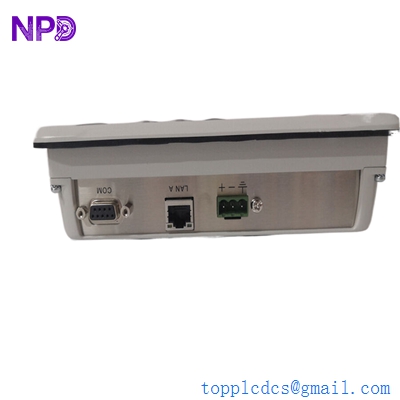
ABB PP875
Troubleshooting Quick Reference
| Symptom | Possible Cause | Action |
| Screen Blank (LED On) | Backlight Failure | Check backlight settings; if failed, the LED strip/inverter needs replacement. |
| Touch Not Responsive | Calibration Loss | Connect a USB mouse to the rear port to navigate to the “Touch Calibration” menu. |
| “No Boot Device Found” | CF Card Fault | Reseat the internal CompactFlash card; if it fails, the card must be re-imaged. |
| Comm Error (Flashing) | Cable / Protocol | Verify that the station address in Panel Builder matches the PLC address. |
Technical SOP & Quality Guarantee
HMI units are highly sensitive to transit and internal component aging. Our quality process includes:
- Touch Accuracy Grid Test: We run a 25-point touch calibration and verify accuracy across the entire 15-inch surface.
- Color & Brightness Soak: The panel is kept at 100% brightness for 12 hours to check for “dead pixels” or backlight flickering.
- Port Verification: We test every Serial and Ethernet port by downloading a sample project and establishing a live link with an AC 800M controller.
- Cleaning & Gasket Inspection: We verify the IP66 front gasket is supple and uncompromised to ensure moisture protection.
Engineer’s Pro-Tip: When installing the PP875, ensure you have at least 100mm of clearance behind the unit. These large 15-inch panels generate a significant amount of heat from the LED backlight, and poor airflow is the #1 cause of premature CompactFlash and LCD failure.