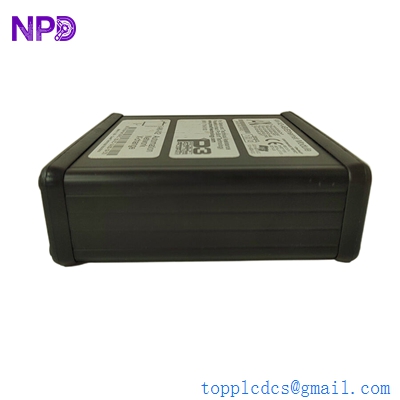

Description
- Model: AN-X2-AB-DHRIO
- Brand: ProSoft Technology
- Core Function: High-speed communication bridge between legacy Allen-Bradley networks (DH+ and Remote I/O) and modern EtherNet/IP systems.
- Product Type: Industrial Network Gateway (New Surplus)
- Key Specs: Supports DH+ to EtherNet/IP | Remote I/O to EtherNet/IP | Web-based configuration | SD Card for configuration backup.
- Ethernet Port: 10/100 Mbps RJ45 Auto-MDIX
- Serial/Network Port: Phoenix-style 3-pin connector for DH+ or Remote I/O (RIO)
- Supported Protocols:
- EtherNet/IP (to ControlLogix, CompactLogix, or HMIs)
- Data Highway Plus (DH+)
- Remote I/O (RIO) as a scanner or drive/adapter replacement
- Configuration: Built-in web server (no specialized software required for basic setup)
- Memory: Integrated SD Card slot for storing configuration and firmware updates
- Diagnostic Features: Front-panel LEDs for Power, Ethernet Link, and Network Status
- Mounting: Standard 35mm DIN-rail
- Power Supply: 12 to 24 VDC
- Operating Temp: 0 °C to +50 °C (32 °F to 122 °F)
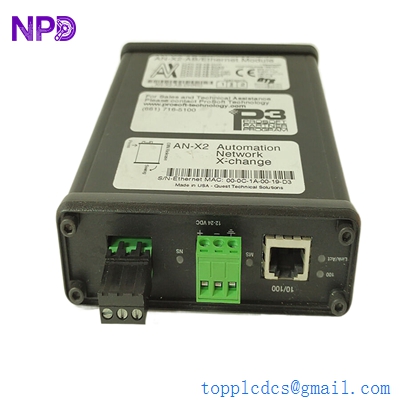
PROSOFT AN-X2-AB-DHRIO
Installation & Configuration Guide
Phase 1: Preparation (Pre-Installation)
⚠️ Safety First:
- Ensure the 24V DC power supply is stable. Unstable power can lead to intermittent packet loss on the DH+ network.
- Network Audit: Identify the Baud Rate (57.6k, 115.2k, or 230.4k) and the Node Address of existing DH+ devices to avoid collisions.
- Firmware: The AN-X2-AB-DHRIO is multi-functional. Ensure the correct “personality” (firmware) is loaded for your application (e.g., DH+ Bridge vs. RIO Scanner).
Phase 2: Physical Installation
- Mounting: Snap the unit onto the DIN rail. Ensure there is at least 25mm of clearance for airflow.
- Wiring DH+: Connect the Clear, Blue, and Shield wires to the 3-pin terminal. Note: If this is the end of the physical cable run, a 150-ohm termination resistor must be installed across the Blue and Clear wires.
- Ethernet: Connect the gateway to your industrial switch. For migration projects, it is best to place this on the same VLAN as your ControlLogix PLC.
Phase 3: Web-Based Configuration
- Initial IP: The default IP is often printed on the label (e.g., 192.168.0.250). Connect via a browser.
- Select Mode: Choose between DH+ Bridge mode (for HMI/PLC-5 comms) or RIO mode (for rack replacements).
- Node Mapping: Map the legacy DH+ Node addresses to the corresponding EtherNet/IP paths in your Logix controller.
Phase 4: Commissioning & Testing
- Ping Test: Ensure the ControlLogix can ping the gateway.
- RSLinx Check: Open RSLinx. You should see the AN-X2-AB-DHRIO and be able to “drill down” through it to see the legacy PLC-5 or SLC 5/04 processors on the DH+ side.
- SD Card Backup: Once communication is stable, use the web interface to save the configuration to the SD card for emergency recovery.
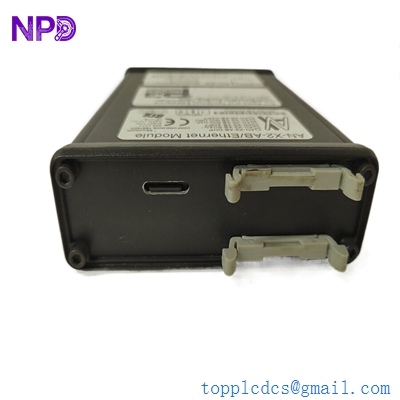
PROSOFT AN-X2-AB-DHRIO
Customer Cases & Industry Applications
Case 1: Phased Migration of a Legacy PLC-5 Plant
Situation: A manufacturing plant in the USA had several PLC-5 controllers running critical lines. They wanted to upgrade to ControlLogix but could not afford the downtime to replace all the I/O racks and wiring at once.
Task: The goal was to replace the “brains” (PLC-5 CPU) with a ControlLogix but keep the existing Remote I/O racks in place temporarily.
Action: We provided two ProSoft AN-X2-AB-DHRIO units. These allowed the new ControlLogix to “act” as the scanner for the legacy RIO racks.
Result: The plant migrated their logic to the modern controller in a single weekend while keeping their field wiring untouched. The AN-X2 acted as the transparent bridge, saving the customer over $50,000 in immediate labor and wiring costs.
Case 2: Connecting Modern SCADA to Legacy DH+ Network
Situation: A water treatment facility was upgrading its SCADA system to a modern Ignition/Wonderware platform. However, half of their remote sites still used SLC 5/04 processors on Data Highway Plus.
Task: The new SCADA server only supported Ethernet, and the legacy DH+ modems were failing.
Action: We supplied the AN-X2-AB-DHRIO. By installing the gateway at the central hub, the modern SCADA could communicate with all the legacy SLC 5/04 nodes via EtherNet/IP.
Result: The facility gained full visibility of their remote sites without having to replace every radio and PLC in the field. The ProSoft gateway provided the “digital bridge” needed for their modernization project.
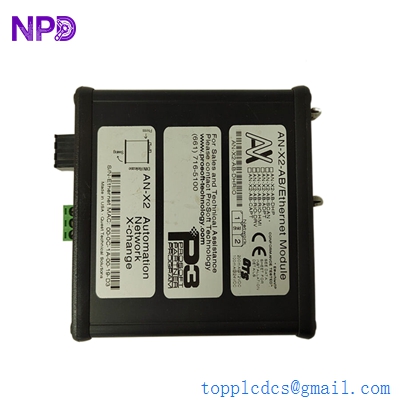
PROSOFT AN-X2-AB-DHRIO
Frequently Asked Questions (FAQ)
Q: Can I use this to replace a 1756-DHRIO module? A: Yes, in many cases. While the 1756-DHRIO sits inside a ControlLogix rack, the AN-X2-AB-DHRIO is a standalone DIN-rail unit. It is often preferred for “Message” bridging and HMI connectivity because it doesn’t consume a slot in the main chassis.
Q: Does it support DH-485? A: No. This specific model is for DH+ (Data Highway Plus) and Remote I/O. For DH-485, you would need a different ProSoft gateway model.
Q: Why choose “New Surplus” for a migration gateway? A: Migration projects often involve legacy hardware that is already out of production. “New Surplus” ensures you are getting a unit with fresh internal components and a full SD card, providing the reliability needed during the most critical phase of your plant’s upgrade.
Q: What happens if the SD card is removed? A: The gateway will continue to run using its internal flash memory, but you will lose the ability to perform a “no-laptop” hardware replacement if the unit is damaged. Always keep the SD card installed.
Q: How many DH+ nodes can one gateway support? A: It can bridge communication for the entire DH+ network (up to 64 nodes), though performance depends on the baud rate and the volume of data being polled by the EtherNet/IP master.