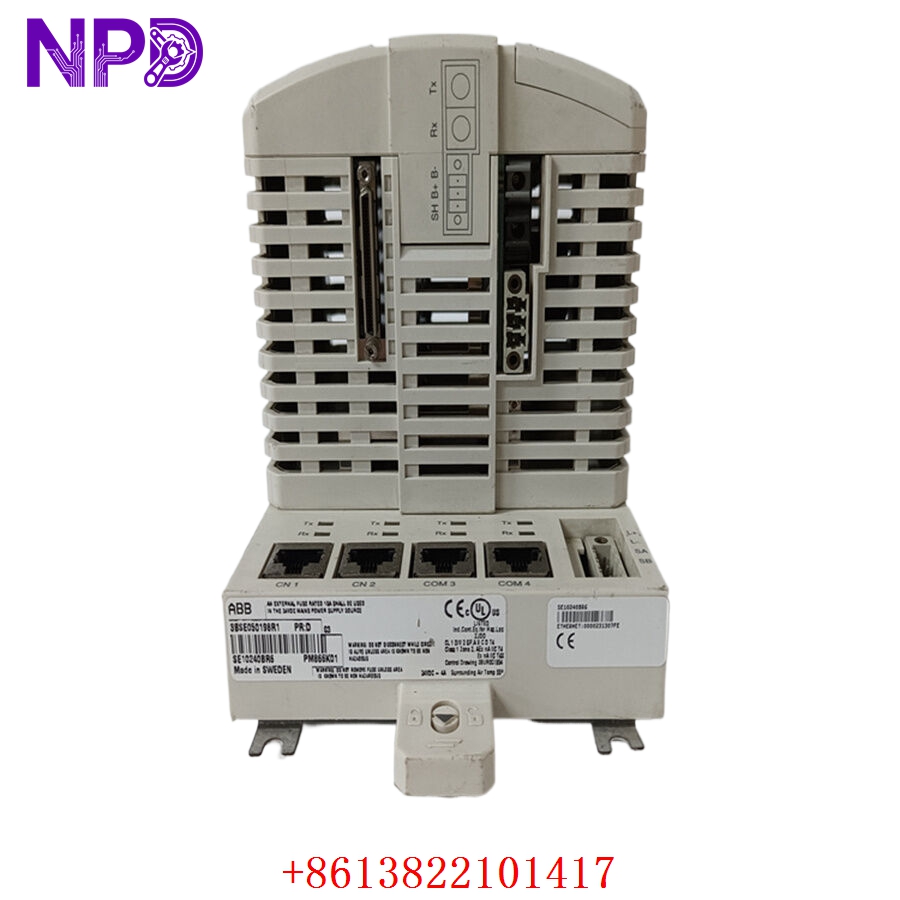

Description
The Salwico SBB R3 (Part Number 21210-001000) is a foundational “Baskort” (Base Board/Motherboard) for the Salwico CS4000 fire alarm and control system. This PCB serves as the central backplane and communication hub for the CS4000 fire detection panel. It provides the necessary power distribution, signal routing, and interconnection slots for the various loop cards and I/O modules that monitor fire detectors, manual call points, and extinguishing system controls on maritime vessels and industrial platforms.

⚙️ Technical Specifications
- Dimensions: 400 mm x 250 mm x 30 mm
- Weight: 0.95 kg
- Country of Origin: Sweden
- System Compatibility: Salwico CS4000 Fire Alarm System
- Power Input: 24V DC (System Bus)
- Operating Temperature: -15°C to +55°C
- Mounting: Panel-mounted within the main CS4000 fire cabinet
- Protection Class: IP20
🏗️ Application Areas
- Maritime Fire Detection and Alarm Systems (FAS)
- Cargo Hold and Engine Room Fire Monitoring
- Extinguishing System Control (CO2/Water Mist Activation)
- Addressable Fire Detection Networks
- Integrated Vessel Safety Systems
📖 Product Usage Instructions
The SBB R3 base board must be mounted inside the approved Salwico cabinet. Ensure that the card is aligned properly with the cabinet’s mounting standoffs. When installing secondary modules (such as loop cards or relay boards) onto the SBB R3, ensure they are clicked firmly into the connector slots to prevent poor contact. Wiring should be organized using the cabinet’s trunking, keeping high-voltage power cables separate from sensitive fire detection loop wiring to minimize interference.
🌐 Communication Configuration Steps
- System Bus: The SBB R3 handles internal communication via the CS4000 system bus. Configuration is performed through the main panel interface or via the Salwico PC configuration software.
- Station Number: Each module plugged into the SBB R3 is assigned a unique address within the project file; ensure your physical layout matches the software configuration.
- Initialization: Upon power-up, the system performs an automatic “Autoconfig” of all cards detected on the SBB R3.
⚡ Power-Up Debugging Flow
- Verify that the 24V DC supply is connected correctly to the power input terminals of the SBB R3.
- Ensure the “System OK” LED on the main processor board (connected to the SBB) is illuminated.
- Power on the panel and observe the status LEDs on the SBB; these typically indicate power presence on each individual slot.
- If a module is not detected, inspect the slot connectors on the SBB R3 for bent pins or debris.
- Use the CS4000 service menu to check the “System Status” log for any “Card Missing” or “Communication Fault” alarms.
✅ Initial Run Checklist
- Perform a full system “Autoconfig” to allow the CS4000 to identify all connected cards.
- Test at least one detector or manual call point on each loop to confirm that the SBB R3 is correctly routing signal traffic.
- Check that all redundant power supply connections are secured.
- Verify that the panel time and date are synchronized, as these are critical for the fire event log.
- Ensure all cable terminations are tight and that the cabinet door is locked/sealed to maintain IP rating.
❓ Frequently Asked Questions (Q&A)
Q: Is the SBB R3 compatible with older Salwico fire alarm systems? A: No, the SBB R3 is specifically designed for the CS4000 platform. It is not backward compatible with older systems like the CS3000 or CMS.
Q: Can I replace the SBB R3 while the system is powered? A: It is strongly advised to power down the fire alarm panel before replacing the SBB R3, as the board manages critical safety functions and hot-swapping could trigger a system-wide fault or data corruption.
Q: What should I do if the SBB reports a “Data Bus Fault”? A: A bus fault often indicates a loose connection between the processor card and the SBB or a short circuit on one of the communication lines. Inspect the ribbon cables and seat the processor card firmly.
Q: How do I backup the system configuration before replacing the board? A: Use the Salwico PC configuration tool to upload the complete project file from the panel to a secure laptop/storage before initiating any hardware repairs.