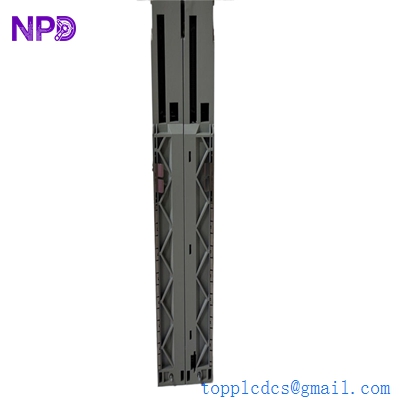

Description
- Model: Schneider 140CPU65260
- Brand: Schneider Electric (Modicon)
- Series: Modicon Quantum (Unity)
- Core Function: High-speed programmable logic controller (PLC) processor
- Product Type: CPU Module
- Key Specs: 3,072 KB internal RAM, Dual Ethernet (10/100), USB and Modbus ports, Hot Standby capability
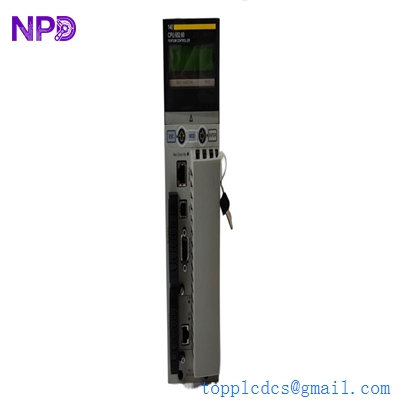
SCHNEIDER 140CPU65260
Key Technical Specifications
- Processor Architecture: Pentium-class performance for Unity Pro/Control Expert
- Memory: 3,072 KB Program/Data RAM (Internal); expandable via PCMCIA card (slot A/B)
- Ethernet Ports: 2x RJ45 (10/100 Mbps) with integrated web server and Modbus TCP/IP
- Communication Ports: 1x Modbus RS-232/485 (DB9), 1x USB (Programming)
- Scan Time: 0.045 µs per Boolean instruction (Highly deterministic)
- I/O Support: Up to 31 local racks; support for Remote I/O (S908) and Distributed I/O (Ethernet)
- Redundancy: Built-in support for High Availability / Hot Standby (HSBY)
- Battery Backup: Lithium battery for RAM retention (typically 1.2 Ah)
- Power Requirements: 2,500 mA maximum at 5 V DC (from backplane)
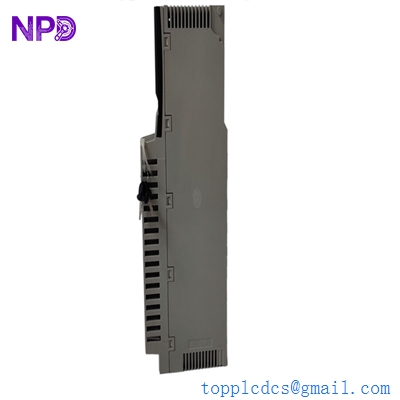
SCHNEIDER 140CPU65260
Application Scenarios & Pain Points
The 140CPU65260 is one of the most powerful and final “Unity-era” processors for the Modicon Quantum line. It was designed to handle the heavy lifting of large-scale water treatment plants, oil pipelines, and power distribution systems. The biggest headache for engineers today is that while the Quantum line is officially “Classic/Legacy,” thousands of plants still rely on it for mission-critical operations. If your 140CPU65260 fails, you aren’t just looking for a “part”—you are looking for the heart of your automation system that might be running 10,000+ I/O points.
1. Critical Infrastructure Redundancy
Utilized in Hot Standby (HSBY) pairs for tunnel ventilation or water pumping stations where a 50ms switchover is required to prevent catastrophic failure.
2. Large Scale Process Control
Ideal for chemical batching or food processing where complex math and large PID loop counts (up to 256+) are processed simultaneously.
3. Legacy Migration Bridge
Often used as the last upgrade step before a full M580 conversion, as it supports both old S908 Remote I/O and modern Modbus TCP/IP devices.
Case Study: The “CPU Halt” at the Pumping Station
Background: A municipal water authority was running a Quantum 140CPU65160 (an older version) that started throwing “Kernel Errors” during high-demand summer months. The system was controlling the main intake valves for the city.
The Problem: The old CPU was hitting its memory limit and thermal-throttling. The OEM suggested a full rack replacement to M580, but the authority didn’t have the $200,000 budget or the two-week shutdown window required for a complete rewire.
The Solution: We supplied a 140CPU65260. Because this model has significantly more RAM (3MB vs 1MB) and a faster clock speed, it was a drop-in replacement. We verified the firmware version (v3.0+) to ensure compatibility with their existing Unity Pro XL project.
The Result: The swap took 15 minutes. The logic was downloaded, and the CPU ran 20% cooler with plenty of memory “breathing room.”
- Avoided Loss: Saved an estimated $175,000 in migration costs and prevented a potential water service disruption to 50,000 residents.
- Takeaway: Sometimes the best “upgrade” is simply a higher-spec model of the same family.
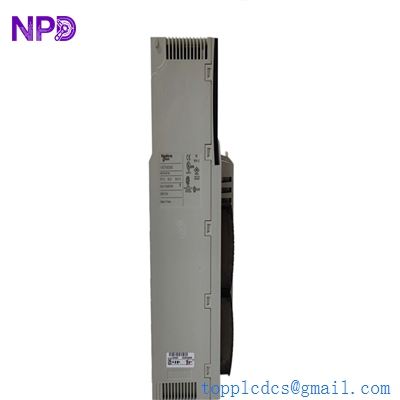
SCHNEIDER 140CPU65260
Compatible Replacement Models
| Original Model | Replacement Model | Compatibility | Key Differences | Workload |
| 140CPU65150 | 140CPU65260 | ✅ Direct | Double the memory; faster processing | Plug & Play |
| 140CPU65160 | 140CPU65260 | ✅ Direct | More RAM; identical form factor | Plug & Play |
| 140CPU67160 | 140CPU65260 | ⚠️ Redundancy | 67160 is a dedicated HSBY CPU | Check HSBY config |
| BMXP34 series | 140CPU65260 | ❌ Incompatible | M340 platform; totally different rack | Not possible |
Engineer’s Advice: If you are replacing a 140CPU65160, the 140CPU65260 is the gold standard upgrade. However, check your memory card! If you are using an old PCMCIA card, make sure it’s compatible with the Unity firmware on the new CPU. I’ve seen many “failed” CPUs that were actually just reading an incompatible memory card format.
Troubleshooting Quick Reference
| Symptom | Possible Cause | CPU Related? | Quick Check | Action |
| “Ready” LED Off | Internal Hardware Fault | ✅ High | Check backplane voltage (5V) | Replace CPU |
| “Error” LED Flashing | Memory/Config Mismatch | ✅ High | Verify project checksum in Unity | Re-download application |
| “Modbus” LED Off | Port Configuration | ⚠️ Medium | Check DB9 pinout and Baud rate | Verify Serial settings |
| “Bat” LED Red | Battery Depleted | ✅ High | Check battery voltage (>2.8V) | Replace 140XCP11400 battery |
Expert Maintenance Tips:
- Firmware Versioning: ❗ Critical! Schneider Quantum CPUs are very sensitive to firmware revisions. If you are in an HSBY (Hot Standby) pair, both CPUs must have the exact same firmware version. We can flash the firmware for you to match your existing unit before shipping.
- The “Cold Start” Battery: If your plant has a power outage and the CPU doesn’t come back up with its program, your battery is dead. I recommend replacing the lithium battery every 2 years, regardless of the “Bat” LED status. It’s a 15 fix that saves a 10,000 headache.
- USB vs. Serial: Use the USB port for programming whenever possible—it’s much faster and less prone to “time-out” errors than the DB9 Modbus port when downloading large Unity projects.