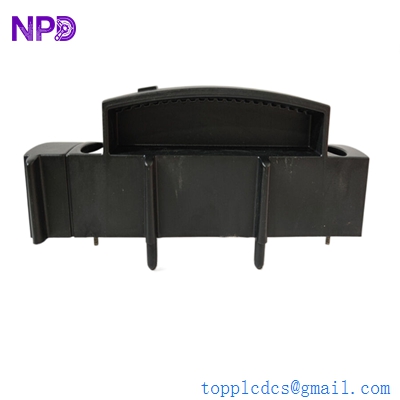

Description
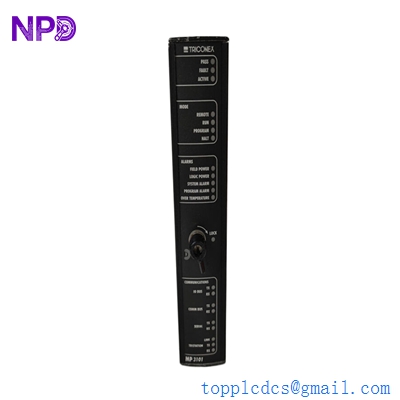
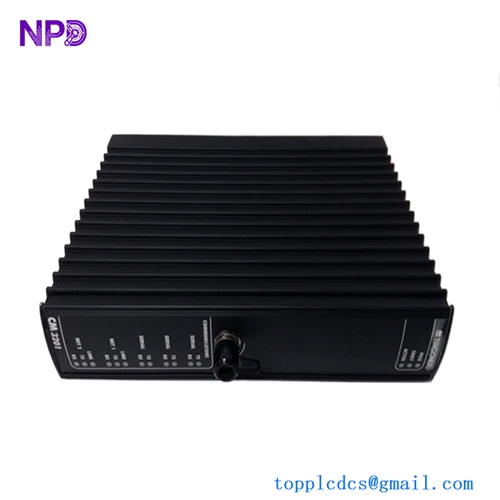
- Model: 4352A (Part Number: 2000418)
- Brand: Triconex (Schneider Electric)
- Series: Tricon / Tricon CX
- Core Function: Tricon Communication Module (TCM) for external networking
- Product Type: Network / Communication Interface Module (New Surplus)
- Key Specs: Dual Ethernet ports | Serial RS-232/RS-485 | Modbus TCP/RTU support
- Network Interfaces:
- 2x 10/100 Mbps Copper Ethernet Ports (RJ45)
- 1x Serial Port (DB9) supporting RS-232/RS-485
- Protocols:
- Modbus TCP/IP Slave and Master
- Modbus RTU Slave
- Peer-to-Peer (Triconex proprietary)
- TSAA (Triconex System Access Application)
- Encryption: Supports Secure Modbus and encrypted communication (revision dependent)
- System Capacity: Supports up to 4 TCM modules per Tricon chassis for redundancy
- Isolation: 500 VDC (Port-to-Logic)
- Diagnostics: Internal self-monitoring for link status, processor health, and data integrity
- Operating Temp: -20 °C to +70 °C (-4 °F to +158 °F)
- Configuration: Managed via Tristation 1131 software
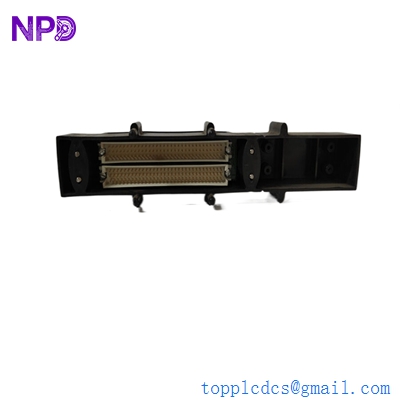
TRICONEX 2000418
Installation & Configuration Guide
Phase 1: Preparation (Pre-Installation)
⚠️ Safety First:
- While the 2000418 is a communication module (not an I/O module), it is the primary gateway for DCS/HMI data. Loss of communication can lead to “Blind Operation” of the plant.
- IP Configuration: Ensure you have the designated static IP address, Subnet Mask, and Gateway info ready for the Tristation configuration.
- ESD Protocol: Use a grounded wrist strap. Communication processors are highly susceptible to static-induced memory corruption.
Phase 2: Removal of Faulty Module
- Redundancy Verification: If your system has redundant TCMs, ensure the backup module is “Active” and taking the communication load before pulling the primary.
- Cabling: Label the Ethernet cables (Net 1/Net 2) and the Serial plug. Note the baud rate settings if using RS-485.
- Extraction: Loosen the top and bottom screws. Use the extraction handles to pull the board straight out.
Phase 3: New Module Installation
- Slot Check: Ensure the backplane pins are straight and clear of debris.
- Seating: Slide the 2000418 into the card guides. Push firmly until the module is fully seated and the handles lock.
- Fastening: Tighten the faceplate screws. This ensures the module is grounded to the chassis and protected from industrial vibration.
Phase 4: Commissioning & Testing
- Boot-Up: The “PASS” LED should turn solid green. The “LINK” LEDs for the Ethernet ports should flicker upon connecting the cables.
- Network Ping: From a maintenance laptop, ping the module’s IP address to verify basic connectivity.
- Software Binding: In Tristation, perform a “Download All” or “Download Changes” to bind the new module to the system configuration.
- HMI Check: Verify that the SCADA/HMI system is receiving real-time data from the Tricon rack without “No Communication” errors.
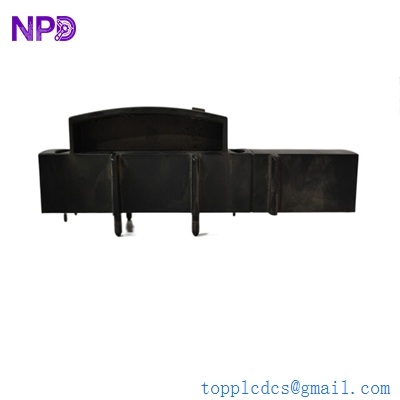
TRICONEX 2000418
Customer Cases & Industry Applications
Case 1: Restoring HMI Connectivity in a Refinery
Situation: A refinery in the US Gulf Coast reported a total loss of visibility for their SIS (Safety Instrumented System) on the main HMI. The Tricon rack was still running the safety logic, but operators could not see current pressures or temperatures.
Task: The plant was operating “blind,” which is a violation of safety protocols and would require a total shutdown if not fixed within 24 hours. The failure was traced to a fried 2000418 module after a power fluctuation.
Action: We provided a New Surplus 2000418 module from our stock. Because we had the part in Xiamen, we were able to get it to the site faster than the official factory channel.
Result: The module was hot-swapped and reconfigured. Within 15 minutes of installation, the HMI screens repopulated with live data. The safety manager noted: “The speed of delivery prevented a multi-million dollar unplanned shutdown.”
Case 2: Enhancing Cybersecurity in a Power Plant
Situation: A power generation facility was upgrading its network security. Their older communication modules did not support the latest encrypted protocols required for their “Hardened Network” initiative.
Task: The facility needed to replace their legacy 4351 modules with the newer 4352A (2000418) revision to enable secure Modbus communication and improved data logging.
Action: We supplied 4 units of the 2000418 to refresh their primary and redundant communication paths across two Tricon chassis.
Result: The upgrade allowed the plant to pass its NERC-CIP cybersecurity audit. The new TCMs provided faster data throughput and eliminated the intermittent “Communication Buffer Full” errors they had seen with the older hardware.
Frequently Asked Questions (FAQ)
Q: Is the 4352A (2000418) backward compatible with the 4351? A: Yes, the 4352A is the high-performance successor to the 4351. However, you must update your hardware configuration in Tristation to reflect the new module type to take advantage of its full features.
Q: Can I hot-swap this module while the Tricon is running? A: Yes, TCMs are hot-swappable. If you have redundant TCMs, there will be no interruption in data flow to the HMI/DCS. If you have only one TCM, communication will be lost during the swap, but the safety logic (I/O) will continue to function normally.
Q: What do the different LED patterns mean? A:
- PASS: (Green) Module is healthy.
- FAULT: (Red) Internal hardware failure.
- ACTIVE: (Green) Module is currently processing data.
- LINK: (Green/Amber) Network activity on Ethernet ports.
Q: Why choose New Surplus over “Used” for communication boards? A: Communication modules handle high-speed data processing and generate significant heat. Used modules often have degraded processor thermal paste or aged flash memory. Our New Surplus 2000418 units are “fresh,” ensuring maximum reliability for your critical network links.
Q: Does it support Peer-to-Peer communication? A: Yes. The 2000418 is essential for Peer-to-Peer (P2P) networking between multiple Tricon or Trident chassis, allowing them to share safety data across the site network.