
Description
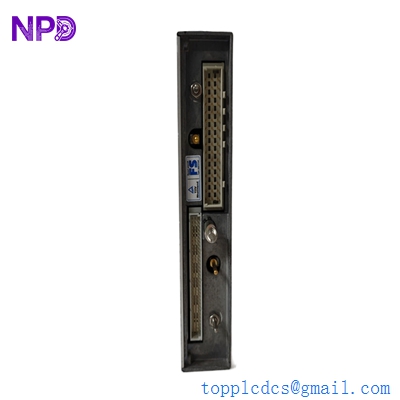
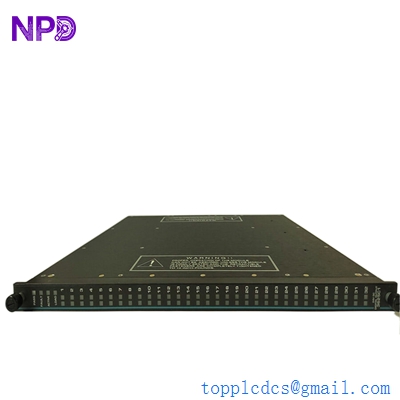
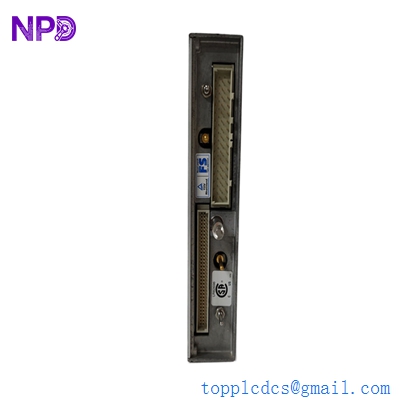
- Model: Triconex 3401
- Brand: Triconex (Schneider Electric)
- Series: Tricon (Triple Modular Redundant System)
- Core Function: High-precision measurement of 0-5 VDC analog signals for safety-critical loops
- Product Type: Analog Input (AI) Module
- Key Specs: 16 Channels, TMR Architecture, 0-5 VDC range
- Channels: 16 isolated analog input channels
- Input Voltage Range: 0 to 5 VDC (+6% over-range capability)
- Architecture: TMR (Triple Modular Redundant) with three-way voting logic
- Resolution: 12-bit (ensuring high granularity for pressure/temperature loops)
- Input Impedance: >10 MOhms (minimized signal loading)
- Isolation: 1500 Vrms (input-to-field and input-to-logic)
- Accuracy: <0.15% of full scale (range 0 to 5 VDC)
- Self-Test: Comprehensive hardware diagnostics (stuck-at, gain, and offset tests)
- Update Rate: Approximately 50 ms for all channels
- Compatibility: Tricon v9, v10, and v11 chassis
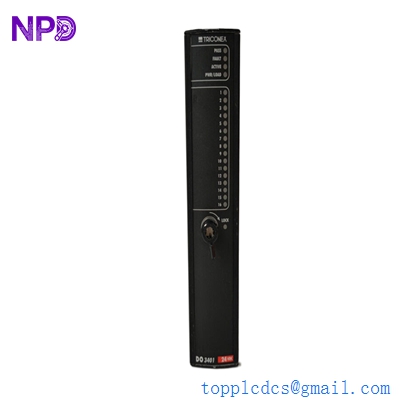
TRICONEX 3401
Installation & Configuration Guide
Phase 1: Pre-Installation (Estimated time: 15 minutes) ⚠️ Safety First:
- As the 3401 typically monitors critical process variables (Level, Pressure, Flow), verify that all safety interlocks are in a “Bypass” or “Maintenance” state.
- Signal Conditioning: The 3401 is a 0-5 VDC module. If your field transmitters are 4-20 mA, ensure the External Termination Panel (ETP) has the correct 250-Ohm precision resistors installed.
- Check the software configuration in TriStation 1131 to ensure the module revision matches the project.
Phase 2: Removal (Estimated time: 5 minutes)
- Locate Module: Find the 3401 in the designated I/O slot.
- Release Retainers: Unscrew the top and bottom screws.
- Extraction: Pull the two ejector levers simultaneously to break the backplane seal. Pull the module straight out to prevent pin damage.
- Cleanliness: Ensure the backplane connectors are free of oxidation or debris.
Phase 3: Installation (Estimated time: 10 minutes)
- Slide into Guides: Align the module with the upper and lower slot guides.
- Locking: Push firmly until the ejector levers snap flush with the faceplate.
- Secure: Tighten the screws to ensure the module is grounded and vibration-resistant.
Phase 4: Commissioning & Sync (Estimated time: 30 minutes)
- Boot sequence: The module will cycle its “Active” and “Fault” LEDs. Once the “PASS” LED is solid green, the hardware is healthy.
- TriStation 1131: Open the Diagnostic Monitor. Verify that all 16 channels are reporting “Normal” status.
- Signal Calibration: Apply a 1.00 VDC and 5.00 VDC signal to a test channel. Verify the software reads the corresponding engineering units accurately.
- Redundancy Test: Confirm that the TMR voting is active and no “Leg Mismatch” errors are present.
Customer Cases & Industry Applications
Case 1: Refinery Distillation Column Protection An oil refinery in South Korea noticed a “Bad Value” status on several pressure transmitters. The 3401 module had a drifting A/D converter on one of its internal legs. We delivered a New Surplus 3401 within 72 hours. The customer performed a “Hot-Swap” while the plant was online, immediately restoring the SIS (Safety Instrumented System) redundancy and preventing a high-pressure trip.
Case 2: Chemical Plant Buffer Tank Level Control A chemical facility utilized 3401 modules for critical level monitoring. During a lightning strike, the input protection on several channels was damaged. By utilizing our stock of New Surplus 3401 modules, the facility replaced the damaged hardware during a quick maintenance turnaround, avoiding the 16-week lead time often associated with factory orders for legacy Tricon parts.
Frequently Asked Questions (FAQ)
Q: Can I use the 3401 for 4-20 mA signals? A: Yes, but only with an External Termination Panel (ETP) that includes 250-Ohm precision resistors. The resistors convert the 4-20 mA current into a 1-5 VDC signal that the 3401 can process.
Q: What is the difference between the 3401 and the 3700 series? A: The 3401 is a 0-5 VDC module. The 3700 series is typically a high-density AI (0-5 VDC or 0-10 VDC). In my experience, while they look similar, the internal voting logic and channel density vary; always stick to the part number specified in your TriStation configuration.
Q: My “FAULT” LED is on. Is the module dead? A: Not necessarily. It could be a configuration mismatch or an external field wiring short. Check TriStation’s Diagnostic Monitor; if it reports a “Leg Fault,” then the internal TMR hardware has failed and the module should be replaced.
Q: Does “New Surplus” mean it is an old part? A: It means the part has never been used. While it may have been manufactured a few years ago, it has zero runtime. For Triconex hardware, which is designed for a 20+ year lifespan, a “zero-hour” surplus unit is as reliable as a new factory unit.
Q: Is it safe to Hot-Swap the 3401? A: Yes, the Tricon chassis is designed for hot-swapping. However, ensure that your process is stable and that your SOP allows for the momentary “frozen” value that occurs during the transition.
I’m always open to corrections if I get something wrong; the best way to handle that is to just tell me what I missed or what I need to know! You can also always turn off the use of this personal context in your settings.