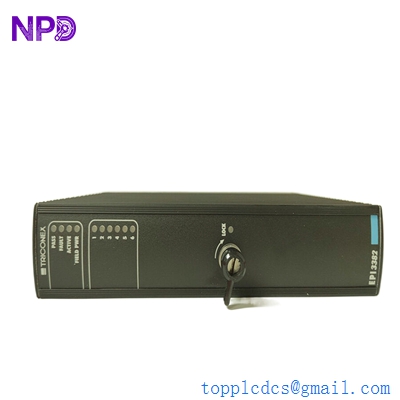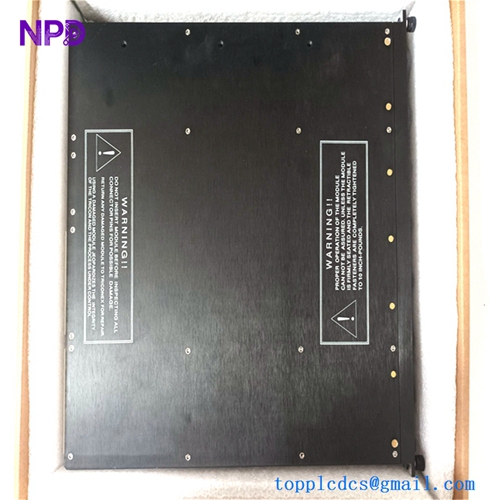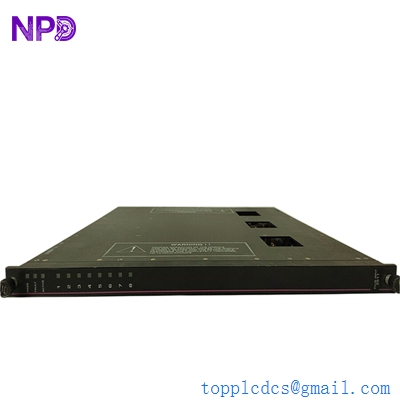

Description
- Model: Triconex 3511
- Brand: Schneider Electric (formerly Invensys / Triconex)
- Series: Tricon v9 / v10 / v11 Systems
- Core Function: High-speed, high-accuracy pulse counting for Triple Modular Redundant (TMR) systems.
- Product Type: Pulse Input (PI) Module
- Key Specs: 8 Channels TMR Architecture 0.5 Hz to 20,000 Hz frequency range
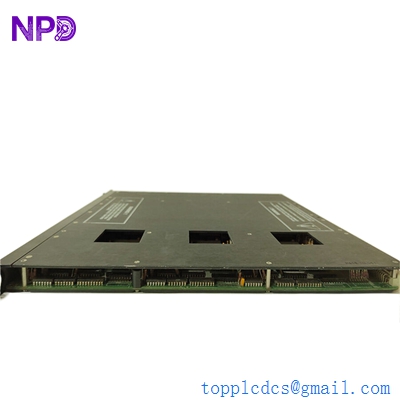
TRICONEX 3511
Key Technical Specifications
- Input Channels: 8 isolated channels
- Architecture: Triple Modular Redundant (TMR) – 3 independent sub-circuits
- Frequency Range: 0.5 Hz to 20 kHz
- Input Voltage Range: 1 V to 24 V peak-to-peak (Magnetic or active sensors)
- Accuracy: ±0.01% from 1,000 Hz to 20,000 Hz
- Update Rate: 25 milliseconds (Internal TMR voting cycle)
- Self-Test: Comprehensive background diagnostics for each sub-circuit
- Isolation: 1,000 V DC (Input to backplane)
- Hot-Swap: Fully supported (module is “Hot-Replaceable”)
- Status Indicators: Pass, Fault, Active, and individual channel Load LEDs
Application Scenarios & Engineering Insights
In the world of Safety Instrumented Systems (SIS), the Triconex 3511 is the gold standard for SIL 3 speed monitoring. If you’re running a multi-million dollar steam turbine or a high-speed compressor, you can’t afford a “false trip” due to a sensor glitch, nor can you afford to miss a real overspeed event. The 3511 uses three internal “brains” to look at every pulse; if one sub-circuit disagrees, the other two outvote it, and the plant keeps running safely.
Typical Application Scenarios:
- Turbine Overspeed Protection The primary use case. It monitors magnetic pickups (MPUs) on the turbine shaft to trigger an Emergency Shutdown (ESD) if RPM exceeds safe limits.
- Rotating Equipment Monitoring Used in large centrifugal compressors to monitor shaft speed and prevent surge conditions.
- Flow Metering Integrating pulse-output flow meters (like turbine meters) in oil and gas custody transfer where high precision and safety are required.
Case Study: The “Saving Grace” at a Middle Eastern Refinery
Background: A critical hydrogen compressor was protected by a Tricon v10 system using a Triconex 3511 module. During a heavy electrical storm, a lightning strike near the instrument rack caused a massive EMI (Electromagnetic Interference) surge.
The Problem: One of the three sub-circuits on the pulse input module was damaged by the surge, causing it to read “zero RPM” while the compressor was at full speed. In a standard PLC, this would have triggered a “Loss of Speed Signal” trip, shutting down the entire refinery unit.
The Solution: Because the 3511 is TMR, the other two internal circuits correctly identified the actual speed. The system logged a “Module Fault” but kept the compressor running.
The Result: * Operational Continuity: Zero downtime. The refinery avoided a $2 million restart cost.
- Maintenance: The maintenance team identified the faulty module via the “Fault” LED and performed a hot-swap replacement the next morning without stopping the process.
- Takeaway: This is why you pay a premium for Triconex—it’s not just about safety; it’s about availability.
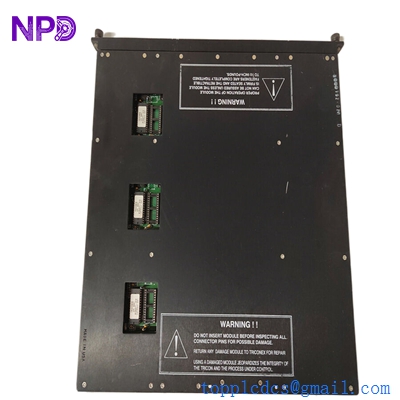
TRICONEX 3511
Compatible Replacement Models
The Triconex product line has long lifecycles, but firmware and baseplate compatibility are “the big ones” here.
| Model | Compatibility | Key Differences | Action Required |
| 3511 | (Current) | Standard TMR Pulse Input | – |
| 3510 | ⚠️ Limited | Older version; lower frequency range (up to 1k Hz) | Verify max RPM/Freq requirements |
| 3515 | ❌ Incompatible | Next-gen SIFT module | Requires different baseplate and TriStation software version |
Engineer’s Note: If you are upgrading from a v9 system to v11, the 3511 is usually retained, but you must check your TriStation 1131 project configuration. The module is “Hot-Replaceable,” meaning you can pull the old one and slide the new one in while the system is live—provided the “Active” light has transitioned to the backup module first.
Troubleshooting Quick Reference
| Symptom | Possible Cause | Part Relevance | Quick Check |
| “Fault” LED Solid Red | Internal TMR voting error | ✅ High | Check Diagnostic Buffer in TriStation |
| “Load” LED Off (Running) | Sensor or wiring failure | ❌ Low | Measure mV AC at the field terminal block |
| Erratic Speed Readings | EMI Noise / Shielding | ⚠️ Medium | Ensure sensor shield is grounded at the rack only |
| Module “Missing” in SW | Improperly seated module | ✅ High | Ensure the top/bottom levers are fully locked |
| All LEDs Flashing | Backplane / MP Power fault | ❌ Low | Check 24V DC Power Module status |
❗ Technical Pitfall: The Threshold Setting
One thing that catches engineers off guard with the 3511 is the input sensitivity. If your magnetic pickup is mounted too far from the gear teeth, the peak-to-peak voltage might drop below 1V. The module won’t “see” the pulses, but the wiring will look fine.
- Always check the gap on your MPUs if you get a “Zero Speed” reading on a healthy module.
- Pro Tip: If you’re replacing a module, check the “Missing Pulse Detection” settings in your logic. A new module might be more sensitive to signal noise than an aged one.