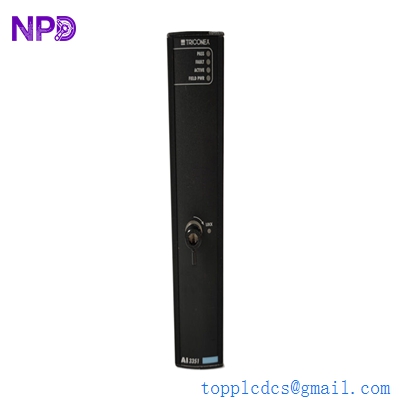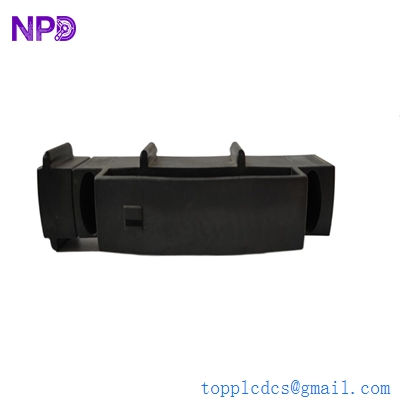

Description
- Model: Triconex 2000417
- Brand: Schneider Electric (Triconex)
- Series: Tricon v9 / v10 / v11 Main Chassis
- Core Function: Enhanced Intelligent Display (EID) for real-time system diagnostics
- Product Type: Chassis Display Module
- Key Specs: Vacuum Fluorescent Display (VFD) or High-Contrast LCD, 2-line text, system status indicators
- Display Type: Enhanced alphanumeric character display
- Interface: Internal serial connection to the Tricon Main Processors (MP)
- Status Indicators: System OK, Battery Low, Program Loaded, Active, and Fault
- Display Content: Fault codes, system versioning, CPU health, and environmental alarms
- Mounting: Integrated into the front door/panel of the Tricon Main Chassis
- Compatibility: Specifically designed for Tricon High-Density Chassis (v9–v11)
- Power Requirements: Low voltage DC supplied via the chassis backplane/interconnect

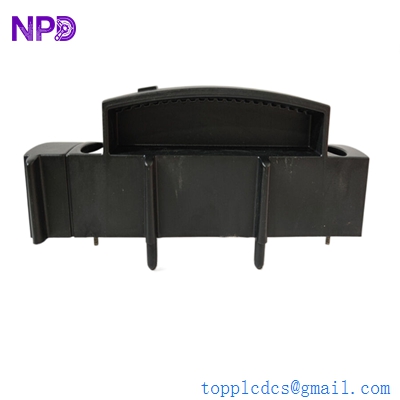
TRICONEX 2000417
Application Scenarios & Pain Points
The Triconex 2000417 is the “face” of the Tricon system. While the actual logic happens deep inside the Triple Modular Redundant (TMR) processors, the 2000417 is what a technician sees first when walking up to the cabinet. If this display fails, you are “blind” at the rack level. You might have a system fault, but without the EID, you can’t see the specific fault code (like “MP 1 Fault” or “I/O Leg Discrepancy”) without lugging a laptop out to the field and connecting via TriStation.
1. Real-Time Fault Diagnosis
Providing the specific 4-digit fault codes that allow maintenance teams to identify which module in a 10-rack system has failed.
2. System Startup & Loading
Displaying the “Loading” and “Verified” status during a cold start or a major program change, ensuring the TMR synchronization is complete.
3. Environmental Monitoring
Showing chassis temperature alarms or power supply health alerts before they lead to a system-wide trip.
Case Study: The “Blind” Technician
Background: A refinery’s Emergency Shutdown (ESD) system was reporting a “System Alarm” on the HMI in the control room. The message was generic: “Tricon Rack 1 Fault.”
The Problem: The maintenance technician arrived at the rack, but the 2000417 display was dead (burnt out pixels and no backlight). Without the display, he couldn’t tell which of the three Main Processors or dozens of I/O cards was causing the alarm. He had to wait two hours for a laptop with the correct TriStation software and cables to be brought from the main office.
The Solution: We supplied a replacement 2000417 display module. Once installed, it immediately scrolled the fault code: “PSU 1 Low Voltage.” The technician swapped the power supply in 5 minutes.
The Result: The system was fully restored to “OK” status.
- Avoided Loss: Reduced the Mean Time to Repair (MTTR) by nearly 3 hours. In a critical refinery environment, reducing MTTR is the primary goal of any safety team.
- Takeaway: The 2000417 isn’t just a screen; it’s a critical diagnostic tool. If yours is dimming or flickering, replace it before you actually need to read a fault code during an emergency.
TRICONEX 2000417
Compatible Replacement Models
| Original Model | Replacement Model | Compatibility | Key Differences | Workload |
| Triconex 2000417 | Triconex 2000417 | ✅ Direct | Standard EID for modern chassis | Plug & Play |
| Older 1600 series | Triconex 2000417 | ❌ Incompatible | Different dimensions/protocols | Not possible |
Engineer’s Advice: The 2000417 is very robust, but the ribbon cable that connects it to the backplane is the most common point of failure. If your display is acting “garbled,” check the ribbon cable seating first. If the cable is pinched or the pins are oxidized, even a brand-new display won’t help.
Troubleshooting Quick Reference
| Symptom | Possible Cause | 2000417 Related? | Quick Check | Action |
| Display Blank | Lost Power / Cable Unplugged | ✅ High | Check the ribbon cable connection | Re-seat or replace cable |
| Garbled Text | EMI or Data Corruption | ✅ High | Restart chassis (if safe) or re-seat | Replace display module |
| “Bat Low” LED On | Main Processor Battery Dead | ❌ Low | Check MP battery status in TriStation | Replace MP batteries |
| Dim Display | End-of-life for VFD/LCD | ✅ High | Compare brightness to other racks | Replace display module |
Expert Maintenance Tips:
- Static Precaution: ❗ Warning! When replacing the 2000417, you are touching the interface to the Main Processors. Wear an ESD wrist strap. A static shock to the display connector can theoretically ripple back to the MPs.
- The “Fault” Loop: The display cycles through active faults. If it shows multiple codes, write them all down. Often, one failed module (like a Power Supply) can trigger “shadow faults” in other modules.
- Cleaning the Screen: Use only a dry, anti-static cloth. Never use liquid cleaners or sprays on the 2000417, as moisture can seep behind the bezel and short the display driver board.