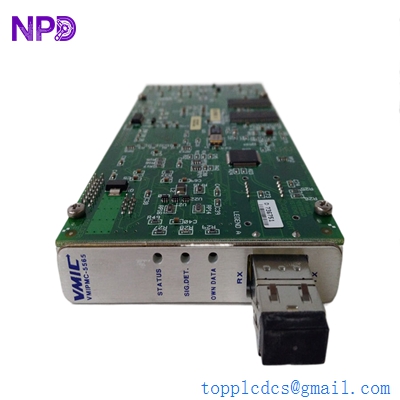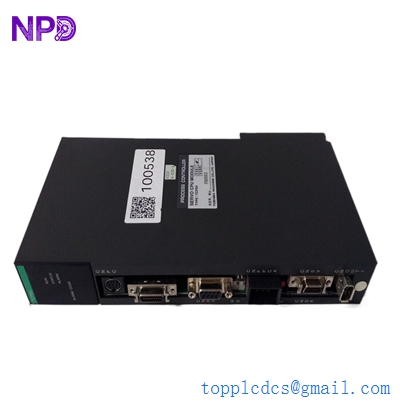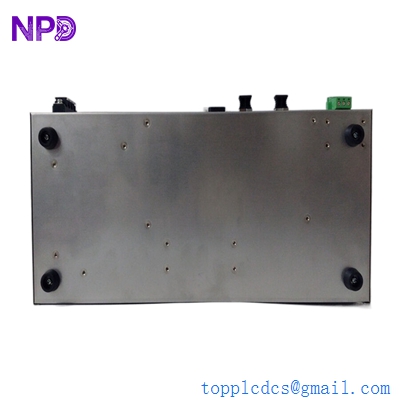

Description
- Model: TOSHIBA USIO21
- Brand: Toshiba (Japan)
- Series: V-Series Integrated Control System (DCS)
- Core Function: High-speed interface between the Station Bus and I/O sub-units
- Product Type: I/O Interface Module
- Key Specs: V-Series Station Bus compatible Proprietary Serial Protocol Redundant Link Support
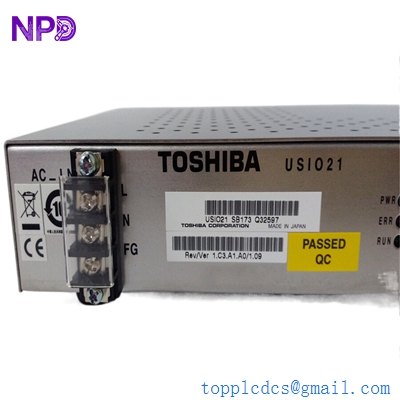
- TOSHIBA USIO21
Key Technical Specifications
- Module Type: Intelligent I/O Bus Interface
- Compatibility: Toshiba V-Series DCS racks (TCPSV / TCPSS stations)
- Communication Speed: Proprietary high-speed serial bus (V-Station Bus)
- Current Consumption: Typically 0.8 A at 5 Vdc (internal backplane power)
- Status Indicators: LED display for RUN, ALARM, and I/O Bus Activity
- Isolation: Optical isolation between station bus and I/O field bus
- Address Setting: Rotary switches for station address (01-FE)
- Operating Temperature: 0 °C to +55 °C
- Storage Temperature: -20 °C to +75 °C
- Dimensions: Occupies one standard slot in a V-Series I/O rack
Application Scenarios & Pain Points
In the Toshiba V-Series architecture, the USIO21 is the critical link that allows a control station (like the TCPSV) to actually “talk” to the physical input and output modules. Think of it as the gatekeeper for all field data. If this module fails, the entire I/O rack goes offline. For a plant operator, this means losing control over a whole bank of valves, motors, or sensors.
Because the V-Series is a legacy platform, sourcing a USIO21 through official Toshiba channels often leads to long lead times or “End of Life” notifications. Most plants running this hardware are in a “maintenance and survival” phase, where keeping a spare USIO21 on the shelf is the difference between a 30-minute repair and a 2-week total plant shutdown.
Typical Application Scenarios:
- Power Plant Auxiliary Control Interfacing digital and analog I/O for water treatment and fuel handling systems.
- Manufacturing – Paper & Pulp Mills Coordinating high-speed I/O for wet-end and dry-end control sections in a DCS environment.
- Oil & Gas – Tank Farm Monitoring Collecting remote I/O data from storage tank sensors and relaying it to the main control station.
- General Industrial Process Control Used in any facility utilizing Toshiba V-Series racks for centralized automation.
Case Study: The “Dark” I/O Rack at a Glass Factory
Background: A glass manufacturing facility in Japan was using a Toshiba V-Series DCS to control their furnace cooling system.
The Problem: One afternoon, an entire I/O rack suddenly stopped responding. The main controller reported an “I/O Bus Timeout.” The technician found the USIO21 in that rack had a solid red “ALARM” LED. Without cooling control, the furnace was at risk of a catastrophic overheat.
The Solution: The plant didn’t have a spare. We provided a New Surplus USIO21 and shipped it via next-day air. We also advised the customer to check the backplane 5V power supply, as a failing PSU often takes out the USIO21 communication chip.
Result:
- Downtime: Limited to 24 hours instead of the weeks quoted for a system migration.
- Outcome: The new USIO21 immediately restored communication with the 16 downstream I/O cards.
- Saving: Estimated $40,000 in prevented furnace damage.
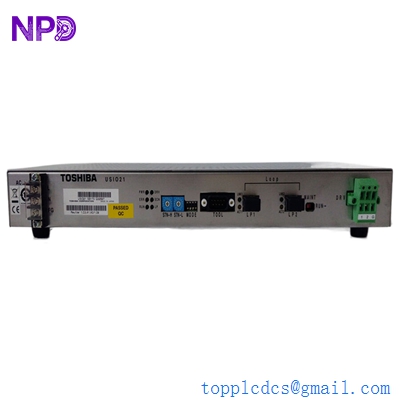
TOSHIBA USIO21
Compatible Replacement Models
The USIO21 is a specific bus interface. While newer generations exist, they are rarely direct swaps for legacy V-Series backplanes.
Original Model Replacement/Alternative Compatibility Key Differences Change Required USIO21 USIO22 ⚠️ Software Compatible Enhanced version with faster diagnostic capabilities. May require a minor firmware check on the main CPU. USIO21 USIO11 ❌ Incompatible Older generation with different bus speeds. Do not use in V-Series racks. USIO21 nS Series I/O ❌ Incompatible Modern Toshiba I/O platform. Requires a total system migration. Troubleshooting Quick Reference
Symptom Possible Cause Related to USIO21? Quick Check Action “RUN” LED Off No Power / CPU Halt ✅ High Check the 5V rail on the rack backplane. If power is okay, the USIO21 is faulty. “ALARM” LED On (Red) Internal Hardware Fault ✅ High Cycle power; if LED stays red, the board is dead. Replace module. “I/O BUS” LED Blinking Normal Operation ❌ N/A This indicates active data traffic. No action required. All Rack I/O Offline Address Conflict ⚠️ Medium Check the rotary switches on the front panel. Ensure the address matches the DCS config. Intermittent Comm Errors Backplane Oxidation ⚠️ Medium Inspect the gold pins on the USIO21 rear connector. Clean with isopropyl alcohol and reseat. ❗ Pro-Tip: The Address Switch Trap
When you swap a USIO21, do not forget to look at the rotary address switches on the old board. If the old board was set to “02” and the new one comes set to “01” from the factory, the DCS will not recognize the rack. It’s a 5-second fix that saves an hour of frustration.