
Description
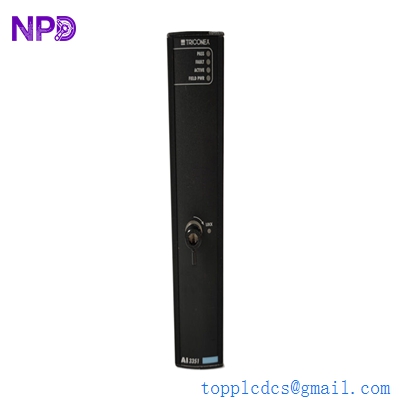
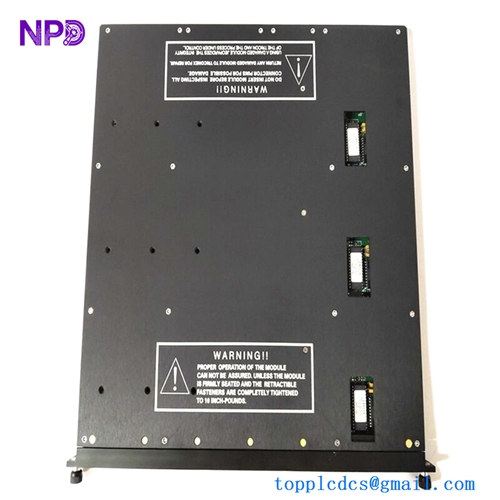
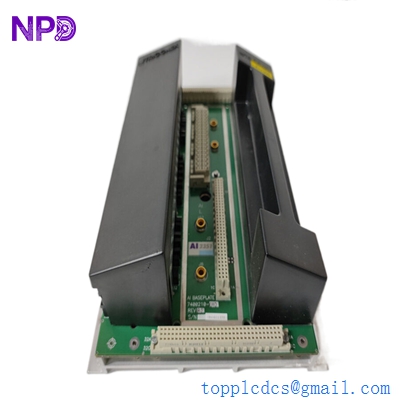
- Model: Triconex 2351
- Brand: Schneider Electric (Triconex)
- Series: Tricon v9 / v10 / v11 Systems
- Core Function: 32-point Digital Input (DI) Module with TMR architecture
- Product Type: TMR Digital Input Module
- Key Specs: 24 V DC, 32 isolated points, TMR (Triple Modular Redundancy)
- Voltage Range: 15–30 V DC (24 V DC Nominal)
- Input Points: 32 points, common-side ground
- Redundancy: Triple Modular Redundant (TMR) — Three independent input paths per point
- Self-Test Interval: Continuous (checks for “stuck-at” faults)
- Status Indicators: PASS, FAULT, ACTIVE, and Point-by-point LEDs
- Isolation: 1,500 V DC (Input to Backplane)
- Input Current: 4 mA at 24 V DC (typical)
- Compatibility: Compatible with v9.6 and higher Tricon systems
- Logic Type: Sinking/Sourced based on external wiring
TRICONEX 2351
Application Scenarios & Pain Points
The Triconex 2351 is a staple in Safety Instrumented Systems (SIS). In industries like offshore oil platforms or nuclear power plants, “failure” isn’t just an inconvenience—it’s a catastrophe. The 2351 uses Triple Modular Redundancy (TMR), meaning three separate circuits “vote” on the state of every single input. If one circuit fails, the system keeps running without a trip. The biggest pain point for engineers is the “Hot Swap” procedure; while the 2351 is designed to be replaced live, if your system isn’t configured for a “Hot Spare” slot, you’re looking at a tense few minutes of manual bypasses.
1. Emergency Shutdown (ESD) Systems
Monitoring critical sensors (pressure switches, E-stop buttons) where the system must never fail to see an “Off” state.
2. Fire and Gas (F&G) Systems
Interfacing with flame detectors and gas sensors where 24/7 availability is legally mandated for site safety.
3. Burner Management Systems (BMS)
Monitoring flame status and valve positions in high-capacity boilers to prevent explosive gas buildup.
Case Study: The “Voting” Discrepancy
Background: A petrochemical plant was seeing a “Module Fault” on their Triconex 2351, but the plant was still running. The operators were nervous because they didn’t know if the ESD (Emergency Shutdown) system was still “safe.”
The Problem: Diagnostics showed that “Leg A” of the 2351 was reporting a logical “1” while Legs B and C were reporting “0”. The TMR logic correctly voted the state as “0” (safe), but the module was effectively running in “dual” mode. If another leg failed, the system would trip.
The Solution: We supplied a certified 2351 module. We walked the site tech through the “Hot Swap” procedure: inserting the new module into the adjacent spare slot, waiting for the “Active” light to transition, and then pulling the faulty module. No bypasses were needed because the system was configured correctly for online replacement.
The Result: The plant maintained 100% uptime during the repair.
- Avoided Loss: Prevented a “Safety Trip” that would have cost the refinery approximately $250,000 in lost production and restart time.
- Takeaway: Triconex systems are designed to tell you they are broken before they stop working. Don’t ignore a “Fault” light just because the system is still running.
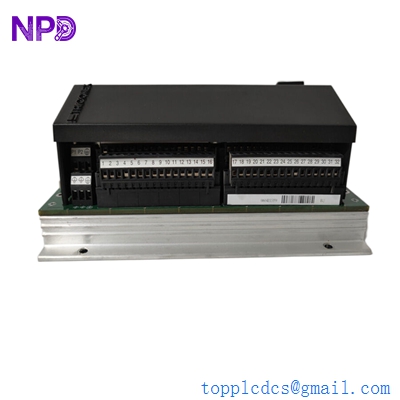
TRICONEX 2351
Compatible Replacement Models
| Original Model | Replacement Model | Compatibility | Key Differences | Workload |
| Triconex 2351 | Triconex 2351 | ✅ Direct | Must match hardware version (v9 vs v10) | Plug & Play |
| Triconex 2352 | Triconex 2351 | ⚠️ Limited | 2352 is 48 V DC; 2351 is 24 V DC | Voltage mismatch |
| Triconex 2354 | Triconex 2351 | ❌ Incompatible | 2354 is a different density/logic | Not possible |
Engineer’s Advice: Honestly, I’ve seen guys try to swap a 2351 with a different revision (like an older v9 model into a v11 rack). Don’t do it. The Tricon system is extremely sensitive to hardware compatibility versions in the TriStation software. If your software says it’s a 2351, make sure the revision on the side of the module matches your configuration exactly.
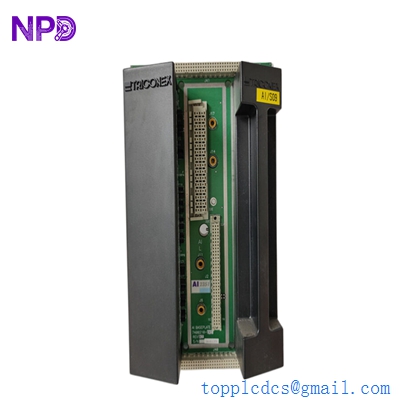
TRICONEX 2351
Troubleshooting Quick Reference
| Symptom | Possible Cause | 2351 Related? | Quick Check | Action |
| “Fault” LED Solid Red | Internal Leg Failure | ✅ High | Check TriStation Diagnostic Monitor | Replace Module |
| “Active” LED Flashing | Configuration Mismatch | ✅ High | Verify Module Type in TriStation | Re-download Hardware Config |
| Point LED is On, No Signal | Field Wiring Short | ❌ Low | Measure 24V at the Terminal Block | Check field instrument/fuse |
| “Pass” LED Off | Power/Backplane Issue | ⚠️ Medium | Check Chassis Power Module status | Verify Rack Power |
Expert Integration Notes:
- The “Hot Spare” Slot: ❗ Critical! If you are planning to replace a 2351 while the system is running, you must have a spare slot configured as a “Hot Spare” in your logic. If you don’t, pulling the module will cause a safety trip.
- Field Termination Assembly (FTA): The 2351 connects to a specialized FTA. Always check the ribbon cables between the rack and the FTA. I’ve seen “input faults” that were actually just a loose cable tie-down on the back of the rack.
- Cleaning the Pins: Since Triconex systems run for decades, dust can build up on the backplane connectors. When you pull the old module, use a can of dry compressed air to clean the slot before inserting the new one.