Description
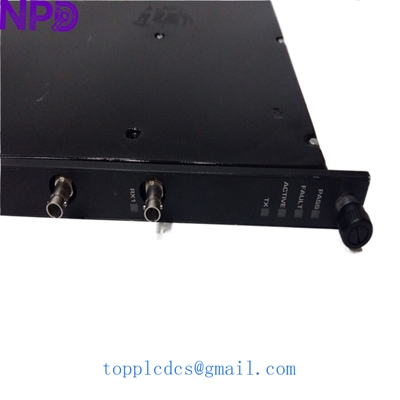
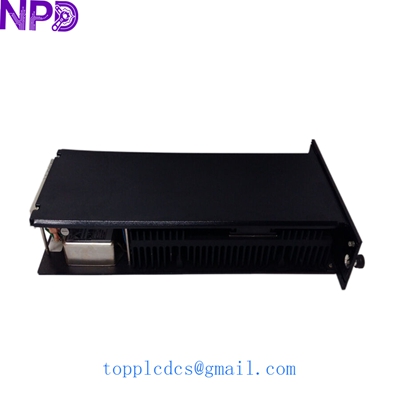
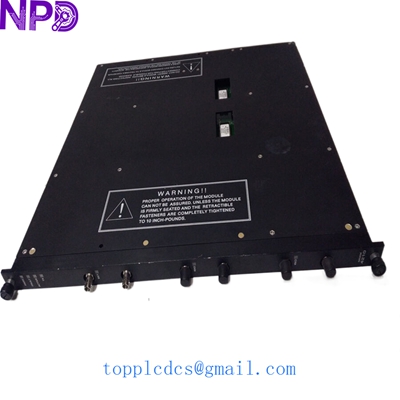
- Model: TRICONEX 4210
- Brand: Triconex (Schneider Electric)
- Series: Tricon v9 / v10 Systems
- Core Function: Remote Extender Module (RXM) for multi-chassis TMR expansion
- Product Type: Communication/Bus Interface Module
- Key Specs: Triple Modular Redundant (TMR) architecture | Fiber Optic/Coax support
- Module Type: Remote Extender Module (RXM)
- Architecture: TMR (Triple Modular Redundant) – Three isolated internal paths
- Primary Use: Connecting primary chassis to expansion chassis over distance
- Data Rate: Up to 2 Mbit/s (System Bus speed)
- Diagnostic Indicators: PASS, FAULT, ACTIVE, and individual Link status
- Isolation: Optically isolated communication ports
- Compatibility: Tricon Main Chassis and Expansion Chassis (v9.x – v10.x)
- Power Consumption: < 10 Watts
- Mounting: Requires two adjacent slots in the Tricon chassis
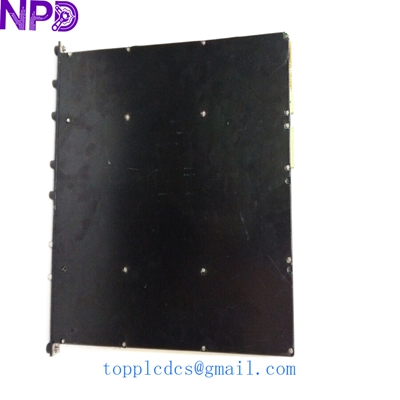
TRICONEX 4210
Application Scenarios & Pain Points
In high-stakes environments like Nuclear Power or Offshore Oil Platforms, the Triconex 4210 is the bridge that maintains the “Safety Integrity Level” (SIL3) across physical distances. When you need to place I/O racks in a different room or a separate deck from the main controllers, you can’t just run a standard Ethernet cable and hope for the best. The 4210 ensures that the Triple Modular Redundancy (TMR) voting logic stays intact across the fiber link. If an RXM module fails, you don’t just lose one sensor—you can lose the “vote” for an entire rack of safety-critical I/O, which could lead to a spurious trip or, worse, a failure to trip during an event.
Typical Application Scenarios:
- Emergency Shutdown (ESD): Connecting remote racks for valve control and fire/gas detection across a refinery.
- Turbine Control: Distributing I/O for large steam or gas turbines where the controller is in a centralized MCC but I/O is local to the skid.
- Nuclear Safety Systems: Maintaining redundant communication between isolated protection cabinets.
- BMS (Burner Management Systems): Linking remote burner I/O in large utility boilers to the main Tricon safety logic.
Case Study: The “Vibration Trip” Scare
Background: An FPSO (Floating Production Storage and Offloading) vessel in the North Sea experienced intermittent communication alarms on their Tricon expansion rack.
Problem: The alarms were correlated with high sea states. Investigation showed that an aging 4210 RXM module had a loose internal fiber optic transceiver. The vibration from the ship’s engines and heavy seas was causing “Triple-to-Dual” degradation alarms.
Solution: We supplied a certified New Surplus Triconex 4210 from our newplcdcs stock. Because these systems are TMR, the customer was able to replace the module while the system was live (Hot-Swapping).
Result: Once the new 4210 was seated and the links synchronized, the communication stabilized. The vessel avoided a manual emergency shutdown, which would have cost over $1.5M in lost production for that day alone.
Technical “Pro-Tips” (Avoiding Common Pitfalls)
Replacing a Triconex 4210 is a serious task. Even with Hot-Swap capabilities, you need to follow the protocol to the letter.
- RXM Pair Rules: These modules are almost always used in sets. If you are replacing one, ensure the link cables (fiber or coax) are in perfect condition. A tiny scratch on a fiber end-face will cause bit errors that the Tricon diagnostics will flag as a “Module Fault” on the 4210 itself.
- The “Keying” Check: Before pushing the module in, verify the mechanical keying on the back of the chassis. Tricon modules are physically keyed to prevent a 4210 from being plugged into a 3700 slot. If it doesn’t slide in smoothly, stop. Don’t force it.
- Firmware Consistency: Triconex systems are very sensitive to “System Suite” versions. Ensure the module you are installing is compatible with your Tricon version (e.g., v9.6 vs v10.4).
❗ Warning: When hot-swapping, wait for the “ACTIVE” light on the remaining redundant module to stay steady before pulling the faulty one. If you pull the wrong one, or pull it too fast, you’ll drop the whole expansion rack.
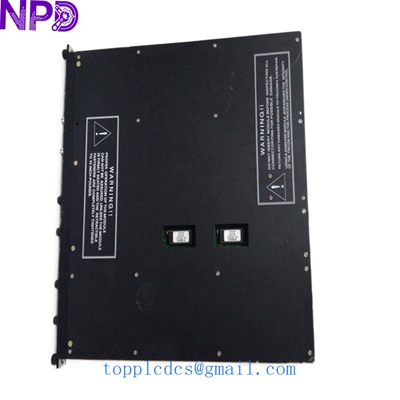
TRICONEX 4210
Troubleshooting Quick Reference
| Symptom | Possible Cause | Relevant to this Module? | Quick Check | Action |
| “PASS” LED is OFF | Hardware Self-test failure | ✅ High | Check diagnostic log in TriStation | Replace 4210 Module |
| “FAULT” LED Solid Red | Critical Internal Failure | ✅ High | Reseat module once | If stays red, module is dead |
| “LOAD” or “LINK” alarm | Fiber/Cable Fault | ⚠️ Medium | Inspect fiber cables with a scope | Clean or replace cables |
| RXM Not Recognized | Slot Addressing Issue | ⚠️ Medium | Check logical rack configuration | Verify chassis ID settings |
Other Triconex Models in Our Inventory:
- Triconex 3008
- Triconex 3625
- Triconex 3721
- Triconex 3503E
- Triconex 4351B
- Triconex 3805E
- Triconex 8110
- Triconex 3604E