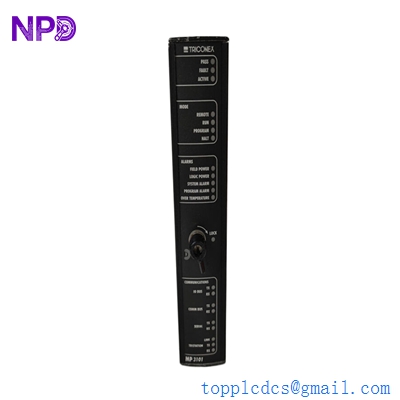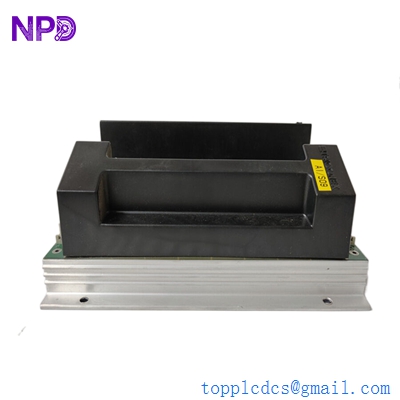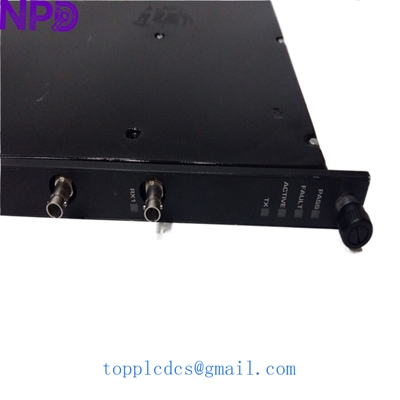

Description
- Model: TRICONEX 4211
- Brand: Triconex (Schneider Electric)
- Series: Tricon Series (Version 9-11)
- Core Function: Remote Extender Module (RXM) for multi-chassis systems
- Type: Communication / Expansion Module
- Key Specs: Multi-mode Fiber Optic | Triple Redundant Link | Up to 2km distance
- Module Type: Remote Extender (RXM)
- Part Number: 4211
- Compatibility: Tricon High-Density Chassis (4001)
- Communication Medium: Fiber Optic (Multi-mode)
- Maximum Distance: 2 kilometers (1.2 miles)
- Data Rate: Proprietary high-speed Tricon bus speed
- Redundancy: Triple Modular Redundancy (TMR) across three fiber links
- Operating Temperature: 0°C to 60°C (32°F to 140°F)
- Isolation: 500 VDC (Field to Logic)
- Diagnostics: Front panel LEDs for Active, Fault, and Link Status
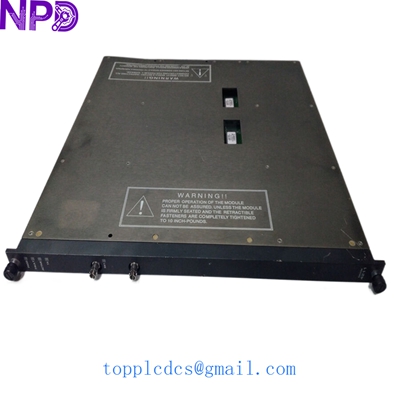
TRICONEX 4211
Installation & Configuration Guide
Preparation (Est. Time: 30 minutes)
⚠️ Safety Protocol:
- Critical: This module is part of a Safety Instrumented System (SIS). Ensure all bypasses are active according to your plant’s safety procedures before replacing an RXM module.
- In a TMR system, the RXM modules work in sets of three. If you are replacing one, ensure the other two are healthy (“Active” LED green).
- ESD Protection: Use an antistatic wrist strap. Fiber optic transceivers are sensitive to static and physical debris.
Removal Steps
- Verify Link: Confirm which RXM (A, B, or C) is showing a “Fault” or “Link Down” status.
- Fiber Handling: Carefully disconnect the fiber optic cables. Important: Cap the fiber connectors immediately to prevent dust contamination.
- Unlocking: Use a flat-head screwdriver to loosen the top and bottom retaining screws on the 4211 module.
- Extraction: Use the module’s pull handles to slide it straight out of the chassis.
Installation Steps
- Clean Connectors: Use a specialized fiber cleaning tool or lint-free wipe with 99% isopropyl alcohol to clean the fiber tips before insertion.
- Alignment: Align the 4211 module with the slot guides in the expansion chassis or main chassis.
- Seating: Slide the module in and press firmly until it seats into the backplane.
- Secure: Tighten the retaining screws to ensure proper grounding and vibration resistance.
- Reconnection: Remove the dust caps and reconnect the fiber cables to the corresponding ports.
Testing & Commissioning
- LED Observation:
- PASS: Should be green.
- ACTIVE: Should be green (once synchronized).
- FAULT: Should be OFF.
- Sync Check: Check the TriStation 1131 diagnostic monitor. The RXM link should show “Normal” for all three legs.
- Voter Status: Ensure the system is not “voted down” on the expansion rack communication.
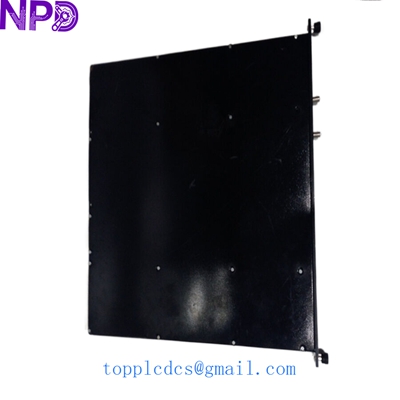
TRICONEX 4211
Customer Cases & Industry Applications
Case 1: Offshore Platform Expansion
Situation: An oil and gas platform in the South China Sea needed to extend its Emergency Shutdown (ESD) system to a new wellhead module 500 meters away.
Problem: Copper cabling was susceptible to electromagnetic interference from the platform’s high-voltage pumps and was limited by distance.
Action: We supplied a set of Triconex 4211 RXM modules. This allowed the client to use fiber optics for the link, providing complete electrical isolation and high-speed TMR synchronization.
Result: The expansion was completed with zero signal degradation. The client now has a robust, interference-free safety link that meets SIL 3 requirements.
Case 2: Recovering from a Fiber Link Failure
Situation: A chemical plant experienced a “Leg A Fault” in their expansion chassis. If Leg B also failed, the entire expansion rack (containing 40+ I/O points) would have tripped, causing a total plant shutdown.
Action: The plant manager contacted us for a 4211 module. We had the unit in stock and delivered it to the site within 12 hours.
Result: The maintenance team performed a “hot-swap” of the 4211 module. The TMR system synchronized the new Leg A without interrupting the active process. A shutdown costing roughly $450,000 was successfully avoided.
Frequently Asked Questions (FAQ)
Q: Can I mix 4211 (Fiber) with older 4201 (Copper) RXM modules? A: No. Your RXM set (A, B, and C) must be of the same type and generally the same hardware revision to ensure synchronous timing across the TMR architecture.
Q: Does the 4211 require specific fiber cables? A: Yes, it is designed for Multi-mode fiber. Using Single-mode fiber will result in excessive signal loss and “Link Fault” errors.
Q: Why is my “Active” LED flashing? A: A flashing Active LED usually indicates that the module is powered but has not yet synchronized with the other two RXM modules in the set. Check your fiber connections and ensure the other modules are powered.
Q: Is “New Surplus” as good as factory new? A: In my experience, yes—and often better in terms of lead time. These are units that were purchased for projects but never put into service. They are physically “new” but sold outside the OEM’s direct channel. We verify the health of the transceivers before shipping. You can also visit newplcdcs for more technical comparisons.
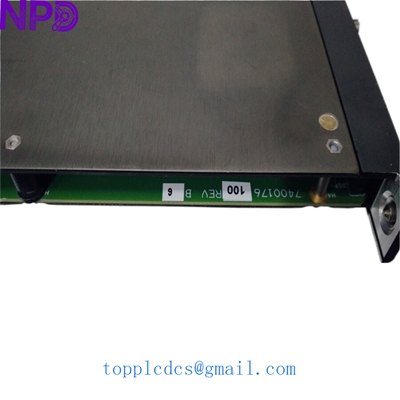
TRICONEX 4211
Other Inventory Items Available
- TRICONEX 3008 (Main Processor)
- TRICONEX 3625 (Digital Output Module)
- TRICONEX 3721 (Analog Input Module)
- ABB PM866K01 (AC800M Controller)
- BENTLY NEVADA 3500/22M (TDI Module)
- EMERSON KJ3222X1-BA1 (DeltaV MQ Controller)
- GE IC695CPU315 (RX3i CPU)
- HONEYWELL CC-PAIH01 (High Level AI)