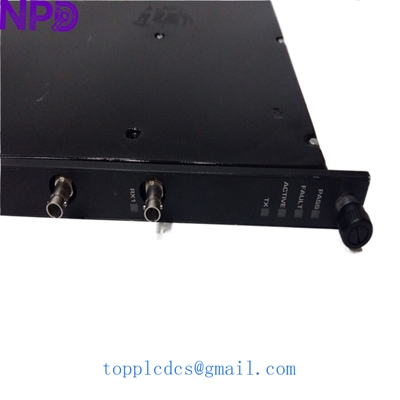
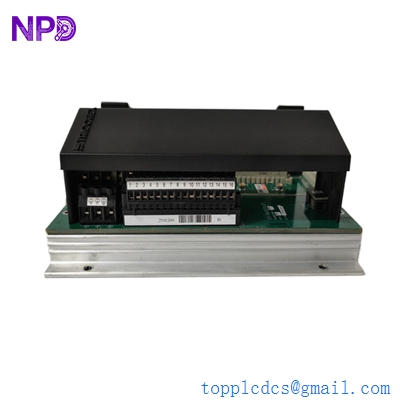
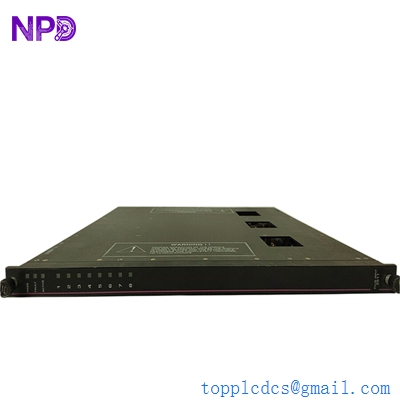
Description
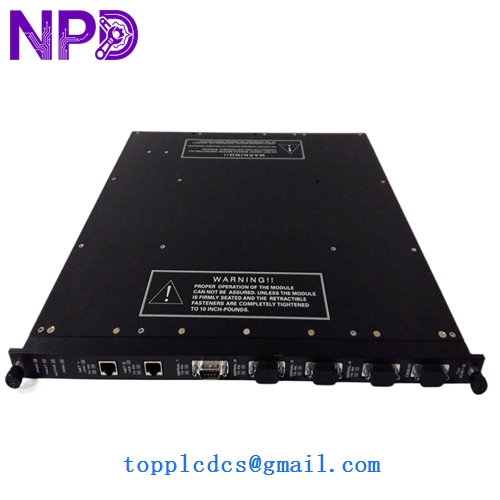
- Model: 4351B (TCM – Tricon Communication Module)
- Brand: Triconex (Schneider Electric)
- Series: Tricon v10.x / v11.x
- Core Function: Primary interface between the Tricon controller and external networks (DCS, SCADA, or Peer-to-Peer).
- Product Type: Communication Module (TCM)
- Key Specs: Dual Ethernet Ports | Fiber Optic (Net 1) & Copper (Net 2) | Modbus/TCP/OPC
- Network Ports: Two isolated ports (Net 1: Fiber Optic, Net 2: Copper RJ45)
- Communication Protocols: Modbus RTU/TCP, TriStation, TSAA (UDP/IP), Peer-to-Peer, OPC
- Throughput: 10/100 Mbps (Auto-sensing)
- Fiber Interface (Net 1): 100Base-FX (MT-RJ Connector)
- Copper Interface (Net 2): 10/100Base-TX (RJ45 Connector)
- Serial Ports: One RS-485 / RS-232 port (Serial 1)
- Security: Support for IP filtering and Access Control Lists (ACLs)
- Isolation: 500 Vdc (Port-to-Port and Port-to-Chassis)
- Compatibility: Requires Tricon v10.3 or later systems
- Hot-Swap: Fully supported (TCM is non-interfering to safety function)
Application Scenarios & Pain Points
The 4351B is the gatekeeper for the Triconex safety rack. It translates the internal safety bus data into a language that your Foxboro, Honeywell, or Emerson DCS can understand. Without a functional TCM, your safety system becomes an “island”—it might still protect the plant, but the operators in the control room won’t see any alarms, and the sequence of events (SOE) data won’t be recorded.
Typical Application Scenarios:
- DCS Integration Serving as the Modbus TCP server for the plant’s Distributed Control System to monitor safety trip limits and diagnostic health.
- Peer-to-Peer (P2P) Safety Networking Linking multiple Tricon racks across a large refinery so that an ESD (Emergency Shutdown) in “Area A” can safely trigger a shutdown in “Area B” over fiber optics.
- TriStation 1131 Programming Providing the engineering workstation access to the CPU for program downloads, online monitoring, and configuration.
Engineering Case Study: The Fiber Link Failure
Background: An offshore platform used the fiber optic port (Net 1) of the 4351B to communicate with the onshore control center via a subsea umbilical.
The Problem: During a storm, a power surge damaged the optical transceiver inside the 4351B. While the safety system remained active and Net 2 (Copper) was working locally, the onshore facility lost all visibility of the platform’s safety status, forcing a precautionary (and expensive) production slowdown.
The Solution: We provided a replacement 4351B from our inventory. Since the TCM stores its configuration (IP addresses, peer lists) in the Tricon’s main processors, the hardware swap is straightforward.
Result: The technician hot-swapped the TCM. Once the new module booted and synced with the active MP (Main Processors), the fiber link was restored instantly. Production returned to 100% within the hour.
Compatible Replacement Models
| Original Model | Replacement Model | Compatibility | Key Differences | Change Impact |
|---|---|---|---|---|
| 4351B | 4351 | ⚠️ Hardware | Older non-“B” revision | Lower security features |
| 4351B | 4352B | ❌ Incompatible | Dual Fiber version | Requires different cabling |
| 4351B | 4351A | ✅ Direct | Manufacturing revision | Fully interchangeable |
Troubleshooting Quick Reference
| Symptom | Possible Cause | Relation to 4351B | Quick Check | Action |
|---|---|---|---|---|
| NET LED Off | No physical link | ⚠️ Medium | Check fiber/copper cable seated. | Swap cables or check switch port. |
| PASS LED Off | Internal Hardware Fault | ✅ High | Observe power-up sequence LEDs. | Replace TCM module. |
| TX/RX LEDs solid red | IP Address Conflict | ⚠️ Medium | Ping the TCM IP from a laptop. | Verify IP settings in TriStation. |
| Active LED Blinking | Sync in progress | ✅ High | Wait 2–3 minutes for boot-up. | If blinking >5 mins, re-seat module. |
Engineer’s Pro-Tip: “When you’re installing a 4351B, pay close attention to the MT-RJ fiber connector on Net 1. They are much more fragile than standard LC or SC connectors. I’ve seen many engineers snap the internal pins by forcing the cable in. Also, if you’re upgrading from an older NCM (Network Communication Module) to this TCM, remember that the TCM requires a specific slot in the v10/v11 rack—you can’t just put it anywhere. Finally, check your firmware; if the TCM firmware is too far ahead of your MP firmware, they might refuse to talk. I always carry a firmware flash kit just in case, but usually, a direct ‘B’ for ‘B’ swap is plug-and-play.”
Need the specific Modbus register map for the 4351B diagnostic variables? I have the TCM User’s Manual open—let me know if you want the PDF snippet.