
Description
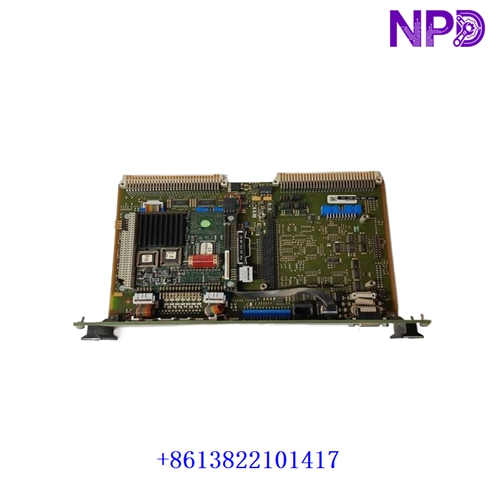
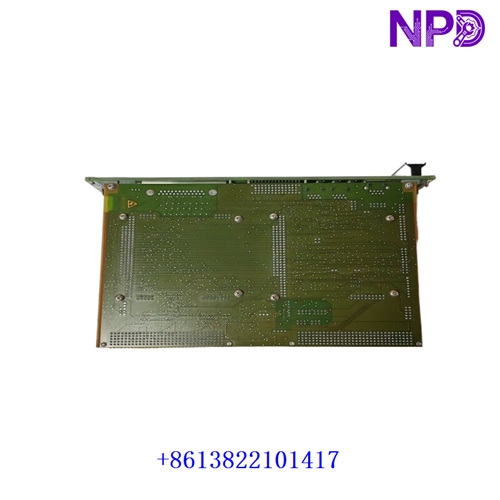
The Vibro-Meter (Meggitt) VM600 CPUM (Part Number: 200-595-067-114) is a high-performance Central Processing and Utility Module designed as the core management controller for the VM600 rack-based machinery protection and condition monitoring system. It coordinates communication, configuration management, and system-level diagnostics across all installed protection and monitoring cards in the rack.
| Parameter | Specification |
|---|---|
| Brand / Manufacturer | Vibro-Meter / Meggitt |
| Model / Series | VM600 Series Machinery Protection System |
| Part Number | 200-595-067-114 |
| Product Type | Central Processing and Utility Module (CPUM) |
| System Compatibility | VM600 19-inch rack frames (ANE / ABE series racks) |
| Communication Ports | Dual Ethernet ports (for configuration, Modbus TCP, and host software communication), RS-232/RS-485 serial interfaces |
| Relay Outputs | Integrated system/fault relay outputs for rack status annunciation |
| Operating Temperature | 0°C to +65°C (32°F to 149°F) |
| Product Status | Industrial Machinery Protection & Condition Monitoring Spare Part |
First-Run Inspection Checklist
- ☑ Physical & Faceplate Integrity
Inspect the front panel, diagnostic LED indicators, configuration switches, and rear backplane connector pins for any transit vibration damage or pin misalignment.
- ☑ Rack Slot Positioning
Ensure that the CPUM is inserted strictly into its designated control slot on the VM600 rack backplane (typically slots 1 and 2 depending on redundant or single configuration rules) before powering on.
- ☑ Firmware & Network IP Configuration
Verify that the module’s network settings and firmware version match the site’s engineering software configuration (such as VibroSight or MPS/CMS software suites) prior to network integration.
Routine Maintenance & Servicing
- 🛠 Diagnostic Event Log Review
Periodically check the CPUM system logs and event buffers via the host software interface to identify any communication hiccups, power fluctuations, or card health warnings early.
- 🔌 Redundant Link & Power Checks
If operating in a redundant CPU setup, verify that cross-communication links and dual power supplies are active and sharing the load correctly.
Troubleshooting & Common Issues
- ⚠️ CPU Failure / Fault LED Illuminated
If the module indicates a major fault, verify that it is fully seated in the backplane, check input power rail stability, and review boot error codes via the serial maintenance port.
- ⚠️ Network Communication Timeouts
If the rack disconnects from the control network or condition monitoring workstation, check Ethernet cable integrity, verify IP address assignments, and confirm switch port connectivity.
Safety Precautions
- 🔐 Qualified Personnel Only
Installation, firmware updates, and hardware replacement must be executed exclusively by certified vibration and machinery protection specialists.
- ⚠️ Live Rack Interlock Awareness
Because the CPUM manages system-wide communications and rack health monitoring, replacing or resetting the module can impact safety and machinery protection loops. Always review plant bypass and override procedures first.
Frequently Asked Questions (Q&A)
- ❓ Q1: What is the primary function of the CPUM module in a VM600 system?
A: It serves as the central brain of the rack, handling rack-level communication, configuration storage, event logging, and data transfer between the protection cards and external control networks or monitoring software.
- ❓ Q2: Does the CPUM handle vibration measurement directly?
A: No. While it manages the rack’s communication and utility functions, the actual dynamic signal acquisition and channel processing are handled by dedicated measurement cards like the MPC4 (protection) or CMC16 (condition monitoring) modules.