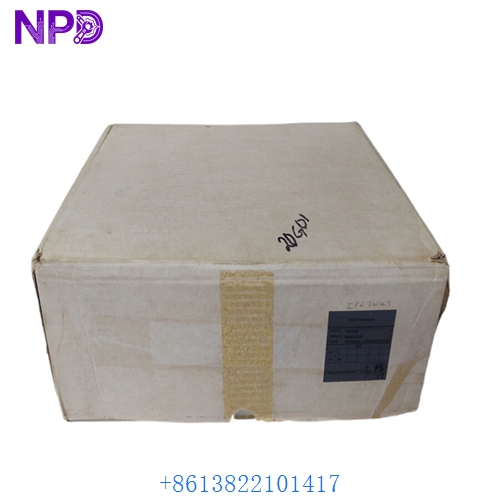

Description
Product Technical Parameters
| Feature | Specification |
|---|---|
| Brand | FANUC |
| Model | A20B-8101-0320 |
| System Compatibility | Series 0i-Mate Model C (0i-MC / 0i-TC) |
| Part Type | Main CPU Master PCB |
| Processor | Integrated High-Speed RISC Processor |
| Memory Support | Flash ROM / SRAM Module slots included |
| Interface | Optical Fiber (I/O Link), Servo Bus, Display Interface |
| Power Input | DC 24V (via backplane) |
Product Datasheet
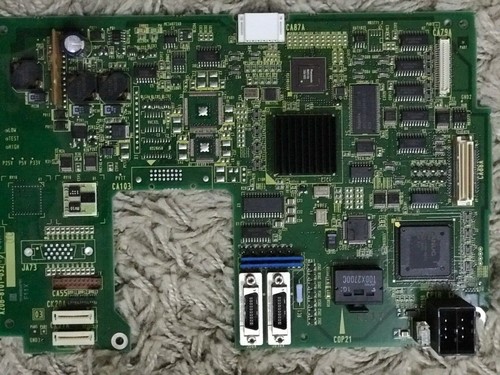
| Attribute | Details |
|---|---|
| Dimensions | 24.5 cm x 18.2 cm x 2.8 cm |
| Weight | 0.68 kg (approx. 1.50 lbs) |
| Country of Origin | Japan |
| Operating Temperature | 0°C to +55°C |
| Storage Humidity | 10% to 90% RH (non-condensing) |
| Mounting | Integrated into FANUC Yellow Rack / Control Box |
| Component Grade | High-Reliability Industrial CNC Grade |
Application Fields
The A20B-8101-0320 is the central processing heart of the FANUC 0i-C series controllers. It is widely used in:
- CNC Vertical and Horizontal Machining Centers
- Precision CNC Lathes and Turning Centers
- Automotive Component Manufacturing Lines
- High-Speed Milling Machines
- Multi-Axis Industrial Robotics Control
Product Instructions
- Installation: Ensure the main power of the CNC machine is completely shut off. Align the A20B-8101-0320 board with the guide rails in the 0i-C control rack and push firmly until the connectors seat into the backplane.
- Memory Transfer: If replacing an existing board, you must transfer the Flash ROM and SRAM modules from the old board to the new one. Use extreme caution to avoid bending pins on these sensitive memory modules.
- Fiber Optic Connection: Connect the COP10 optical fiber cable for communication with the I/O modules and the servo amplifiers. Ensure the optical tips are clean to prevent communication CRC errors.
- Initialization: Upon first power-up, perform a full system backup (SRAM Backup) to restore the machine parameters, pitch error compensation, and ladder program (PMC) to the new CPU board.
Product Q&A
Q: What are the common error codes associated with a faulty A20B-8101-0320? A: A failure in this board often results in a “SYSTEM ALARM” or “BLANK SCREEN” during boot-up. If the LED indicators on the board show a specific code (such as “1”), it may indicate a CPU or peripheral bus error.
Q: Can I use this board in a FANUC 0i-B or 0i-D system? A: No. The A20B-8101-0320 is specifically designed for the 0i-C series. Attempting to install it in a different generation of controllers will lead to physical and electrical incompatibility.
Q: Do I need to reload the machine parameters after installing a new board? A: Yes. The CPU board stores the machine-specific logic and parameters. Unless the SRAM module is transferred from the old board, you will need to load a backup via the CF card or RS-232 port.
Q: Does the “NEW” status of this board require a specific battery? A: Yes, the 0i-C system requires a 3V lithium battery (typically a Fanuc A02B series battery) to maintain the SRAM data when the machine is powered off.
Similar Models Recommendation
- FANUC A20B-8101-0321
- FANUC A20B-8101-0030
- FANUC A20B-8100-0130
- FANUC A16B-3200-0440
- FANUC A16B-3200-0600