
Description
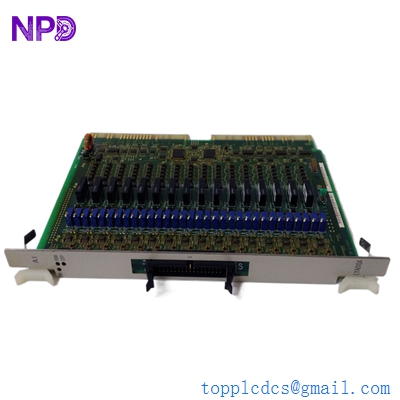
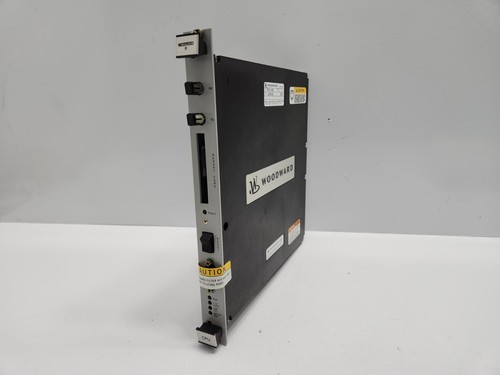
The Woodward 5501-469 is a high-performance CPU module designed for the NetCon control system. It serves as the primary processing brain for critical turbine and compressor control applications. Engineered for high reliability, this module executes complex control algorithms, handles high-speed I/O processing, and manages communication with external systems, ensuring precise and safe operation in demanding power generation and industrial environments.
📋 Technical Specifications
- Model Number: 5501-469
- Series: NetCon Control System
- Function: Central Processing Unit (CPU)
- Processing Capabilities: High-speed real-time control logic
- Communication Ports: Integrated network/serial interfaces
- Dimensions: Standard NetCon rack-mount module (approx. 12 x 8 x 2 inches)
- Weight: 2.2 lbs (1.0 kg)
- Country of Origin: United States
⚙️ Application Areas
- Gas and Steam Turbine Control
- Large Industrial Compressor Management
- Power Generation Plant Automation
- Critical Process Safety Systems
- Integrated Distributed Control Systems (DCS)
🛠️ Operating Instructions & Guidelines
- Installation: Install the CPU module in a clean, vibration-free NetCon chassis. Ensure the backplane connectors are properly aligned and firmly seated. Secure the module using the built-in locking levers to ensure ground continuity.
- Environmental Requirements: Operating temperature range is typically 0°C to 60°C. Maintain the enclosure air filtration system to prevent dust accumulation on the board, which can lead to overheating or short circuits.
- Maintenance: Periodically inspect the module for any dust buildup. If a firmware update is required, ensure the system is in a controlled state, as the CPU module manages all active control loops.
⚡ Power Sequence & Operation
- Power-On Sequence: 1. Verify that the rack power supply is functioning correctly. 2. Insert the module into the designated slot. 3. Power up the chassis. 4. Wait for the self-diagnostic sequence to complete; monitor the front panel LEDs for a “Healthy” or “Run” status.
- Power-Off Sequence: 1. Secure the control process (Trip or shutdown the turbine/compressor via the master logic). 2. Turn off the rack power. 3. Wait for internal capacitors to discharge before removing the module.
- Step-by-Step Operation: 1. Use the Woodward Service Tool to load the application software/project file. 2. Check the CPU status via the HMI to ensure no hardware errors are detected. 3. Initiate the control program run-time. 4. Continuously monitor CPU utilization and communication status during operation.
❓ Frequently Asked Questions (Q&A)
- What if the CPU module enters a “Fault” state? A fault state usually indicates a checksum error, watchdog timer trip, or hardware failure. Check the error logs via the service software for a specific diagnostic code.
- Is this CPU module hot-swappable? Generally, no. Removing a CPU module while the control rack is energized can cause unpredictable behavior in the system I/O and could lead to a system-wide trip. Always power down the rack.
- How do I back up the project file? Use the Woodward configuration/service software to perform an “Upload” from the CPU to your programming laptop. This ensures you have a recovery file if a hardware failure occurs.
- What causes the “Battery Low” alarm? The CPU often contains a small battery to maintain real-time clock settings and volatile memory during power cycles. If this alarms, the battery should be replaced to prevent data loss.