
Description
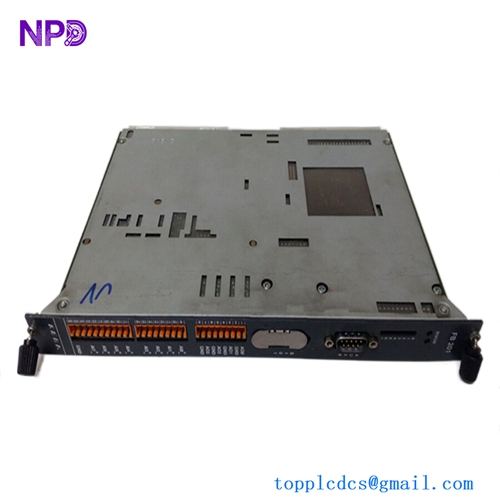
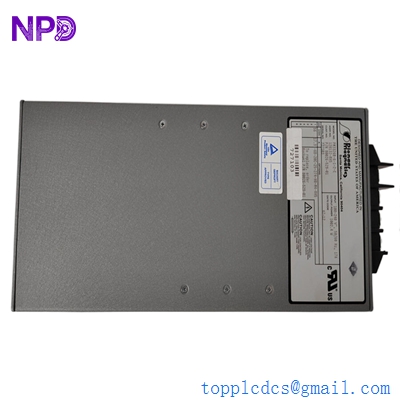
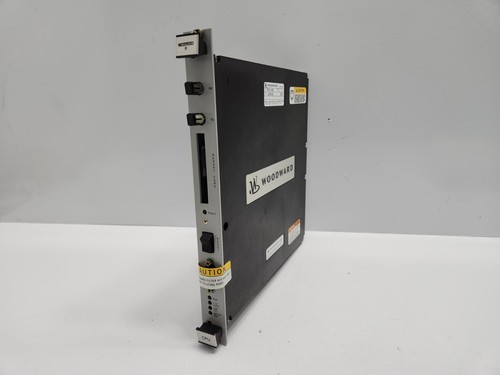
The WOODWARD 5501-469 is a high-performance CPU module designed for the Woodward NetCon integrated turbine control system. As the central intelligence of the controller, this processor is engineered to manage critical turbine functions, including speed control, temperature monitoring, and protection, with high-speed deterministic performance required in power generation and petrochemical applications.
📋 Technical Specifications
🔹 Product ID: Woodward 5501-469 🔹 System Series: NetCon 🔹 Processor Type: High-speed real-time CPU 🔹 Operating Temperature: -20°C to +65°C 🔹 Weight: Approximately 1.2 kg 🔹 Country of Origin: United States
🚀 Application Fields
⚡ Gas and Steam Turbine Control 🏭 Power Generation Plants ⛽ Petrochemical Processing Facilities ⚙️ Industrial Compressor Management
🛠️ Product Instructions
The 5501-469 module is intended for insertion into a NetCon rack chassis. When installing, ensure the module is fully aligned with the backplane connector before pushing it firmly into place. Secure the front panel screws to ensure proper grounding and mechanical stability. Always perform work under strict ESD-safe conditions to protect the internal logic circuits.
⚙️ Communication Configuration Steps
⚙️ IP Address: Configuration is typically performed through the Woodward GAP (Graphical Application Programmer) software. Access the network settings menu and assign a valid static IP address compliant with the control network’s subnet. ⚙️ Station Number: Set the node address via the software configuration file to ensure the CPU is uniquely identified within the NetCon communication bus. ⚙️ Baud Rate: The NetCon bus architecture utilizes fixed, high-speed communication parameters. Ensure the bus topology and termination resistors are configured correctly to match the CPU’s communication interface requirements.
🔋 Power-up Debugging Process
✅ Step 1: Verify the power supply rails (24V DC) are within the required voltage range. ✅ Step 2: Insert the CPU module and apply power to the rack. ✅ Step 3: Monitor the status LEDs on the front panel; the “RUN” LED should stabilize after the self-test sequence. ✅ Step 4: Utilize the service port to verify that the CPU is communicating with the local engineering workstation.
📋 First-time Operation Checklist
✔️ Check that the cooling fans in the cabinet are operational to ensure the CPU remains within thermal limits. ✔️ Verify that the firmware/software loaded on the module matches the specific turbine configuration application. ✔️ Ensure all communication cables are shielded and properly grounded to minimize EMI interference. ✔️ Confirm the watchdog timer is active to allow for automatic fault detection.
❓ Frequently Asked Questions (Q&A)
❓ Q: What is the significance of the “Status” LED flashing yellow? 💡 A: A yellow status usually indicates that the module is currently in a “Service” or “Configuration” mode, or that there is a non-critical diagnostic warning that requires review via the software console.
❓ Q: Can this module be configured offline? 💡 A: Yes, the module can be configured using the appropriate Woodward GAP software via the front-facing service port before being integrated into the active control network.
❓ Q: How should I handle a “CPU Fault” diagnostic error? 💡 A: First, verify all power connections. If the fault persists, use the diagnostic software to clear the error log. If the error is hardware-related, it may indicate a need for component replacement or factory repair.