
Description
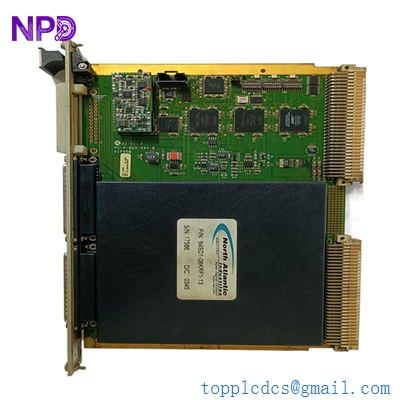
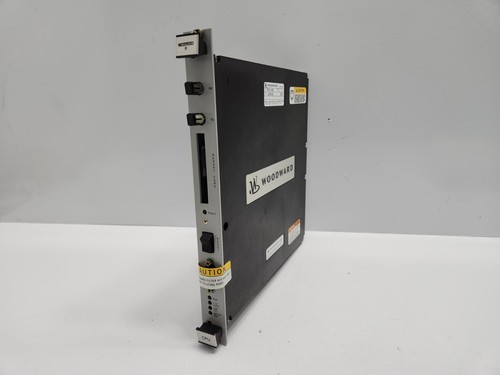
The WOODWARD 5501-469 is a high-performance CPU module designed for the NetCon control system. As a critical component in industrial turbine and compressor control, this Rev C processor module ensures precise, real-time computational capabilities. It is engineered to handle complex logic, high-speed I/O processing, and seamless network communication within demanding power generation and process control environments.
⚙️ Technical Specifications
- Dimensions: 280 mm x 245 mm x 35 mm (approximate rack-mount profile)
- Weight: 0.85 kg
- Country of Origin: United States
- Processor Architecture: Specialized high-speed microprocessor for control applications
- Operating Temperature: -20°C to +65°C
- Mounting Type: Standard NetCon chassis slot
🏗️ Application Areas
- Industrial Gas and Steam Turbine Control
- Compressor Train Management
- Power Generation Utility Systems
- Synchronous Generator Control
- Complex Industrial Process Automation
📖 Product Usage Instructions
The module must be installed in a clean, vibration-free environment within a dedicated Woodward NetCon cabinet. Ensure the backplane connectors are aligned correctly before seating the module. Use electrostatic discharge (ESD) protective gear when handling to prevent damage to the sensitive internal circuitry.
🌐 Communication Configuration Steps
- IP Address: Access the service tool software, navigate to the Network Configuration menu, and enter the static IP address, Subnet Mask, and Gateway required for your specific network architecture.
- Station Number: Set the hardware rotary switches or software-defined address parameters to match the unique node ID assigned to the NetCon cabinet.
- Baud Rate: Configure the communication port settings within the controller software to match the network topology (typically 10/100 Mbps for Ethernet-based communication).
⚡ Power-Up Debugging Flow
- Verify all external wiring connections for I/O and communication.
- Ensure input power supply voltage is within the nominal range of the chassis power supply.
- Apply power and observe the LED status indicators on the front panel.
- Monitor the CPU “Ready” and “Fault” LEDs; a steady green status indicates successful initialization.
- Establish a connection via the service port to verify that the CPU is communicating with the control software.
✅ Initial Run Checklist
- Confirm all firmware versions are compatible with the current project application.
- Verify the integrity of the communication link to the HMI or DCS.
- Check for any active diagnostic alarms within the diagnostic buffer.
- Ensure the clock synchronization is active if the unit is part of a multi-node system.
- Validate real-time processing performance against expected scan time benchmarks.
❓ Frequently Asked Questions (Q&A)
Q: What does the “Rev C” designation indicate? A: Rev C signifies a specific hardware revision level, incorporating improvements in component reliability and manufacturing processes compared to previous versions.
Q: How do I perform a firmware update on this module? A: Firmware updates are performed via the designated communication port using the Woodward-supplied Service Tool. Always backup the existing project file before attempting an update.
Q: Can this module be hot-swapped? A: While the hardware supports robust operation, it is generally recommended to power down the specific chassis slot before insertion or removal to prevent electrical transients.
Q: What should I do if the “Fault” LED is blinking red? A: A blinking red LED typically indicates a system diagnostic error or a memory parity issue. Consult the specific error code logged in the NetCon diagnostic software to identify the root cause.