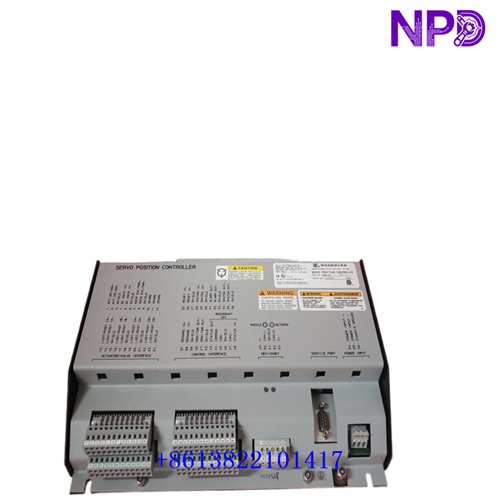

Description
⚙️ Product Specifications (Datasheet)
| Parameter | Value |
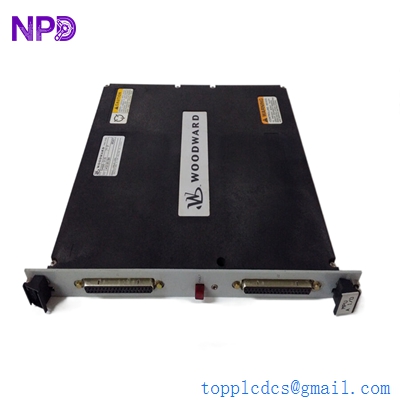
| Model / Part Number | 723PLUS Series (P/N: 8237-1277) |
| Device Type | Digital Microprocessor-Based Speed Control |
| Housing Material | Heavy-Duty Sheet Metal Chassis |
| Operating Temperature | -40°C to +70°C (-40°F to +158°F) |
| Power Supply Voltage | High Voltage Version (90 to 150 VDC or 88 to 132 VAC) |
| Power Consumption | 40 W nominal |
| Speed Inputs | 2 MPT (Magnetic Pickup Transducer) / Proximity Inputs |
| Actuator Drivers | 1 or 2 Actuator Outputs (0–200 mA or 4–20 mA) |
| Communication Ports | Dual RS-422 / RS-485 Serial Ports (LonWorks / Modbus RTU) |
| Country of Origin | USA (Woodward, Inc.) |
🚀 Standard Operating Procedure
- 🛠️ Pre-Start Inspection: Verify the protective metal chassis is grounded, all terminal block screw connections are tight, and supply voltage matches the High Voltage input specification (90–150 VDC / 88–132 VAC).
- ⚡ Power On: Apply power to the system circuit breaker. Confirm the status LEDs light up correctly and CPU self-diagnostics complete without throwing fault warnings.
- 🕹️ Control Mode Setup: Select local discrete input commands or serial communications to set initial speed references.
- 🏎️ Engine / Turbine Start: Initiate the start sequence from the master control system. The 723PLUS executes dynamic speed governing routines, following pre-configured ramp times up to rated speed.
- 📊 Operational Monitoring: Track real-time speed feedback, fuel demand output percentage, and auxiliary I/O values using Watch Window software or a connected Handheld Programmer.
- 🛑 Controlled Shutdown: Initiate the normal stop sequence via terminal commands or serial commands to ramp fuel actuators down to zero and stop the prime mover.
⚙️ Parameter Configuration Guide
- 💻 Connect a PC running Woodward Watch Window software or attach a Handheld Programmer (HHP) to the 9-pin serial service port.
- 🔑 Enter the security password level required for tuning and setup parameters.
- 📑 Navigate through menu blocks such as Speed Dynamics, Actuator Limits, Analog I/O Setup, and Torsional Filtering.
- ✏️ Modify the desired parameters (e.g., Gain, Reset, Actuator Current Limits), and test response curves in real time.
- 💾 Select “Save Values” to write all modified parameters permanently into non-volatile EEPROM memory before disconnecting.
🔄 Manual / Automatic Mode Switching
- 🖐️ To Select Manual Mode: Actuate the designated local/remote discrete contact input or set the Watch Window override parameter. This allows technicians to manually adjust speed setpoints and override actuator positioning locally.
- 🤖 To Select Auto Mode: Toggle the control discrete input back to Automatic position. Control returns to automated internal PID speed loops or external remote SCADA/DCS commands over Modbus or LonWorks networks.
❓ Frequently Asked Questions (Q&A)
- ❓ Q: What is the main advantage of the metal chassis enclosure on model 8237-1277?
💡 A: The fully enclosed metal chassis provides enhanced thermal dissipation (operating up to 70°C / 158°F), structural durability, and high immunity against electro-magnetic interference (EMI) in harsh industrial engine environments.
- ❓ Q: How are software parameters tuned on the 723PLUS series?
💡 A: Parameters are configured digitally using Woodward’s Watch Window PC software or a plug-in Handheld Programmer (HHP), eliminating the need for manual potentiometer adjustments.
- ❓ Q: What primary application is this digital speed controller built for?
💡 A: It is designed for precise speed governing, load sharing, and fuel control on industrial gas engines, diesel engines, and small steam/gas turbines.